Collections manager, Accounts receivable manager, Accounting manager and 3 more roles
Business process
Process supplier invoices
Menu item
LedgerInvoiceIssueDueDateSetup_W
Main table
LedgerInvoiceIssueDueDateSetup_W
Data entity
LedgerInvoiceIssueDueDateEntity
Setup steps
1 on this page
Show what matters for
SETUP GUIDEHow to set it up8 sections. Choose a role to highlight what matters to you.
Everyone
1What it is and why
What it is
A setup page for invoice issue due date calculation rules, which assign a date interval code to a country/region type.
What you do here
Use this page to calculate the deadline for issuing invoices for intra-EU and domestic shipments, so that invoicing deadlines required by law are met.
Example
Intra-EU shipments must be invoiced by the fifteenth day of the month after delivery, so you create a date interval code 15-NM and assign it to the EU country/region type.
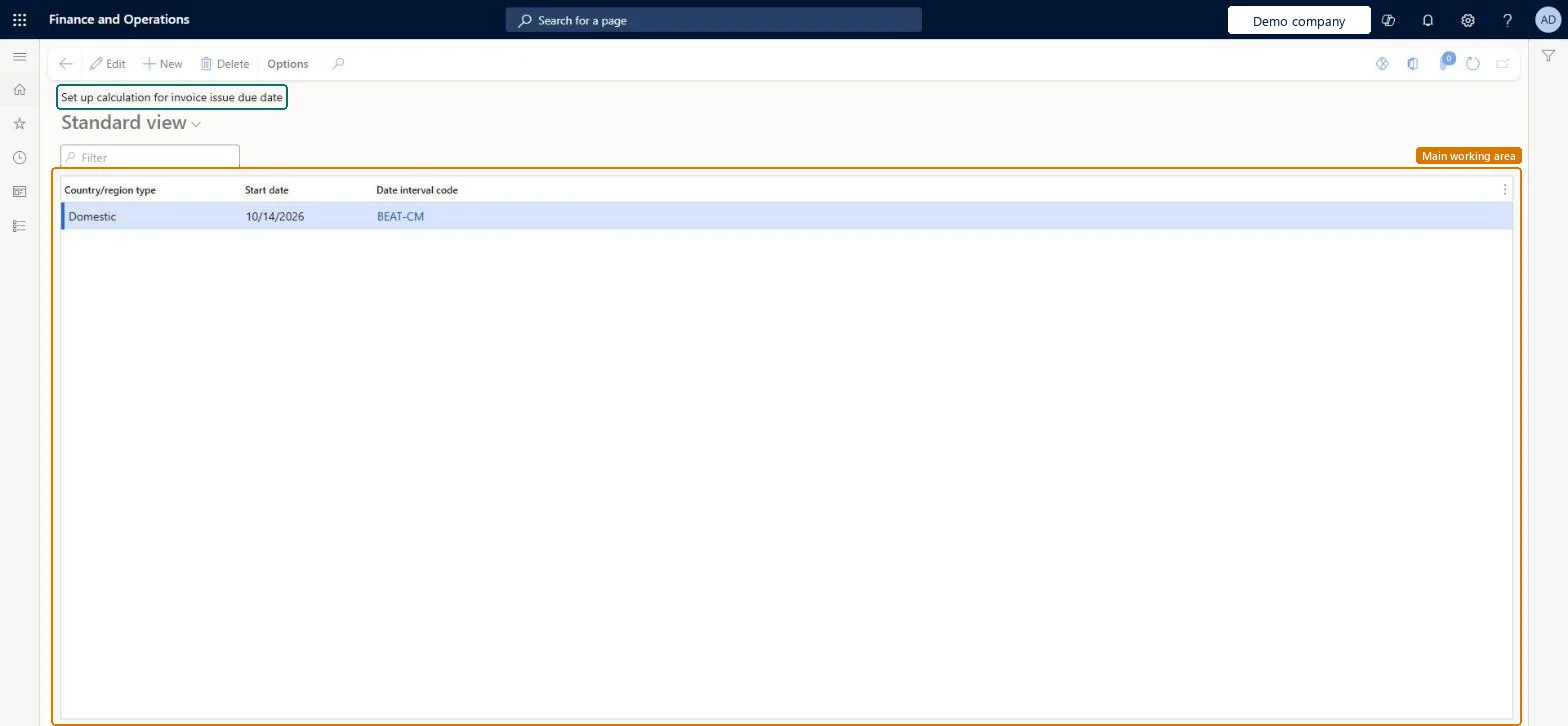
The page in Dynamics 365. page title tab to open what to set or check
About the examples: Examples and screenshots in this guide use BEAT, a demo company in a Dynamics 365 test environment. Use your own company's codes and values instead of copying them.
Step by step, with screenshots
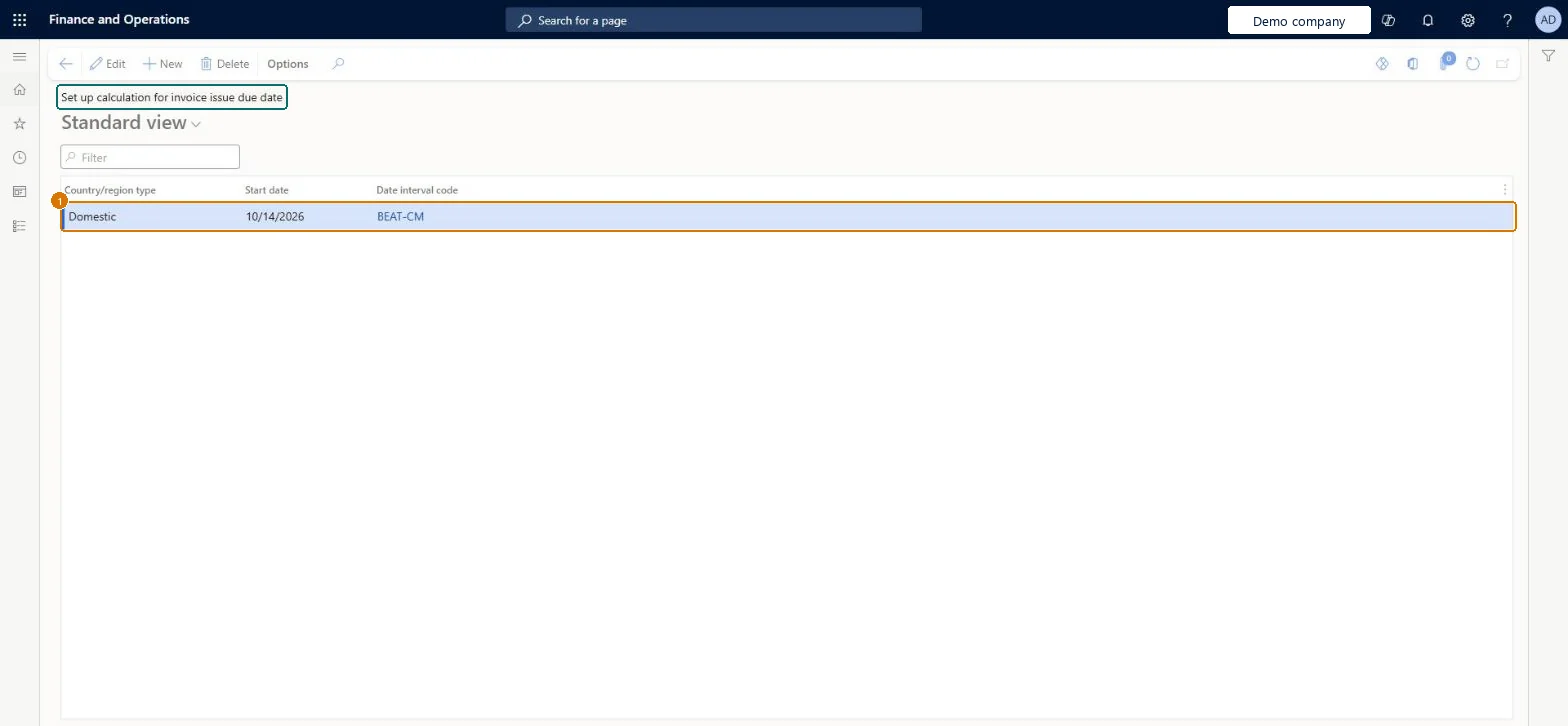
Set up calculation for invoice issue due date1 screen
Assigns a date interval code to each country/region type to calculate the deadline for issuing an invoice after goods are delivered or received.
Screen 1
Add the domestic due date calculation line
Go to Accounts payable > Setup > Set up calculation for invoice issue due date
Select New
Add a Domestic line with a start date
Select the date interval code, then save
1Country/region type
Domestic
Start date
10/14/2026
Date interval code
BEAT-CM
Show the full screen page title tab to open what to set or check
How to use it
Go to Accounts payable > Setup > Set up calculation for invoice issue due date.
Select New to add a row.
Choose the Country/region type, enter the Start date and choose the Date interval code.
Select a row and select Edit to change it, or select Delete to remove it.
Source: Checked in Dynamics 365
Fields on the page
Field
What it means
Example
Table column
Date interval code
The date interval used to calculate the invoice issue due date for a country/region type.Microsoft Learn
Country/region type EU with a date interval for the fifteenth day of the next month (for example 15-NM), plus a domestic rule if local law sets a different deadlineEU rules require intra-EU shipments to be invoiced on or before the fifteenth day of the month after delivery, and domestic deadlines can differ by country/region.
Setting the rule before the prerequisites: the legal entity's primary address must be in an EU member state, and date intervals and Foreign trade parameters must exist.
Reversible: Each rule line has a Start date, so a change is added as a new line that applies from its start date.
Technical architect
6Technical
Menu item
LedgerInvoiceIssueDueDateSetup_WChecked in Dynamics 365
Form
LedgerInvoiceIssueDueDateSetup_WChecked in Dynamics 365
Table
LedgerInvoiceIssueDueDateSetup_WShown as “Set up calculation for invoice issue due date” in Record infoChecked in Dynamics 365
Data entities
LedgerInvoiceIssueDueDateEntitySet up calculation for invoice issue due date Microsoft data model
Who can open it
PrivilegesCalculate invoice issue due dates LedgerInvoiceIssueDueDateSetupMaintain_WDutiesEnable invoice and cash process CustInvoiceInvoiceAndCashProcessEnable6 security rolesCollections manager CollectionLetterCollectionsManagerAccounts receivable manager CustInvoiceAccountsReceivableManagerAccounting manager LedgerAccountingManagerAccounting supervisor LedgerAccountingSupervisorRental coordinator agent RentalCoordinatorAgentRental manager RentalManagerChecked in Dynamics 365
Roles to set it up and use it
To set it up or change itAccounting supervisor LedgerAccountingSupervisorRental manager RentalManagerRental coordinator agent RentalCoordinatorAgentAccounting manager LedgerAccountingManagerAccounts receivable manager CustInvoiceAccountsReceivableManagerGive people one of these roles. On this system, 6 roles can open this page.Checked in Dynamics 365
Checked in a working Dynamics 365 system, version 10.0.49: the menu item, form, table and security, the page, the demo records and the values in the screenshots.
To cite this step: AP-SETUP-150, Set up calculation for invoice issue due date. Beyond ERP Atlas Hub, 2026-11-11. https://www.beyonderp.cloud/atlas/step/AP-SETUP-150