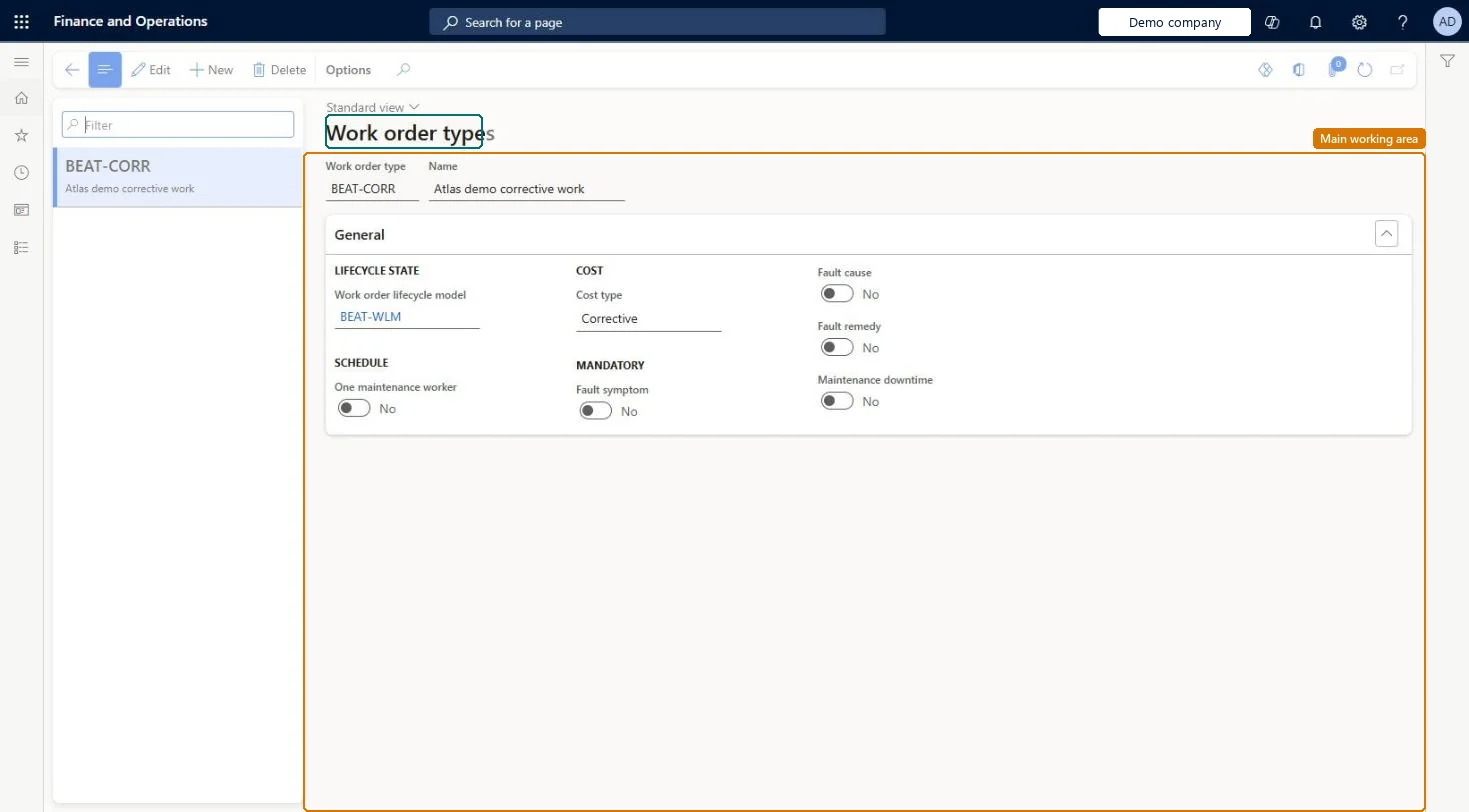
Setup step on the Work order types page · Asset management
Set up Work order types
Use this page to set the lifecycle model, cost type, single-worker scheduling, and the mandatory fault and downtime information for each type of work order.
Maintenance clerk, Maintenance manager, Maintenance requester and 1 more role
Business process
Develop maintenance strategy
Menu item
EntAssetWorkOrderType
Main table
EntAssetWorkOrderType
Data entity
EntAssetMaintenanceWorkOrderTypeEntity
Setup steps
1 on this page
Show what matters for
SETUP GUIDEHow to set it up8 sections. Choose a role to highlight what matters to you.
Everyone
1What it is and why
What it is
A setup page where you define work order types, which group work orders, for example preventive or corrective, and link them to a work order lifecycle model.
What you do here
Use this page to set the lifecycle model, cost type, single-worker scheduling, and the mandatory fault and downtime information for each type of work order.
Example
For example, you create a Preventive work order type with cost type Preventive and set One maintenance worker to Yes so that all its jobs go to the same worker.
The page in Dynamics 365. page title tab to open what to set or check
About the examples: Examples and screenshots in this guide use BEAT, a demo company in a Dynamics 365 test environment. Use your own company's codes and values instead of copying them.
Setup steps on this page
Set up Work order types
Use this page to set the lifecycle model, cost type, single-worker scheduling, and the mandatory fault and downtime information for each type of work order.
Steps from Microsoft
Go to Asset management > Setup > Work orders > Work order types.
Select New.
Enter an ID in the Work order type field and a name in the Name field.
In the Work order lifecycle model field, select a lifecycle model.
Set One maintenance worker, select the Cost type, and set the Mandatory options.
Separate work order types for corrective, preventive and investment work, each with its own lifecycle modelLearn uses work order types to categorise work orders such as preventive and corrective, and all jobs on a work order must have the same cost type.
Setting Mandatory options on the type without the matching validation on the Work order lifecycle states page; the two are related, so fault or downtime information isn't enforced as expected.
Solution architect
5Design impact
Can it be undone
Reversible: Work order types can be changed; they apply to work orders created with the type.
If you change it later
When One maintenance worker is set to Yes on the type, each work order of this type gets the same setting automatically. Microsoft Learn
Technical architect
6Technical
Menu item
EntAssetWorkOrderTypeChecked in Dynamics 365
Form
EntAssetWorkOrderTypeChecked in Dynamics 365
Table
EntAssetWorkOrderTypeShown as “WORK ORDER TYPES” in Record infoKey field: WorkOrderTypeIdChecked in Dynamics 365
Data entities
EntAssetMaintenanceWorkOrderTypeEntityAsset management work order types Checked in Dynamics 365
To set it up or change itMaintenance manager EntAssetMaintenanceManagerTo use itMaintenance clerk EntAssetMaintenanceClerkMaintenance worker EntAssetMaintenanceWorkerMaintenance requester EntAssetMaintenanceRequesterGive people one of these roles. On this system, 4 roles can open this page.Checked in Dynamics 365