PAGE GUIDEWhat the page does and how to use it7 sections. Choose a role to highlight what matters to you.
Everyone
1What it is and why
What it is
An inquiry that calculates key performance indicators (KPIs) for assets and asset types over a period.
What you do here
Use this page to compare asset performance, such as uptime, downtime, repair time, availability, and mean time between failures (MTBF), and the maintenance costs posted on each asset.
Example
For example, a maintenance manager calculates KPIs for the last quarter and compares the availability and MTBF of each asset.
The page in Dynamics 365. page title tab to open what to set or check
About the examples: Examples and screenshots in this guide use BEAT, a demo company in a Dynamics 365 test environment. Use your own company's codes and values instead of copying them.
Steps from Microsoft
Go to Asset management > Inquiries > Assets > Asset KPIs.
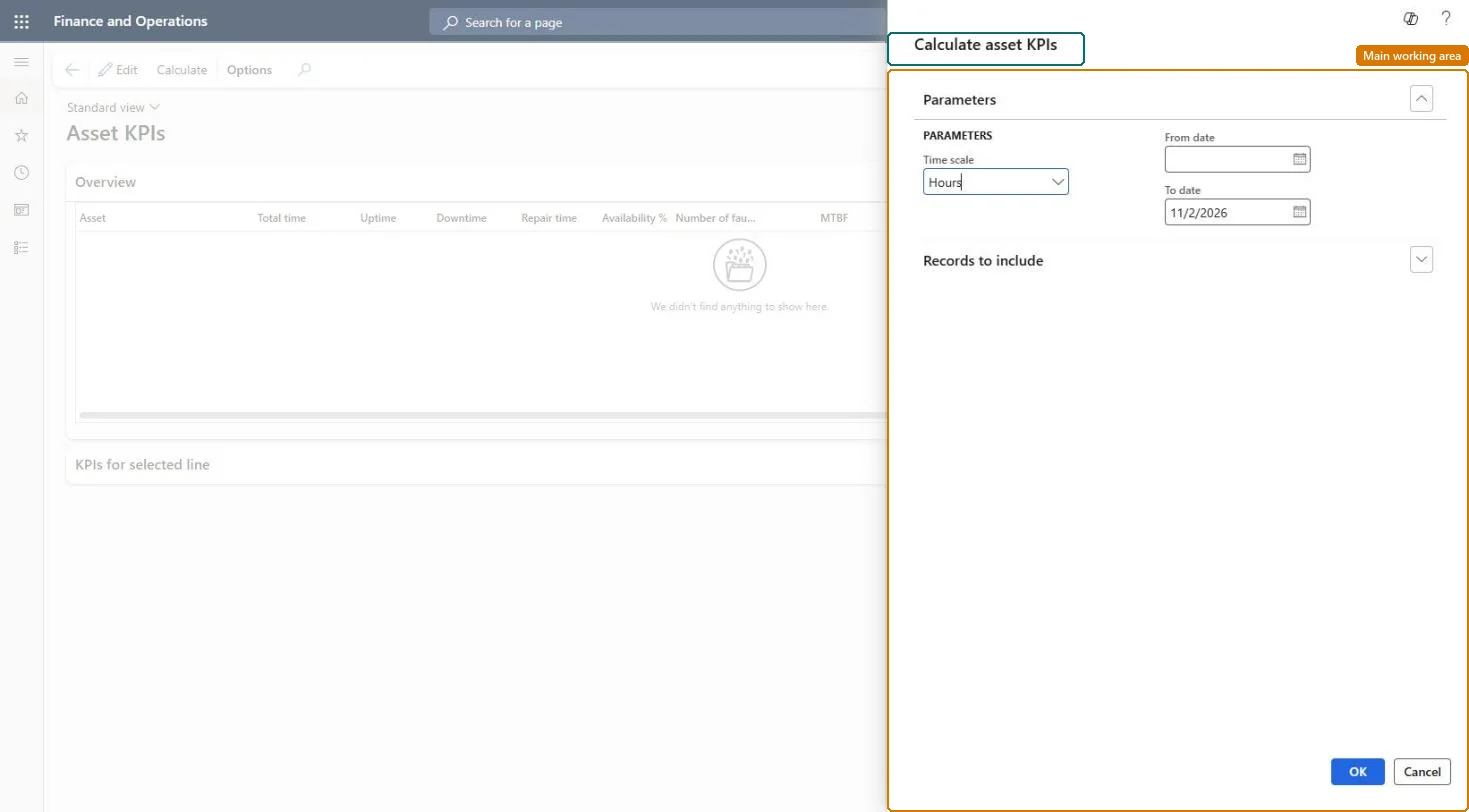
In the Calculate asset KPIs dialog, select the Time scale and enter the From date and To date.
On the Records to include FastTab, select assets or asset types if needed.
Select OK.
Review each asset on the Overview FastTab and the details on the KPIs for selected line FastTab.
Mean time between failures: total time divided by the number of faults in the period.Microsoft Learn
MTBF
MRT
Mean repair time: repair time divided by the number of faults in the period.Microsoft Learn
MRT
Number of stops
The number of maintenance downtime registrations on the asset.Microsoft Learn
NumberOfStops
Preventive cost
Costs posted on the asset with cost type Preventive in the period.Microsoft Learn
PreventiveCost
Total time
Working time in the calendar used: the asset's resource calendar, or the standard calendar in Asset management parameters.Microsoft Learn
TotalTime
Solution architect
4Design impact
If you change it later
Whether downtime counts in the KPIs depends on the reason codes used on the downtime registrations. Microsoft Learn
Technical architect
5Technical
Menu item
EntAssetObjectKPIChecked in Dynamics 365
Form
EntAssetObjectKPIChecked in Dynamics 365
Roles to set it up and use it
To set it up or change itMaintenance manager EntAssetMaintenanceManagerMaintenance clerk EntAssetMaintenanceClerkTo use itMaintenance worker EntAssetMaintenanceWorkerBudget manager BudgetBudgetManagerAuditor AuditPolicyManagerChief financial officer CompanyChiefFinancialOfficerAccounts payable manager VendInvoiceAccountsPayableManagerGive people one of these roles. On this system, 10 roles can open this page.Checked in Dynamics 365