Plan outbound transportation loads in Dynamics 365 Supply Chain Management
Menu item
TMSLoadBuildWorkbench
Main table
TMSTmpLoadTemplate
Show what matters for
PAGE GUIDEWhat the page does and how to use it7 sections. Choose a role to highlight what matters to you.
Everyone
1What it is and why
What it is
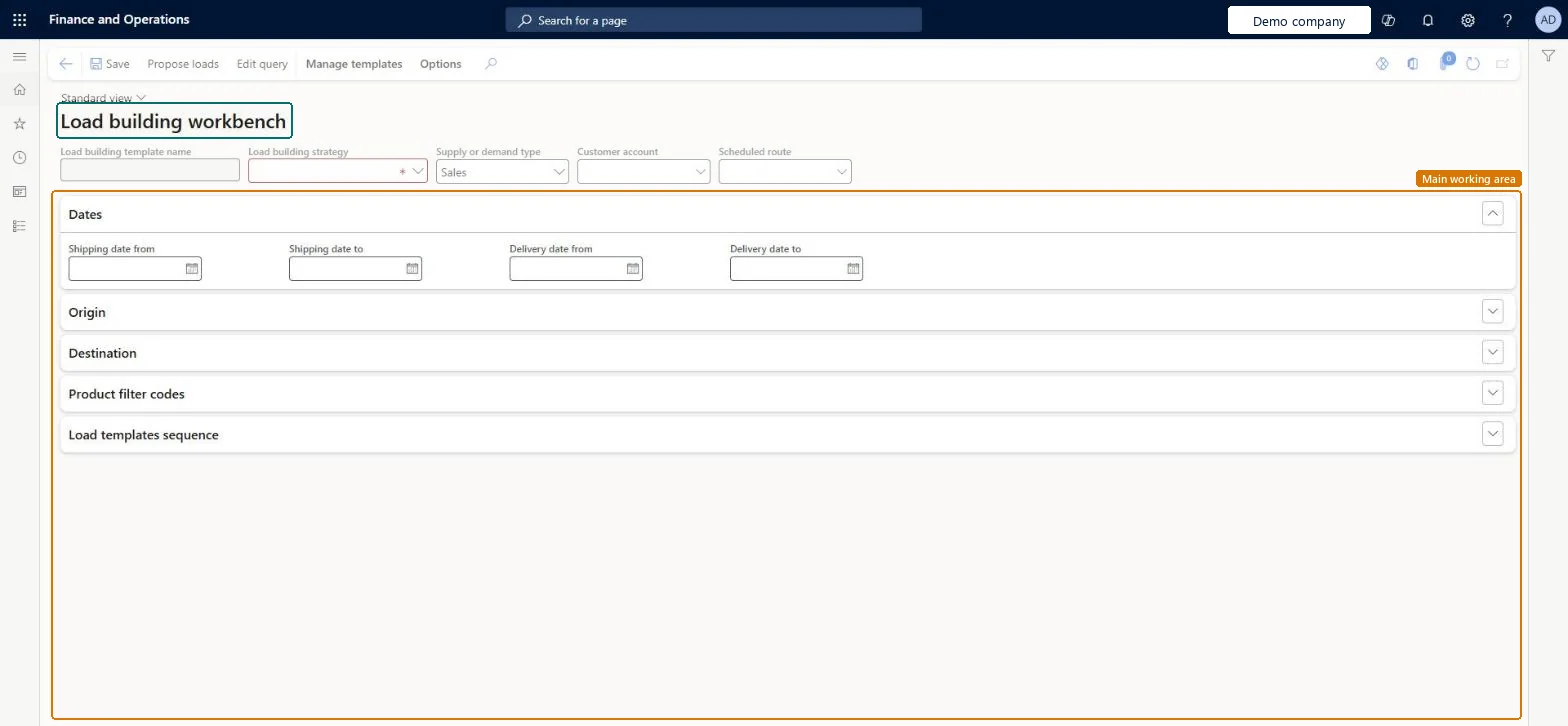
A workbench page where you apply load building strategies to propose loads from open order lines and then create the loads.
What you do here
Use this page to propose loads for a supply or demand type, date range, origin, destination and scheduled route, review the proposed loads and load lines, and then create the loads.
Example
For example, if you regularly ship the same set of products, a load building strategy saves you from building the same load every time.
The page in Dynamics 365. page title tab to open what to set or check
About the examples: Examples and screenshots in this guide use BEAT, a demo company in a Dynamics 365 test environment. Use your own company's codes and values instead of copying them.
Steps from Microsoft
Go to Transportation management > Planning > Load building workbench.
Select a strategy in the Load building strategy field, or, on the Action Pane, on the Manage templates tab, select Apply template and select a template in the Load building template name field.
On the Load templates sequence FastTab, select one or more load templates, with the smallest containers at the top of the list.
On the Action Pane, select Propose loads.
Review the proposed loads and proposed load lines.
On the Action Pane, select Create loads to create loads that are based on the source document lines on the Proposed load lines FastTab.
The strategy that the workbench applies when it builds loads. The standard Volume-based load building strategy uses the maximum height and weight values in the load template, which you can override with new values.Microsoft Learn
Load building template name
A load building template that has a load building strategy assigned to it. You apply it from the Manage templates tab on the Action Pane.Microsoft Learn
LoadBuildTemplateName
Load templates sequence
The load templates that the workbench tries to fit the load into, in the order listed. Put the smallest containers first so that the smallest possible container is selected.Microsoft Learn
Scheduled route
A scheduled route whose values are entered on the workbench by default when loads are proposed for that route.Microsoft Learn
Delivery date from and Delivery date to
The delivery date range for the proposal. A sales order is proposed only when its delivery date falls within this range and its delivery postal code matches a hub in the route plan.Microsoft Learn
Test checklist
Select the Volume-based load building strategy in the Load building strategy field, or apply a load building template.
On the Load templates sequence FastTab, add two load templates with the smallest container first.
Select Propose loads and review the proposed loads and proposed load lines.
Select Create loads and check that the new load uses the smallest template the lines fit into.
For a scheduled route, check that only sales orders whose delivery postal code matches a hub on the route plan and whose delivery date is in range are proposed.
Reversible: Propose loads only builds proposals that you review. Loads are created only when you select Create loads, and the workbench proposes one load at a time. Proposals you don't create leave no trace. Microsoft Learn
Technical architect
5Technical
Menu item
TMSLoadBuildWorkbenchChecked in Dynamics 365
Form
TMSLoadBuildWorkbenchChecked in Dynamics 365
Table
TMSTmpLoadTemplateShown as “LOAD TEMPLATE” in Record infoChecked in Dynamics 365
Who can open it
PrivilegesInquire into load building operations TMSLoadBuildWorkbenchOperationInquireMaintain load building operations TMSLoadBuildWorkbenchOperationMaintainDutiesMaintain load building operations TMSLoadBuildOperationMaintainInquire into the status of load building operations TMSLoadBuildOperationStatusInquire2 security rolesLogistics manager TMSLogisticsManagerTransportation coordinator TMSTransportationCoordinatorChecked in Dynamics 365
Roles to set it up and use it
To set it up or change itTransportation coordinator TMSTransportationCoordinatorTo use itLogistics manager TMSLogisticsManagerGive people one of these roles. On this system, 2 roles can open this page.Checked in Dynamics 365
Actions on the page
Manage templates(Action Pane without tabs): Propose loads, Edit queryChecked in Dynamics 365