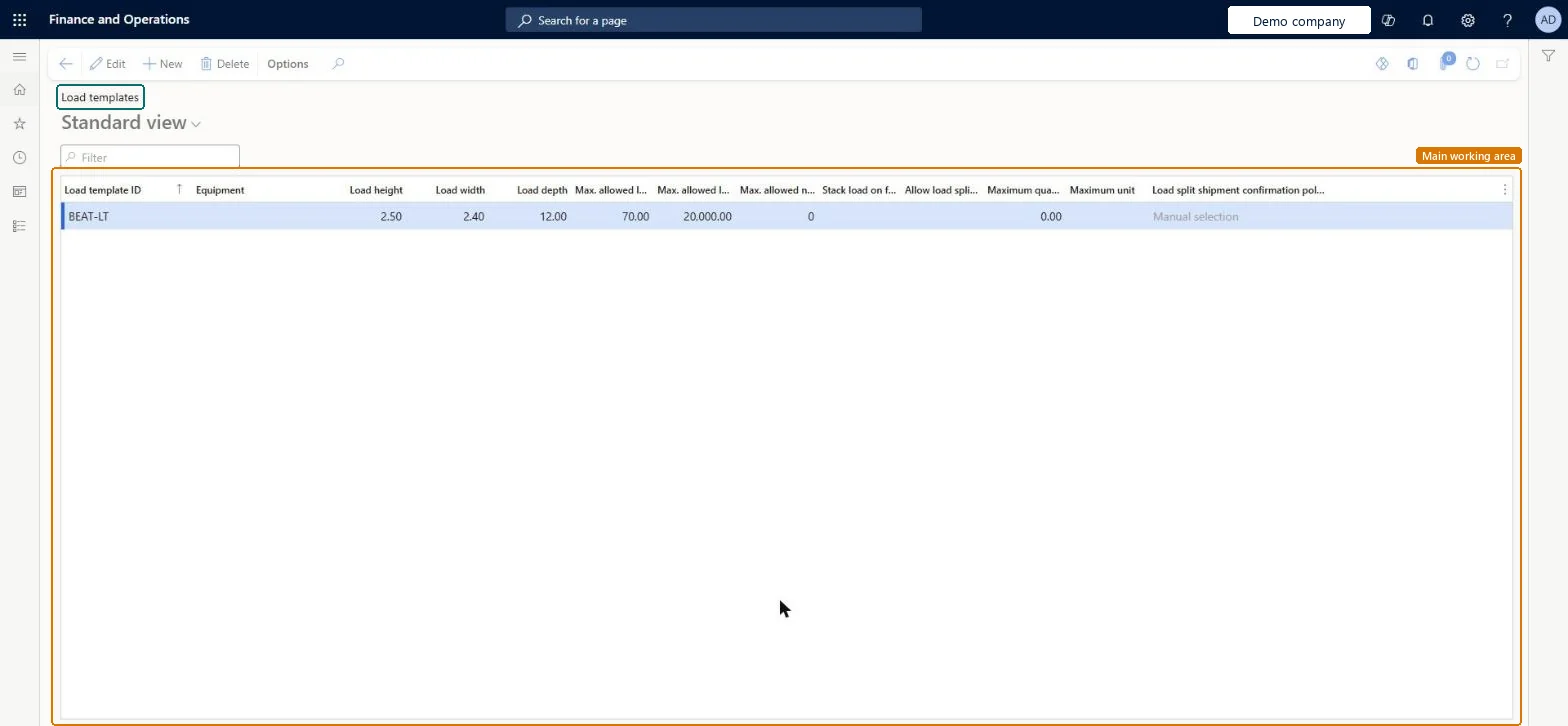
About the examples: Examples and screenshots in this guide use BEAT, a demo company in a Dynamics 365 test environment. Use your own company's codes and values instead of copying them.
Setup steps on this page
Set up Load templates
Use this page to define the equipment and size limits of a load, for example a container or truck, so that loads can be assigned a template.
Steps from Microsoft
Go to Transportation management > Setup > Load building > Load templates.
On the Action Pane, select New to add a template, or select Edit to change an existing one.
In the row, enter the Load template ID and select the Equipment.
Enter the Load height, Load width and Load depth, and the maximum allowed load volume and weight.
Enter the maximum allowed number of freight pieces, and select Stack load on floor if floor loading applies.
One load template per physical container or truck type, with its real dimensions, maximum volume, weight and number of freight piecesThe template defines the maximum weight and volume of a whole load, and the same template ID links loads to carrier services and load building templates.
Using one generic template for all equipment, so the system can't match new loads to a suitable carrier service by template ID.
Reversible: Loads inherit the template's settings when they are created. You can change the split settings on an individual load before loading starts. Template changes don't update existing loads. Microsoft Learn
Technical architect
6Technical
Menu item
WHSLoadTemplateChecked in Dynamics 365
Form
WHSLoadTemplateChecked in Dynamics 365
Table
WHSLoadTemplateShown as “LOAD TEMPLATES” in Record infoKey field: LoadTemplateIdChecked in Dynamics 365
PrivilegesMaintain load templates WHSLoadTemplateMaintainView load templates WHSLoadTemplateViewDutiesInquire into carrier master and network planning information TMSCarrierMasterInquireMaintain carrier and network planning master TMSCarrierMasterMaintain2 security rolesLogistics manager TMSLogisticsManagerTransportation coordinator TMSTransportationCoordinatorChecked in Dynamics 365
Roles to set it up and use it
To set it up or change itLogistics manager TMSLogisticsManagerTo use itTransportation coordinator TMSTransportationCoordinatorGive people one of these roles. On this system, 2 roles can open this page.Checked in Dynamics 365
WHSLoadTemplateEntity (Load templates): loaded for each company, in Microsoft's default template 405 - Transportation management.Load order: Microsoft's default template 405 - Transportation management loads Load templates at execution unit 1, level 40, sequence 10. Lower levels load first, and entities at the same level load in sequence order.Load first: Transportation equipments, the default templates at lower levels (System setup to dependency bands 30 to 90)Microsoft Learn