Service delivery manager, Sales manager, Sales representative
Business process
Sell subscriptions in Dynamics 365 Supply Chain Management
Menu item
SMASubscriptionTableListPage_Active
Main table
SMASubscriptionTable
Show what matters for
PAGE GUIDEWhat the page does and how to use it7 sections. Choose a role to highlight what matters to you.
Everyone
1What it is and why
What it is
A list page that shows only the active service subscriptions.
What you do here
Use this page to work with the subscriptions that can still have fee transactions created for them, since fees can only be created for active subscriptions.
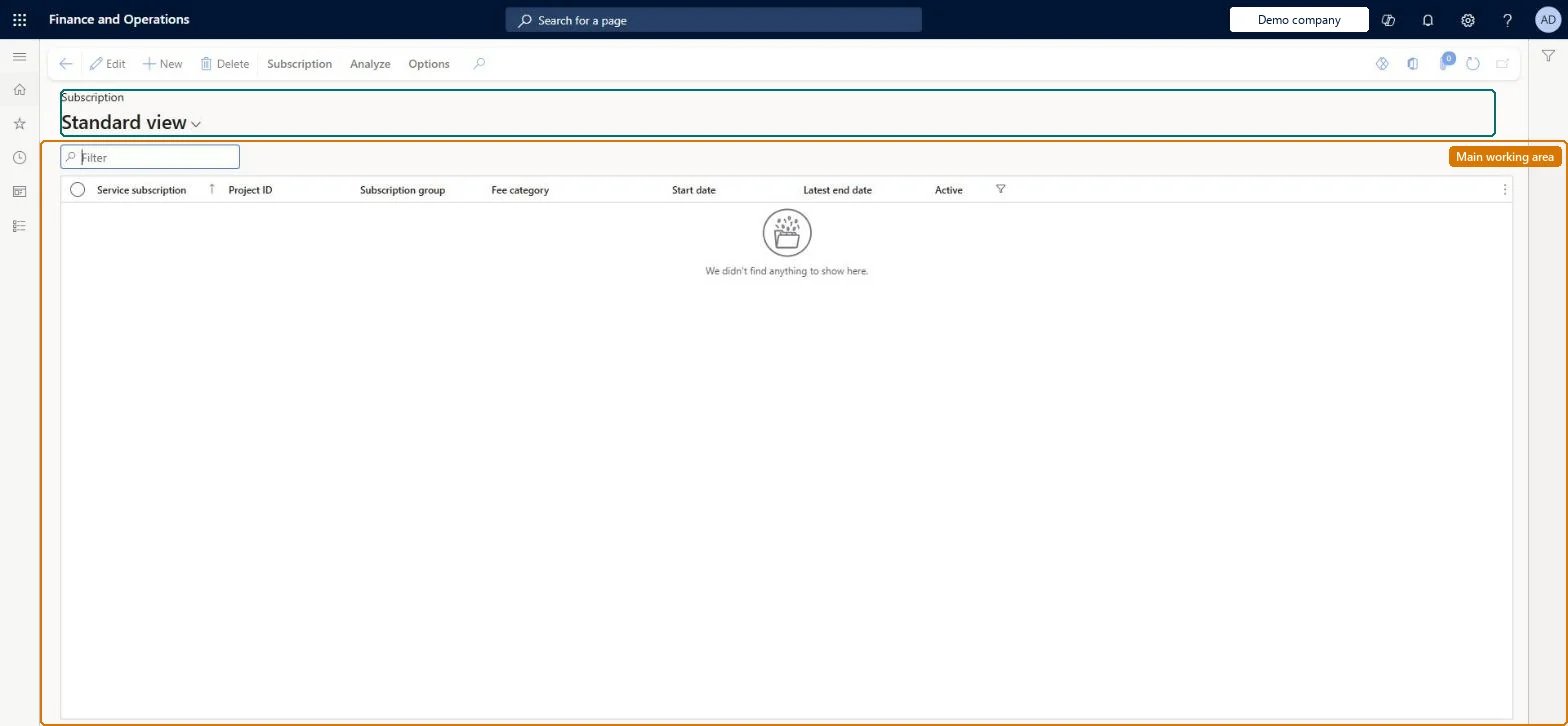
The page in Dynamics 365. page title tab to open what to set or check
About the examples: Examples and screenshots in this guide use BEAT, a demo company in a Dynamics 365 test environment. Use your own company's codes and values instead of copying them.
How to use it
Go to Service management > Service subscriptions > Active service subscriptions.
Use the Filter box to find a subscription.
Review the Service subscription, Project ID, Subscription group, Fee category, Start date, Latest end date and Active columns; the list is filtered on Active.
Select New to create a subscription, or select a subscription and choose Edit or Delete.
Use Subscription and Analyze on the Action Pane to work with the selected subscription.
Source: Checked in Dynamics 365
Fields on the page
Field
What it means
Table column
Active
Whether the subscription is active, which is required before fee transactions can be created.Microsoft Learn
Making a subscription inactive stops new fee transactions from being created for it, so it drops out of this list. Microsoft Learn
Technical architect
5Technical
Menu item
SMASubscriptionTableListPage_ActiveChecked in Dynamics 365
Form
SMASubscriptionTableChecked in Dynamics 365
Table
SMASubscriptionTableShown as “SUBSCRIPTION” in Record infoChecked in Dynamics 365
Who can open it
PrivilegesMaintain service subscriptions SMASubscriptionDetailsMaintainView service subscriptions SMASubscriptionDetailsViewDutiesInquire into service subscriptions SMAServiceSubscriptionProgressInquireMaintain service subscriptions SMAServiceSubscriptionSMAintain3 security rolesService delivery manager SMAServiceDeliveryManagerSales manager TradeSalesManagerSales representative TradeSalesRepresentativeChecked in Dynamics 365
Roles to set it up and use it
To set it up or change itService delivery manager SMAServiceDeliveryManagerSales manager TradeSalesManagerTo use itSales representative TradeSalesRepresentativeGive people one of these roles. On this system, 3 roles can open this page.Checked in Dynamics 365
Actions on the page
Subscription: New, Subscription, ReportingAnalyze: Project details, TransactionsChecked in Dynamics 365