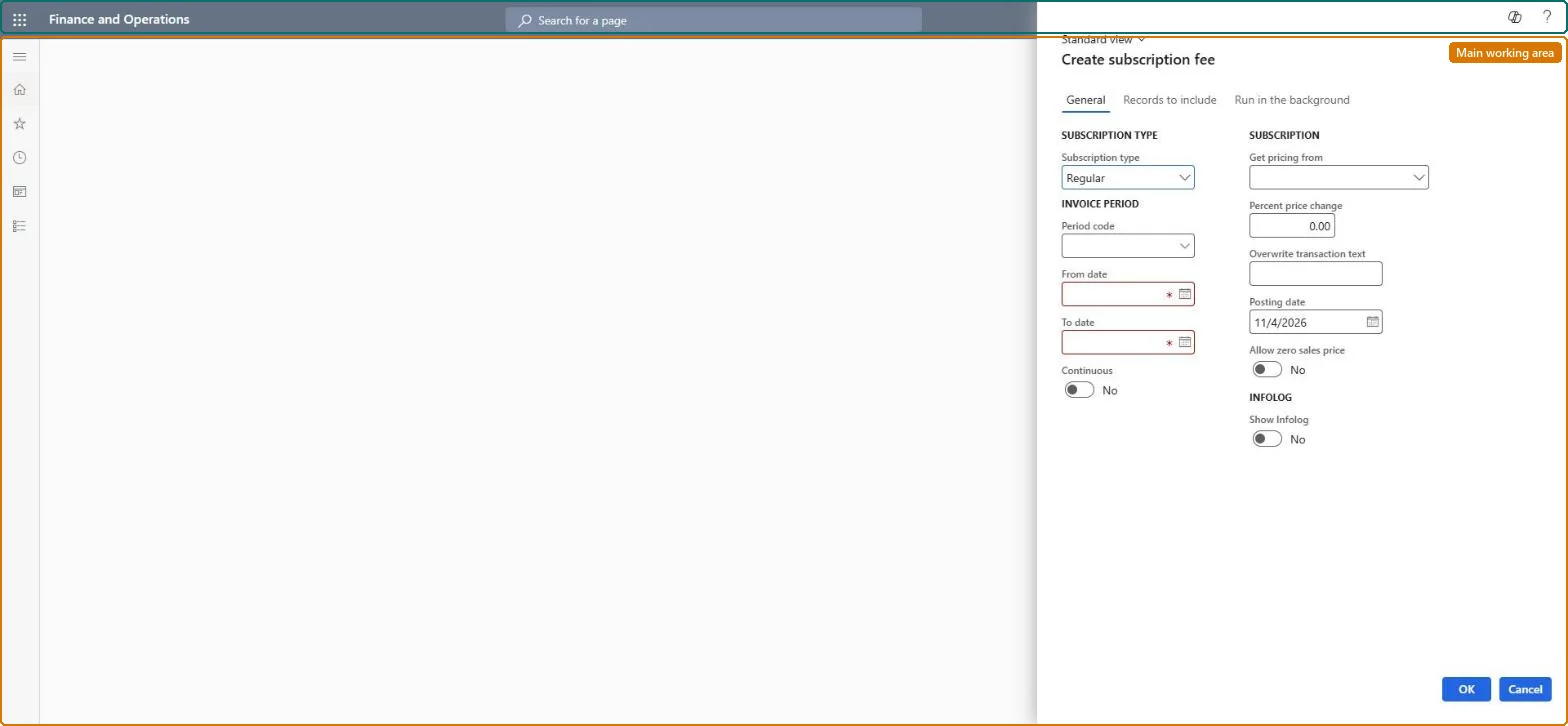
A periodic task dialog that creates subscription fee transactions, the transactions that are invoiced to the customer, for the service subscriptions that match your selection.
Service managementPerform periodic tasksService subscriptions
SMACreateSubscription
Business process
Invoice subscription orders in Dynamics 365 Supply Chain Management
Menu item
SMACreateSubscription
Show what matters for
PAGE GUIDEWhat the page does and how to use it7 sections. Choose a role to highlight what matters to you.
Everyone
1What it is and why
What it is
A periodic task dialog that creates subscription fee transactions, the transactions that are invoiced to the customer, for the service subscriptions that match your selection.
What you do here
Use this page to create the fee for the next invoicing period of each subscription, choosing the subscription type (Regular or Reduction days), the period dates and whether the price comes from the base price or an indexed base price.
Example
For example, you create subscription fees for all subscriptions in a subscription group and fees with the sales price set up for the project are created for each subscription.
The page in Dynamics 365. page title tab to open what to set or check
About the examples: Examples and screenshots in this guide use BEAT, a demo company in a Dynamics 365 test environment. Use your own company's codes and values instead of copying them.
When to run it
When to run it
Before each subscription invoicing period, so the fee transactions exist when you invoice the subscriptions.
How often
Once per invoicing period of the subscriptions' period code, plus a Reduction days run whenever days must be removed from a period.
Batch settings
Run it in the background when you create fees for many subscriptions at once.
What the output shows
Subscription fee transactions, one per subscription, with start and end date, sales currency and sales price. A Reduction days transaction has a negative sales price. A price of base price times the index, for example EUR 1,000 at index 110 giving EUR 1,100, confirms indexed pricing.
Go to Service management > Perform periodic tasks > Service subscriptions > Create subscription fee.
In Subscription type, choose Regular to create the fee for the next invoicing period, or Reduction days to remove days from an existing fee period.
Use From date and To date to set the fee period, or for Reduction days the days to remove. Regular fees must match periods that exist for the subscription's period code.
In Get pricing from, choose the base price, or Indexed base price so the fee sales price is the base price multiplied by Percent price change.
Select OK, and open Fee transactions on a subscription to check the period and sales price of the new fee.
Yes, before invoicing: Fee transactions that are not invoiced yet can be corrected; once invoiced, crediting a fee may require reversing accruals first. Microsoft Learn
If you change it later
Each new fee's suggested start date follows the end of the previous period, so the fees you create determine the invoicing periods that follow. Microsoft Learn
Technical architect
5Technical
Menu item
SMACreateSubscriptionChecked in Dynamics 365
Form
SMASubscriptionCreateDialogChecked in Dynamics 365
Roles to set it up and use it
To use itService delivery manager SMAServiceDeliveryManagerSales manager TradeSalesManagerGive people one of these roles. On this system, 2 roles can run this page.Checked in Dynamics 365