Service managementPerform periodic tasksService orders
SMAServicePeriodic_Delete
Business process
Create service request by using Service management in Dynamics 365 Supply Chain Management
Menu item
SMAServicePeriodic_Delete
Show what matters for
PAGE GUIDEWhat the page does and how to use it7 sections. Choose a role to highlight what matters to you.
Everyone
1What it is and why
What it is
A periodic task dialog that deletes the service orders that match the selection criteria you specify.
What you do here
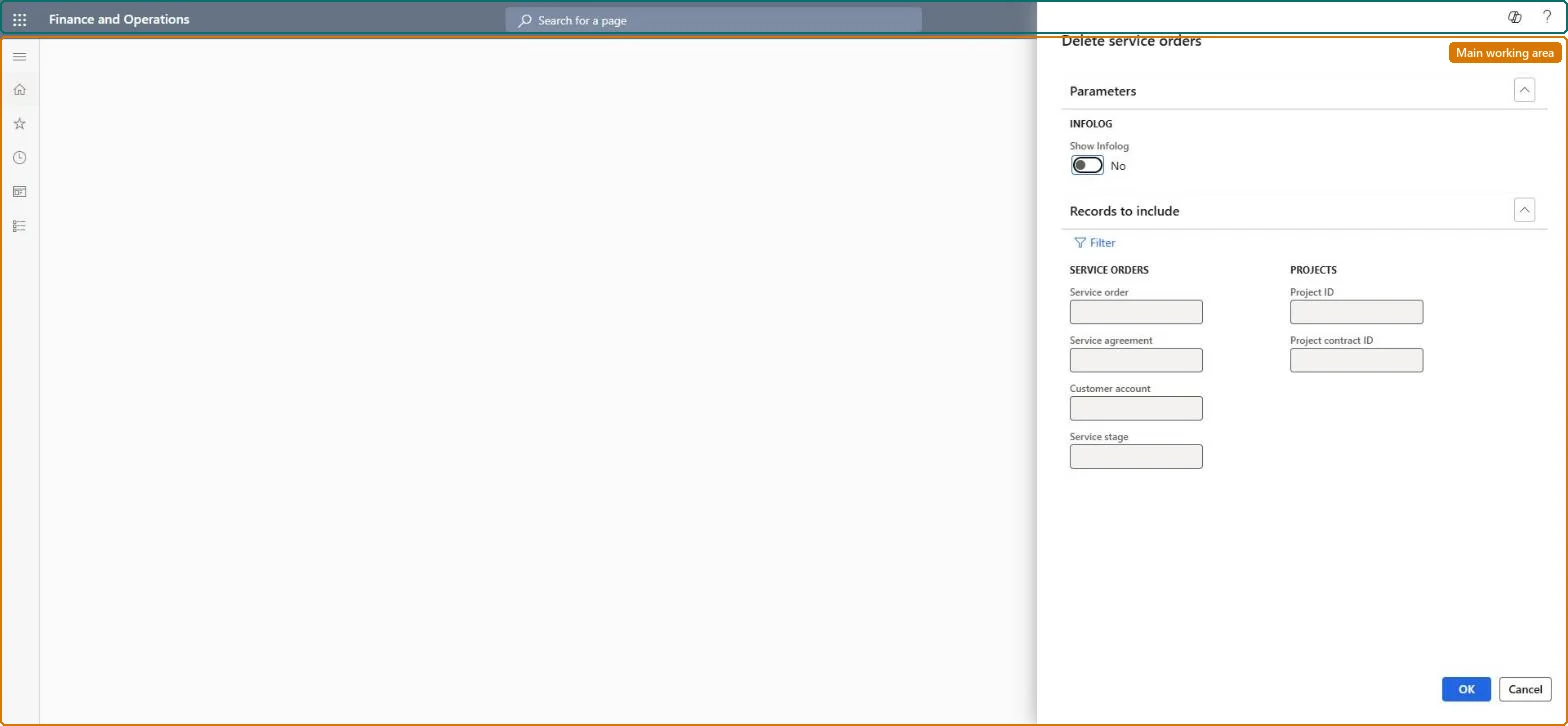
Use this page to remove a series of service orders, for example before regenerating them from an agreement with a new frequency; only orders in a stage that allows deletion are removed, and with no criteria all service orders are deleted.
Example
For example, when a customer decides mid-year that service visits are too infrequent, you delete the existing service orders and create a new, more frequent series for the rest of the agreement.
The page in Dynamics 365. page title tab to open what to set or check
About the examples: Examples and screenshots in this guide use BEAT, a demo company in a Dynamics 365 test environment. Use your own company's codes and values instead of copying them.
When to run it
When to run it
When a series of service orders is no longer valid, for example before you create a new, more frequent series of visits for the rest of a service agreement.
How often
On demand, only when a series of service orders has to be removed.
What the output shows
The service orders that matched your criteria and were in a deletable stage are removed; the Action center message lists them. Orders that remain usually have a stage that doesn't allow deletion.
Go to Service management > Perform periodic tasks > Service orders > Delete service orders.
Select Select and enter the criteria for the service orders to remove, for example the service agreement whose series you will recreate with a new frequency, and close the Inquiry dialog with OK. Without criteria, all service orders are deleted.
Set Show Infolog to Yes to get an Action center message listing every service order that was deleted.
Run the job, then read the Action center message; only orders in a stage that allows deletion are removed.
No: Deleted service orders can't be restored. Check the selection criteria before you select OK, because no criteria deletes all service orders; recreate a series with Create service orders if needed. Microsoft Learn
If you change it later
Running the task without any selection criteria deletes every service order (after a confirmation when you leave the page), so the criteria should always be checked first. Microsoft Learn
Technical architect
5Technical
Menu item
SMAServicePeriodic_DeleteChecked in Dynamics 365
Form
DialogChecked in Dynamics 365
Roles to set it up and use it
To use itService dispatcher SMADispatcherGive people one of these roles. On this system, 1 role can run this page.Checked in Dynamics 365