BeyondERP.Newsletter
Menu

Setup page · Sales and marketing

Marketing objective

A setup page where you create marketing objectives, short explanations of the promotions and sales your organization offers.

Used by
Marketing manager, Accounts receivable clerk, Sales manager
Business process
Manage trade allowances
Menu item
TAMMarketingObjective
Main table
TAMMarketingObjective
Data entity
TAMMarketingObjectiveEntity
Setup steps
1 on this page
Show what matters for
PAGE GUIDEWhat the page does and how to use it8 sections. Choose a role to highlight what matters to you.
Everyone

1What it is and why

What it isA setup page where you create marketing objectives, short explanations of the promotions and sales your organization offers.
What you do hereUse this page to describe the goal of a promotion so it can be selected on trade allowance agreements.
ExampleBEAT creates the objectives AWARENESS (new product launch) and CLEARANCE (end of season). The 2026 summer agreement for customer CUS-000214, worth 25,000.00 in bill backs, gets CLEARANCE, so promotion analysis can compare clearance deals with launch deals.
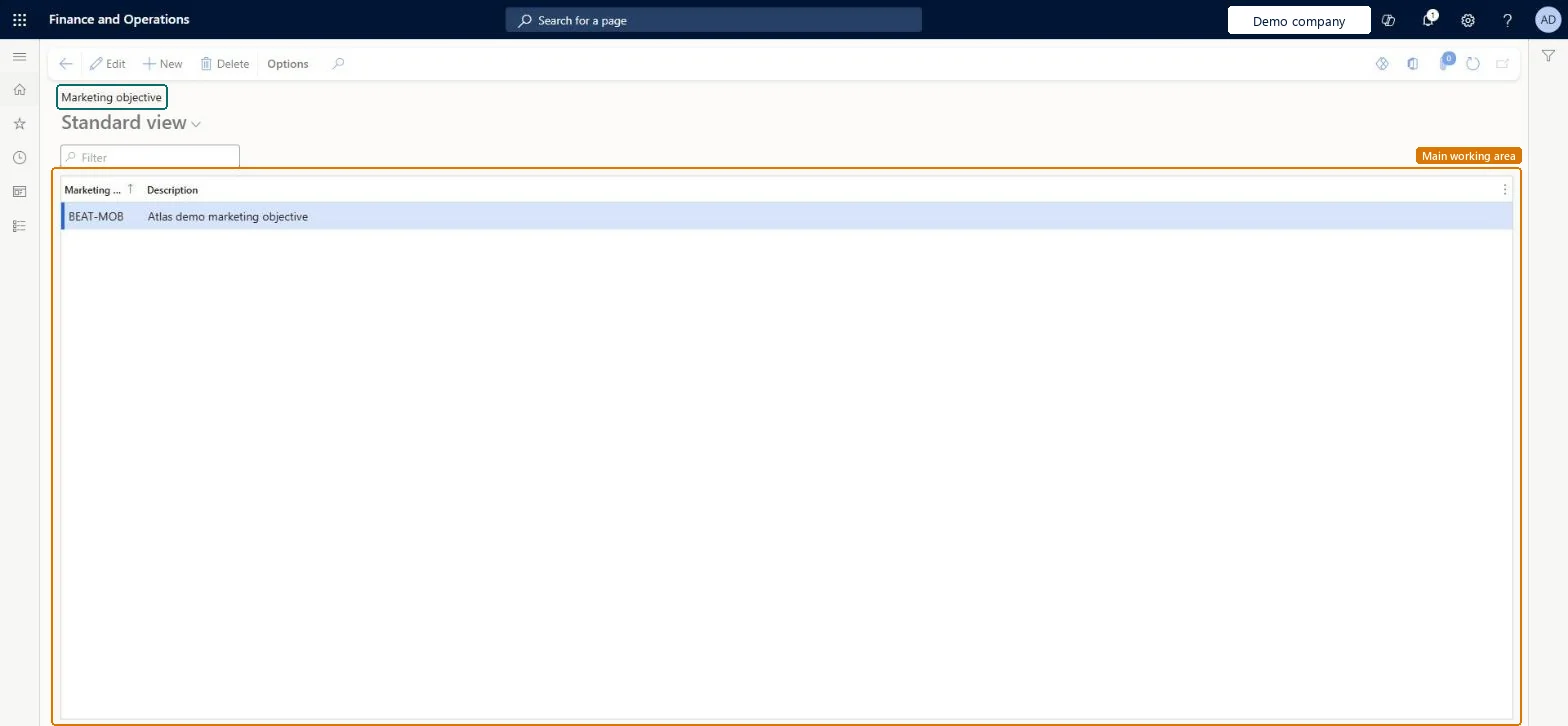
Marketing objective page in Dynamics 365
The page in Dynamics 365. page title tab to open what to set or check
Functional consultant · Solution architect

2Where it fits

End user · Functional consultant

3How to do it

About the examples: Examples and screenshots in this guide use BEAT, a demo company in a Dynamics 365 test environment. Use your own company's codes and values instead of copying them.

Step by step, with screenshots

Set up Marketing objective1 screen

Use this page to describe the goal of a promotion so it can be selected on trade allowance agreements.

  1. Screen 1

    Create a marketing objective

    Go to Sales and marketing > Setup > Trade allowance > Marketing objective

    1. Select New
    2. Enter the objective code and a description of the promotion goal
    3. Select Save
    4. Select the objective on trade allowance agreements
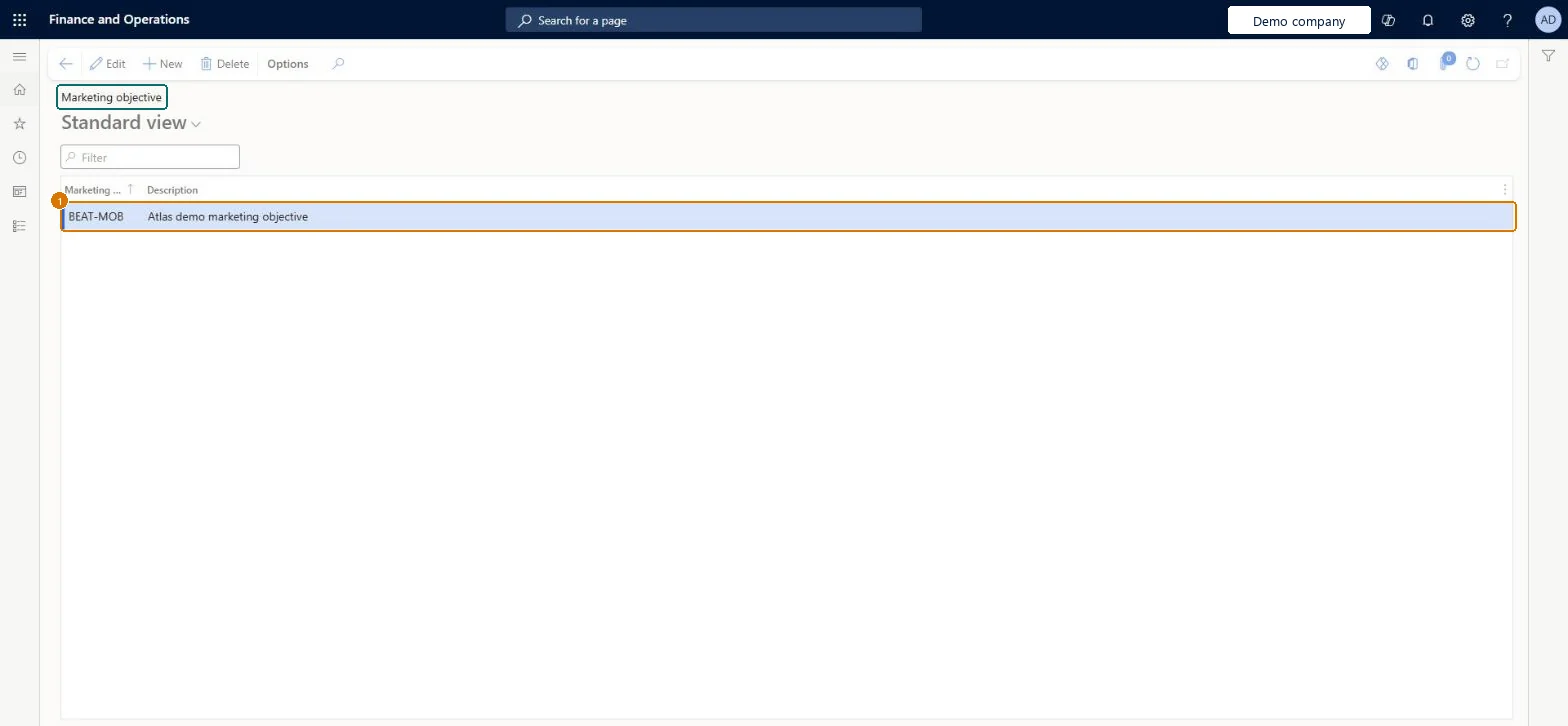
    1Marketing objectiveBEAT-MOB
    DescriptionMarketing objective
    Create a marketing objective (zoomed on the outlined fields)
    Show the full screenCreate a marketing objective
    page title tab to open what to set or check

Steps from Microsoft

  1. Go to Sales and marketing > Setup > Trade allowance > Marketing objective.
  2. Select New and, in Marketing objective, enter the name of the objective, for example CLEARANCE.
  3. Add a short description of the objective.
  4. Open a trade allowance agreement and select the objective.

Source: Microsoft Learn

Fields on the page

FieldWhat it meansExampleTable column
Marketing objectiveThe name of the objective, with a short description of it.Microsoft Learn AWARENESSMarketingObjective
DescriptionA short explanation of the objective.Microsoft Learn Discounts for all summer apparelDescription

Common errors and fixes

MessageWhat to do
Promotion analysis can't be split by goalSelect a marketing objective on every trade allowance agreement; keep the list short so it is used consistently. Microsoft Learn

Test checklist

  1. Create objectives AWARENESS and CLEARANCE.
  2. Create a trade allowance agreement and select CLEARANCE.
  3. Check that the objective lookup on the agreement lists exactly the 2 objectives.

Source: Microsoft Learn

Functional consultant

4Setup decisions

Setup stepRecommended value and whyDecision, common mistake and test
Set up Marketing objectiveA short list of objectives that management actually compares promotions on (for example AWARENESS, CLEARANCE, LISTING).Objectives explain the promotions and sales the organization offers and are selected on trade allowance agreements, so they are the way to compare promotions by goal.How detailed should marketing objectives be?A long list of near-duplicate objectives, so the same goal is recorded under several names.Test: Objective selectable on agreements

Feature management and licence

Licence or add-inOn the live system, Marketing manager, Accounts receivable clerk and Sales manager use this page.

Checked in Dynamics 365

Solution architect

5Design impact

Shared or per companyPer company: each legal entity has its own records. Microsoft data model
Can it be undoneReversible: Objectives can be added or renamed at any time. Microsoft Learn
If you change it laterObjectives only describe agreements; changing one changes how agreements are grouped in analysis, not their amounts or claims. Microsoft Learn
Technical architect

6Technical

Menu itemTAMMarketingObjective Checked in Dynamics 365
FormTAMMarketingObjective Checked in Dynamics 365
TableTAMMarketingObjectiveShown as “Marketing objective” in Record infoKey field: MarketingObjectiveChecked in Dynamics 365
Data entitiesTAMMarketingObjectiveEntityPromotion management marketing objectives Microsoft data model
Who can open itPrivilegesMaintain marketing objectives for trade allowances TAMMarketingObjectiveMaintainDutiesMaintain trade allowances TAMMaintain
3 security rolesMarketing manager CRMMarketingManagerAccounts receivable clerk CustInvoiceAccountsReceivableClerkSales manager TradeSalesManager
Checked in Dynamics 365
Roles to set it up and use itTo set it up or change itSales manager TradeSalesManagerMarketing manager CRMMarketingManagerAccounts receivable clerk CustInvoiceAccountsReceivableClerkGive people one of these roles. On this system, 3 roles can open this page.Checked in Dynamics 365
Actions on the pageOptions: Personalize, Page options, ShareChecked in Dynamics 365
Developer

7Developer

Open it by URLhttps://<your-environment>/?mi=TAMMarketingObjective
Integrate withTAMMarketingObjectiveEntity data entity Microsoft data model
Data migrationTAMMarketingObjectiveEntity (Promotion management marketing objectives): loaded for each company.Load order: Load marketing objectives before the trade allowance agreements that refer to them.Checked in Dynamics 365
Table definitionTAMMarketingObjective columns and relations Microsoft data model
Everyone

8Sources