Accounts receivable clerk, Accounts receivable manager, Accounts receivable centralized payments clerk and 11 more roles
Business process
Process customer returns and exchanges
Menu item
ReturnDispositionCode
Main table
ReturnDispositionCode
Data entity
ReturnDispositionCodeEntity
Setup steps
1 on this page
Show what matters for
PAGE GUIDEWhat the page does and how to use it8 sections. Choose a role to highlight what matters to you.
Everyone
1What it is and why
What it is
A setup page where you create disposition codes that say how an item returned by a customer is handled.
What you do here
Use this page to describe the condition of returned items and the follow-up action, such as scrap, credit or repair.
Example
BEAT receives 5 damaged units of BEAT-ITEM-009 on return order RMA-000145 worth 62.50. The inspector assigns disposition code SCRAP, linked to the Scrap action: when the packing slip is posted, the customer is credited 62.50 minus charges and the loss from scrapping is posted to the ledger.
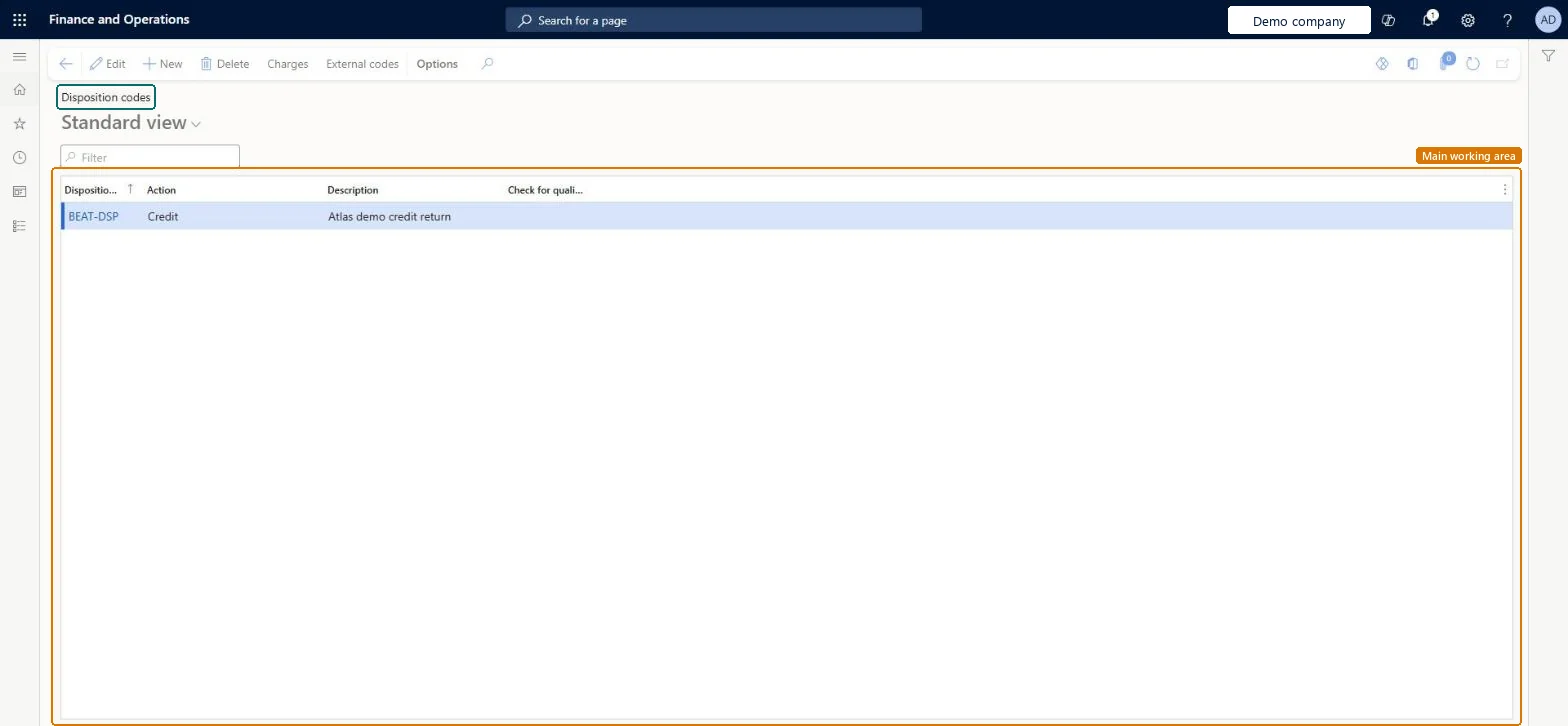
The page in Dynamics 365. page title tab to open what to set or check
About the examples: Examples and screenshots in this guide use BEAT, a demo company in a Dynamics 365 test environment. Use your own company's codes and values instead of copying them.
Step by step, with screenshots
Set up Disposition codes1 screen
Use this page to describe the condition of returned items and the follow-up action, such as scrap, credit or repair.
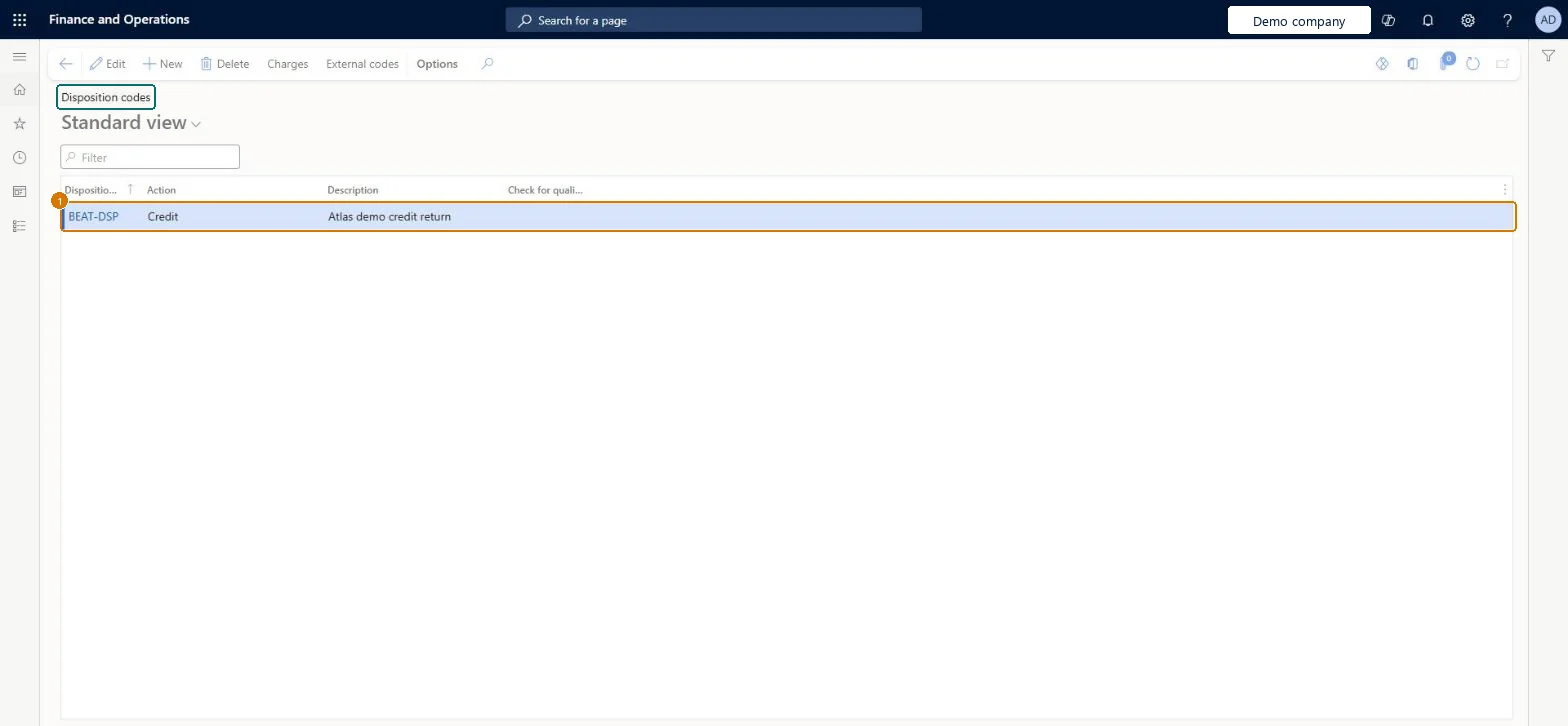
Screen 1
Create a return disposition code
Go to Sales and marketing > Setup > Returns > Disposition codes
Select New
Enter the disposition code
Select the action, such as Credit, Scrap or Return to customer
Enter a description
Select Save
Use Charges to add charges that apply with the code, when needed
1Disposition code
BEAT-DSP
Action
Credit
Description
Credit return
Show the full screen page title tab to open what to set or check
Steps from Microsoft
Go to Sales and marketing > Setup > Returns > Disposition codes.
Select New to create a disposition code.
Enter a unique, descriptive name, select an action, and enter a description.
To link customer charges to the code, select Charges.
To match your codes with external codes, select External codes.
Customer charges linked to the code, such as a restocking fee.Microsoft Learn
Common errors and fixes
Message
What to do
No replacement sales order is created for a returned item
Only disposition actions that start with Replace (Replace and credit, Replace and scrap) create a replacement order, when the return order packing slip is generated; fill in the Replacement item page for those lines. Microsoft Learn
Test checklist
Create disposition codes for Credit, Scrap, Replace and credit and Return to customer.
Create a return order with a return reason code, register arrival and assign each disposition code to a line.
Post the packing slip and check that scrap lines post an inventory loss, credit lines go back to inventory and the Replace and credit line creates a replacement sales order.
Invoice the return order and check the customer credit matches the actions.
One disposition code per way you handle returned goods (for example Scrap, Repair, Resale), each linked to the built-in disposition action that matches the financial and physical result you want; use a Credit only code only where the customer keeps the itemYou can define as many disposition codes as you need, but each must reference one of six built-in actions, and that action decides the physical handling, the financial effect and whether a replacement order is created.
On the live system, Sales clerk, Sales manager, Sales representative, Customer service representative, Customer service manager, the Accounts receivable roles, Retail service, Retail store manager and the Rental roles use this page.
Hard to reverse: You can edit a disposition code, but its action has already been executed on return lines whose packing slip was posted (scrap posted, replacement order created, item received). Those results stay and must be corrected by separate transactions. Microsoft Learn
If you change it later
The disposition action decides the financial and physical result of each return line: credit, scrap with the loss posted to the ledger, replacement order, or return to the customer. A changed action applies to lines processed afterwards; posted packing slips keep their result. Microsoft Learn
Technical architect
6Technical
Menu item
ReturnDispositionCodeChecked in Dynamics 365
Form
ReturnDispositionCodeChecked in Dynamics 365
Table
ReturnDispositionCodeShown as “Disposition code” in Record infoKey field: DispositionCodeId, DispositionActionChecked in Dynamics 365
PrivilegesMaintain disposition codes, reason codes, and reason code groups ReturnDispositionCodeMaintainView disposition codes, reason codes, and reason code groups ReturnDispositionCodeViewDutiesEnable quotation to sales order process RentalSalesQuotationToSlsOrdProcessEnableInquire into sales return order progress ReturnSalesReturnOrderProgressInquireEnable quotation to sales order process SalesQuotationToSalesOrderProcessEnableInquire into quotation to sales order reference data SalesQuotationToSalesOrderRefDataInquir15 security rolesAccounts receivable clerk CustInvoiceAccountsReceivableClerkAccounts receivable manager CustInvoiceAccountsReceivableManagerMCRTestUserRoleAccounts receivable centralized payments clerk PaymAccountsReceivableCentralPaymClerkAccounts receivable payments clerk PaymAccountsReceivablePaymentsClerkRental coordinator agent RentalCoordinatorAgentRental manager RentalManagerRental sales manager RentalSalesManagerRetail service RetailServiceRetail store manager RetailStoreManagerCustomer service manager TradeCustomerServiceManagerCustomer service representative TradeCustomerServiceRepresentativeSales clerk TradeSalesClerkSales manager TradeSalesManagerSales representative TradeSalesRepresentativeChecked in Dynamics 365
Roles to set it up and use it
To set it up or change itSales manager TradeSalesManagerRental manager RentalManagerRental coordinator agent RentalCoordinatorAgentRental sales manager RentalSalesManagerAccounts receivable manager CustInvoiceAccountsReceivableManagerTo use itAccounts receivable clerk CustInvoiceAccountsReceivableClerkSales clerk TradeSalesClerkSales representative TradeSalesRepresentativeCustomer service representative TradeCustomerServiceRepresentativeAccounts receivable centralized payments clerk PaymAccountsReceivableCentralPaymClerkGive people one of these roles. On this system, 14 roles can open this page.Checked in Dynamics 365
Actions on the page
Options: Personalize, Page options, ShareChecked in Dynamics 365
ReturnDispositionCodeEntity (Disposition code): loaded for each company, in Microsoft's default template 330 - Sales and marketing.Load order: Microsoft's default template 330 - Sales and marketing loads Disposition code at execution unit 1, level 30, sequence 10. Lower levels load first, and entities at the same level load in sequence order.Load first: the default templates at lower levels (System setup to General ledger)Microsoft Learn
Checked in a working Dynamics 365 system, version 10.0.49: the menu item, form, table and security, the page, the demo records and the values in the screenshots.