Accounts receivable clerk, Accounts receivable manager, Accounts receivable centralized payments clerk and 11 more roles
Business process
Process customer returns and exchanges
Menu item
ReturnReasonCode
Main table
ReturnReasonCode
Data entity
ReturnCustomerReturnReasonCodeEntity
Setup steps
1 on this page
Show what matters for
PAGE GUIDEWhat the page does and how to use it8 sections. Choose a role to highlight what matters to you.
Everyone
1What it is and why
What it is
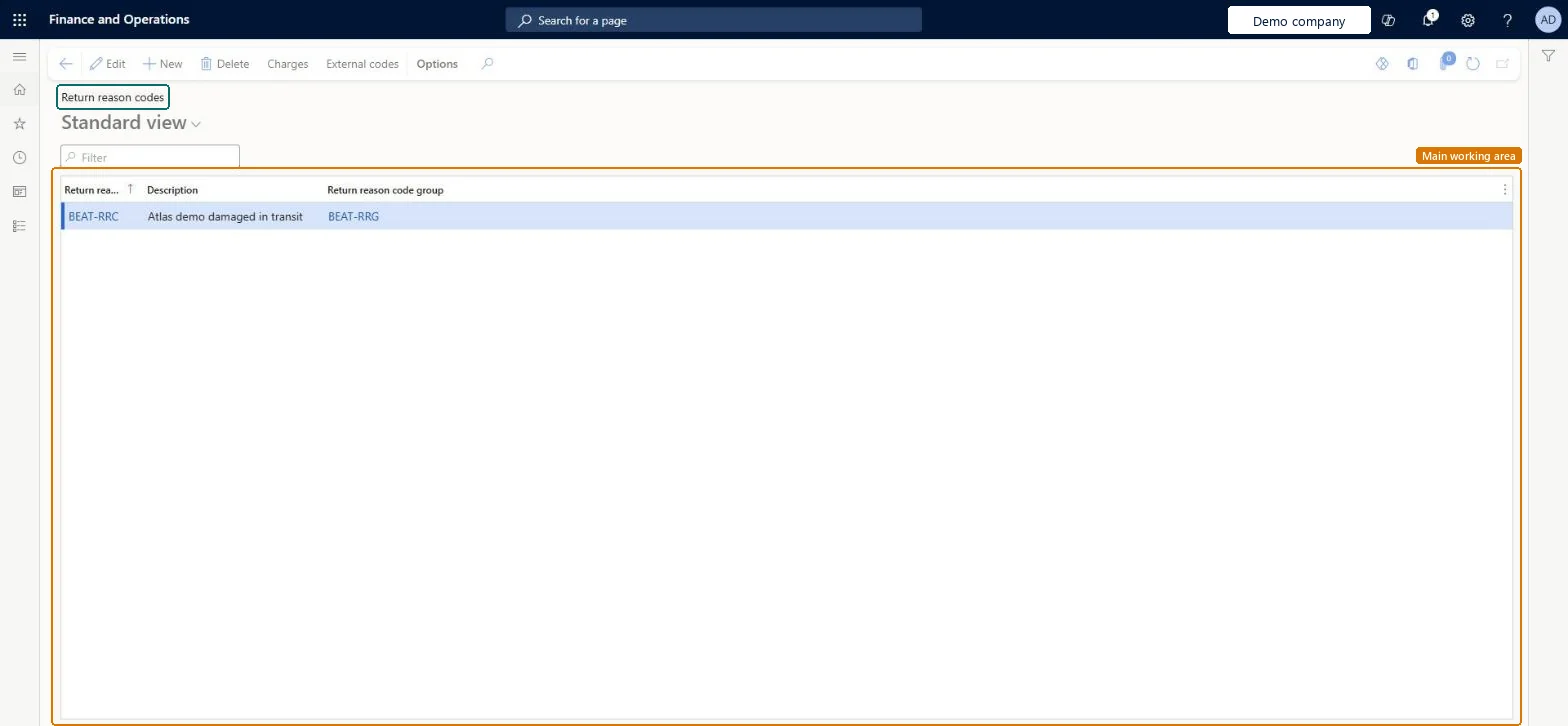
A setup page where you create return reason codes that describe why a customer returns an item.
What you do here
Use this page to record the reason for a return on return orders, with optional charges linked to each reason.
Example
BEAT's customer returns 2 units of BEAT-ITEM-016 on return order RMA-000152 (29.80) because they arrived damaged. The order desk selects reason code DAMAGED in group QUALITY; the restocking charge linked to the code is added to the return order header automatically.
The page in Dynamics 365. page title tab to open what to set or check
About the examples: Examples and screenshots in this guide use BEAT, a demo company in a Dynamics 365 test environment. Use your own company's codes and values instead of copying them.
Step by step, with screenshots
Set up Return reason codes1 screen
Use this page to record the reason for a return on return orders, with optional charges linked to each reason.
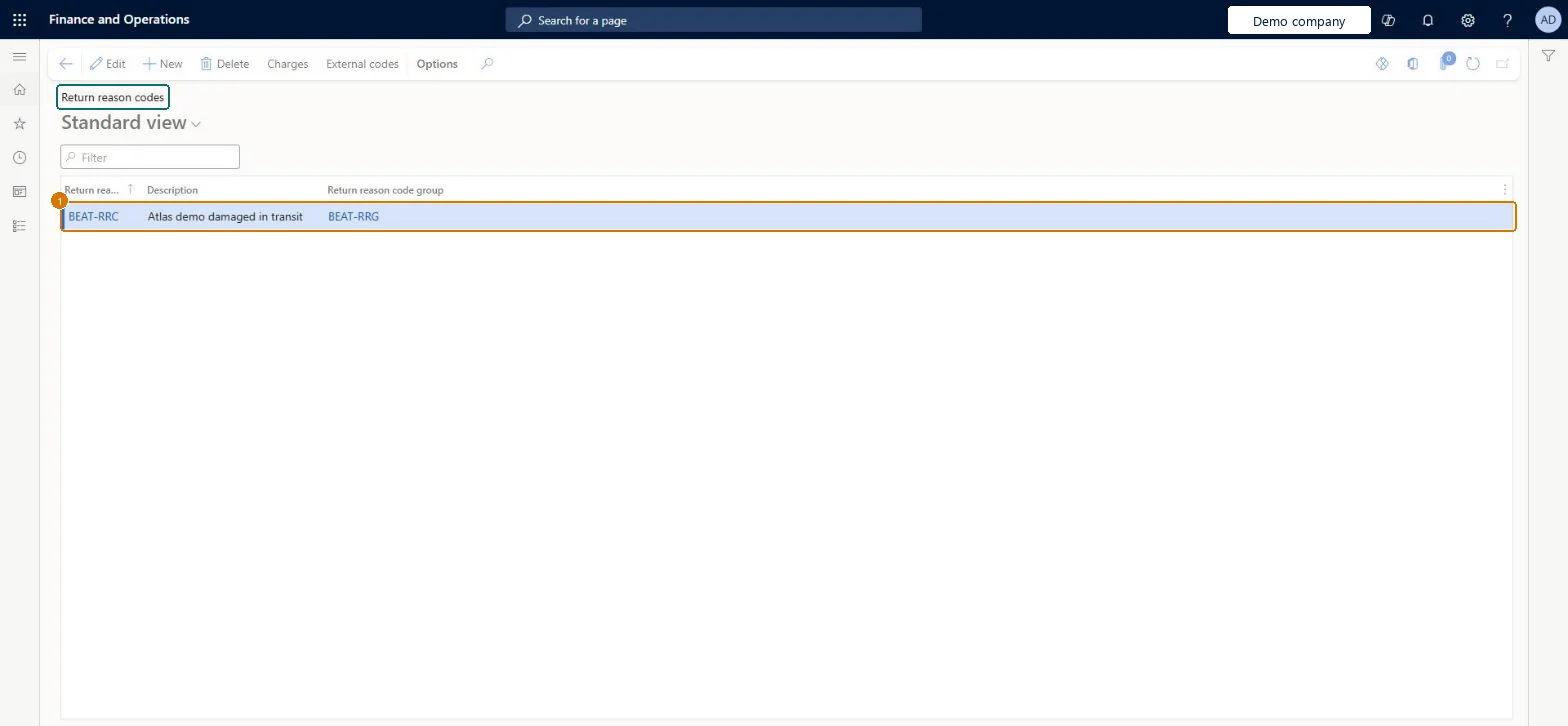
Screen 1
Create a return reason code
Go to Sales and marketing > Setup > Returns > Return reason codes
Make sure the reason code group exists (Sales and marketing > Setup > Returns > Return reason code groups)
Select New
Enter the reason code and description
Select the return reason code group
Select Save
Use Charges to add charges that apply with the reason, when needed
1Return reason code
BEAT-RRC
Description
Damaged in transit
Return reason code group
BEAT-RRG
Show the full screen page title tab to open what to set or check
Steps from Microsoft
Go to Sales and marketing > Setup > Returns > Return reason codes.
Create a new return reason code line.
In the Return reason code field, enter text that identifies the code.
In the Description field, describe the reason.
In the Return reason code group field, select the group the code belongs to.
Charges linked to the reason code; they are added automatically to the return order header when the code is assigned.Microsoft Learn
RESTOCK
Common errors and fixes
Message
What to do
A charge stays on the return order after the reason code is changed
Changing the reason code doesn't remove the charge that the earlier code added; a new charge may be added for the new code. Remove the old charge by hand. Microsoft Learn
Test checklist
Create a return reason code group, then a return reason code linked to it.
Create a return order and select the new return reason code.
Check the code shows on the return order and can be used to filter return orders.
One return reason code per reason customers give for a return (for example damaged, wrong item, not as expected), each placed in a return reason code groupEvery return order needs a return reason code to say why the product is being returned, and grouping the codes keeps them organized for analysis.
On the live system, Sales clerk, Sales manager, Sales representative, Customer service representative, Customer service manager, the Accounts receivable roles, Retail service, Retail store manager and the Rental roles use this page.
Reversible: You can add or rename reason codes at any time. They describe the reason for a return and don't drive posting, which comes from the disposition code. Microsoft Learn
If you change it later
Charges linked to a reason code are added to return orders when the code is assigned; changing the code on an order later doesn't remove the existing charge. What happens to the item and the credit comes from the disposition code. Microsoft Learn
Technical architect
6Technical
Menu item
ReturnReasonCodeChecked in Dynamics 365
Form
ReturnReasonCodeChecked in Dynamics 365
Table
ReturnReasonCodeShown as “Return reason codes” in Record infoKey field: ReasonCodeId, ReasonCodeGroupIdChecked in Dynamics 365
PrivilegesMaintain disposition codes, reason codes, and reason code groups ReturnDispositionCodeMaintainView disposition codes, reason codes, and reason code groups ReturnDispositionCodeViewDutiesEnable quotation to sales order process RentalSalesQuotationToSlsOrdProcessEnableInquire into sales return order progress ReturnSalesReturnOrderProgressInquireEnable quotation to sales order process SalesQuotationToSalesOrderProcessEnableInquire into quotation to sales order reference data SalesQuotationToSalesOrderRefDataInquir15 security rolesAccounts receivable clerk CustInvoiceAccountsReceivableClerkAccounts receivable manager CustInvoiceAccountsReceivableManagerMCRTestUserRoleAccounts receivable centralized payments clerk PaymAccountsReceivableCentralPaymClerkAccounts receivable payments clerk PaymAccountsReceivablePaymentsClerkRental coordinator agent RentalCoordinatorAgentRental manager RentalManagerRental sales manager RentalSalesManagerRetail service RetailServiceRetail store manager RetailStoreManagerCustomer service manager TradeCustomerServiceManagerCustomer service representative TradeCustomerServiceRepresentativeSales clerk TradeSalesClerkSales manager TradeSalesManagerSales representative TradeSalesRepresentativeChecked in Dynamics 365
Roles to set it up and use it
To set it up or change itSales manager TradeSalesManagerRental manager RentalManagerRental coordinator agent RentalCoordinatorAgentRental sales manager RentalSalesManagerAccounts receivable manager CustInvoiceAccountsReceivableManagerTo use itAccounts receivable clerk CustInvoiceAccountsReceivableClerkSales clerk TradeSalesClerkSales representative TradeSalesRepresentativeCustomer service representative TradeCustomerServiceRepresentativeAccounts receivable centralized payments clerk PaymAccountsReceivableCentralPaymClerkGive people one of these roles. On this system, 14 roles can open this page.Checked in Dynamics 365
Actions on the page
Options: Personalize, Page options, ShareChecked in Dynamics 365
ReturnCustomerReturnReasonCodeEntity (Return reason codes): loaded for each company, in Microsoft's default template 330 - Sales and marketing.Load order: Microsoft's default template 330 - Sales and marketing loads Return reason codes at execution unit 1, level 40, sequence 10. Lower levels load first, and entities at the same level load in sequence order.Load first: Return reason code groups, the default templates at lower levels (System setup to dependency bands 30 to 90)Microsoft Learn
Checked in a working Dynamics 365 system, version 10.0.49: the menu item, form, table and security, the page, the demo records and the values in the screenshots.