PAGE GUIDEWhat the page does and how to use it8 sections. Choose a role to highlight what matters to you.
Everyone
1What it is and why
What it is
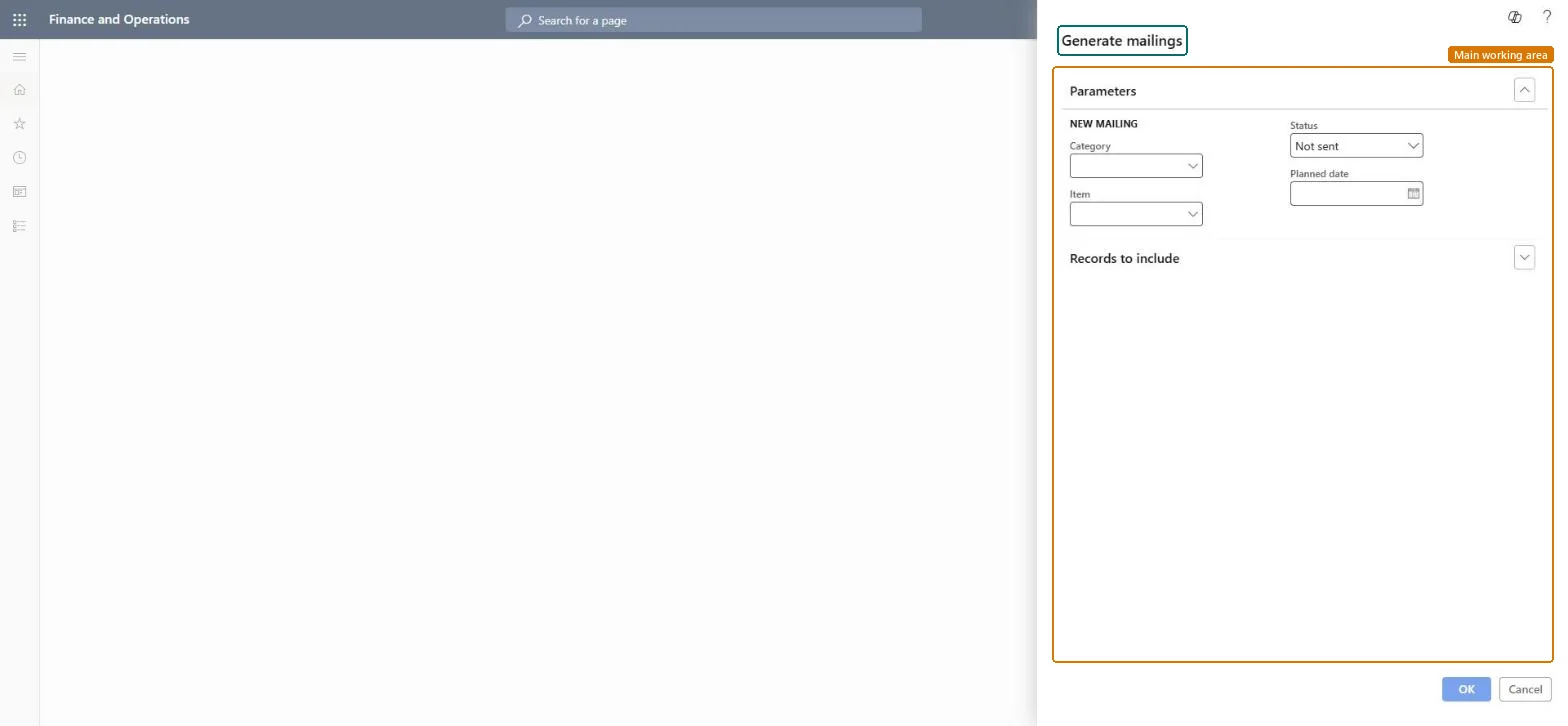
A periodic task that creates a new mailing list or updates an existing one for a mailing category and mailing item, from a query you can adjust.
What you do here
Use this periodic task to build a mailing list for a mailing category and mailing item, filtered by a query you can adjust.
Example
For example, BEAT generates mailings for category CATALOG and item SPRING-2027 with status Not sent and planned date 3/1/2027, filtered to customers in sales district NORTH, which creates one mailing per matching recipient.
The page in Dynamics 365. page title tab to open what to set or check
About the examples: Examples and screenshots in this guide use BEAT, a demo company in a Dynamics 365 test environment. Use your own company's codes and values instead of copying them.
When to run it
When to run it
When you prepare a mailing and need a mailing list for a mailing category and item.
How often
On demand, once per mailing, and again if the target group changes before it goes out.
What the output shows
A new or updated mailing list with one mailing per recipient that matches the query. Too many or too few recipients usually means the query filter is too wide or too narrow.
Set Category, Item, Status Not sent and the Planned date, and always narrow the query with Select before you select OK.Every recipient that matches the query gets a mailing; when you update an existing list you can't add recipients by hand.
On the live system, Sales manager, Marketing manager and Information technology manager can run this task. No feature in Feature management is needed.
Checked in Dynamics 365
Solution architect
5Design impact
Shared or per company
The recipients selected by the query, for one mailing category and item at a time. Microsoft Learn
Can it be undone
Reversible: Generated mailings can be edited or deleted on the Mailings page before they are sent. Checked in Dynamics 365
If you change it later
Creates or updates mailing records for the recipients that match the query. Mailings are part of the built-in marketing features; companies that run Dynamics 365 Sales usually connect it through prospect-to-cash in dual-write instead. Microsoft Learn
Technical architect
6Technical
Menu item
action:smmMailingGenerateChecked in Dynamics 365
Form
DialogChecked in Dynamics 365
Roles to set it up and use it
To use itSales manager TradeSalesManagerMarketing manager CRMMarketingManagerInformation technology manager SysServerITManagerGive people one of these roles. On this system, 3 roles can run this page.Checked in Dynamics 365
Load order: Generate mailings has no data entity in Data management. It creates mailings from the query, so run it again in the target system instead of moving mailings.Checked in Dynamics 365