About the examples: Examples and screenshots in this guide use BEAT, a demo company in a Dynamics 365 test environment. Use your own company's codes and values instead of copying them.
How to use it
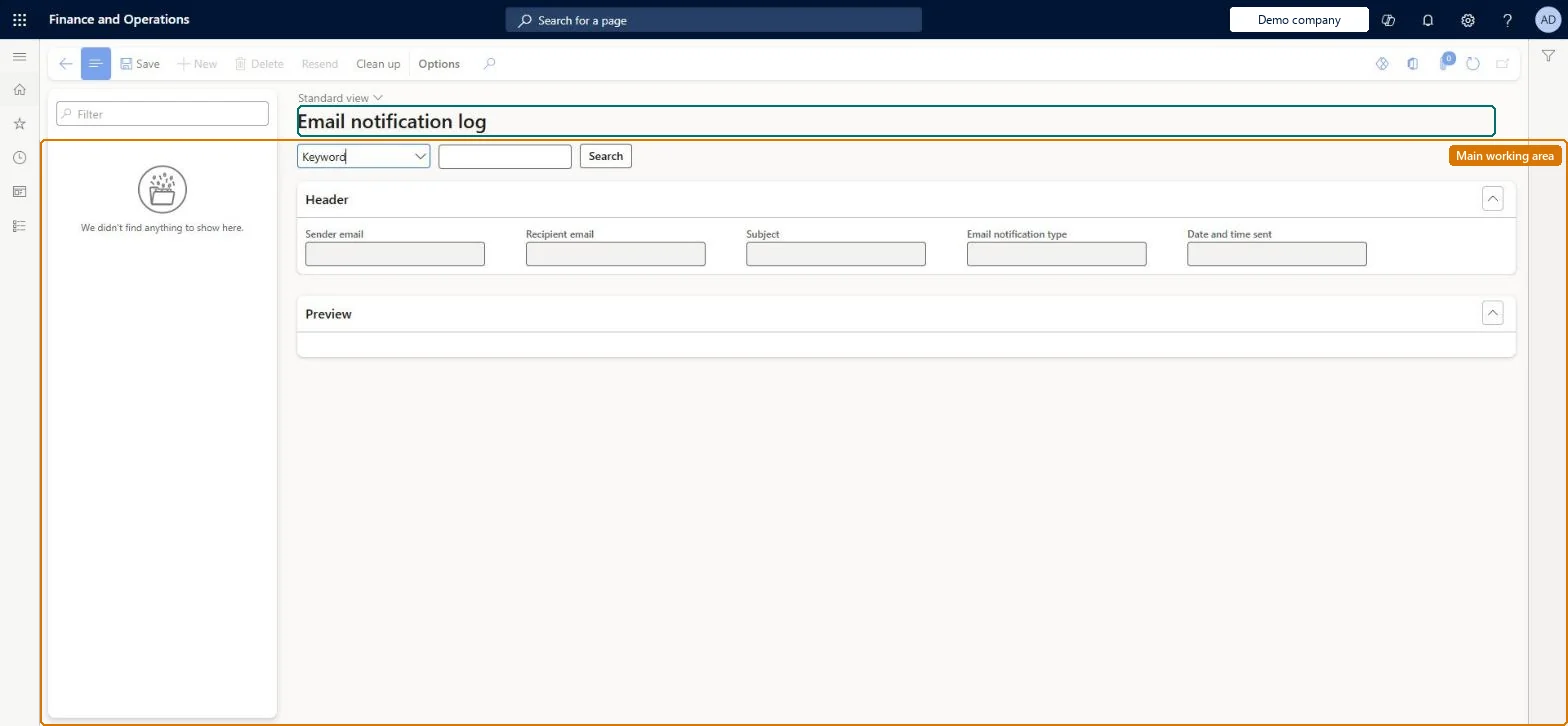
Go to Retail and Commerce > Retail and Commerce IT > Email and notifications > Commerce email notification log.
Use the Filter box to find a row.
Review the Sender email, Recipient email, Subject, Email notification type and Date and time sent columns.
Pick Keyword or another search type, type the value and select Search; the Preview FastTab shows the email body.
Source: Checked in Dynamics 365
Test checklist
Check the Process retail order email notification job is running with a recurrence (for example every minute).
Create a sales order for a channel whose email notification profile maps Order created to an email template.
After the job runs, check the log has an entry for the order.
If no entry appears, check the email notification profile and the notification job before checking email delivery.
Reversible: Viewing the log changes nothing. Log entries are removed by the Clean up email notification logs job, which deletes entries older than Retention days, and also unsent emails if Also delete unsent emails = Yes. Set the retention to keep enough history for troubleshooting. Microsoft Learn
Technical architect
5Technical
Menu item
RetailEventNotificationLogChecked in Dynamics 365
Form
RetailEventNotificationLogChecked in Dynamics 365
Table
RetailEventNotificationLogShown as “COMMERCE EMAIL NOTIFICATION LOG” in Record infoChecked in Dynamics 365
Who can open it
PrivilegesView sales order details SalesTableDetailsViewDutiesCash flow position details drill down CashflowPositionDetailsDrillDownInquire into collections status CollectionLetterCollectionsStatusInquirMaintain cash register RentalCashRegisterMaintainMaintain rental sales orders RentalSalesOrderMaintainInquire into rental sales order progress RentalSalesOrderProgressInquireInquire into sales order progress SalesOrderProgressInquire26 security rolesCollections agent CollectionLetterCollectionsAgentCollections manager CollectionLetterCollectionsManagerCredit management clerk CredManClerkAccounts receivable clerk CustInvoiceAccountsReceivableClerkAccounts receivable manager CustInvoiceAccountsReceivableManagerCustTableCopilotSummaryInsufficientAccessTestRoleAccountant LedgerAccountantAccounting manager LedgerAccountingManagerFinancial controller LedgerFinancialControllerMCRTestUserRoleAccounts receivable centralized payments clerk PaymAccountsReceivableCentralPaymClerkAccounts receivable payments clerk PaymAccountsReceivablePaymentsClerkTreasurer PaymTreasurerProject manager ProjProjectManagerRental clerk RentalClerkRental coordinator agent RentalCoordinatorAgentRental manager RentalManagerRental purchasing manager RentalPurchasingManagerRental representative RentalRepresentativeProduction planner ReqProductionPlannerRetail service RetailServiceRetail store manager RetailStoreManagerCustomer service representative TradeCustomerServiceRepresentativeSales clerk TradeSalesClerkSales manager TradeSalesManagerSales representative TradeSalesRepresentativeChecked in Dynamics 365
Roles to set it up and use it
To use itRetail service RetailServiceRetail store manager RetailStoreManagerSales manager TradeSalesManagerSales clerk TradeSalesClerkSales representative TradeSalesRepresentativeGive people one of these roles. On this system, 24 roles can open this page.Checked in Dynamics 365
Actions on the page
(Action Pane without tabs): Resend, Clean upChecked in Dynamics 365