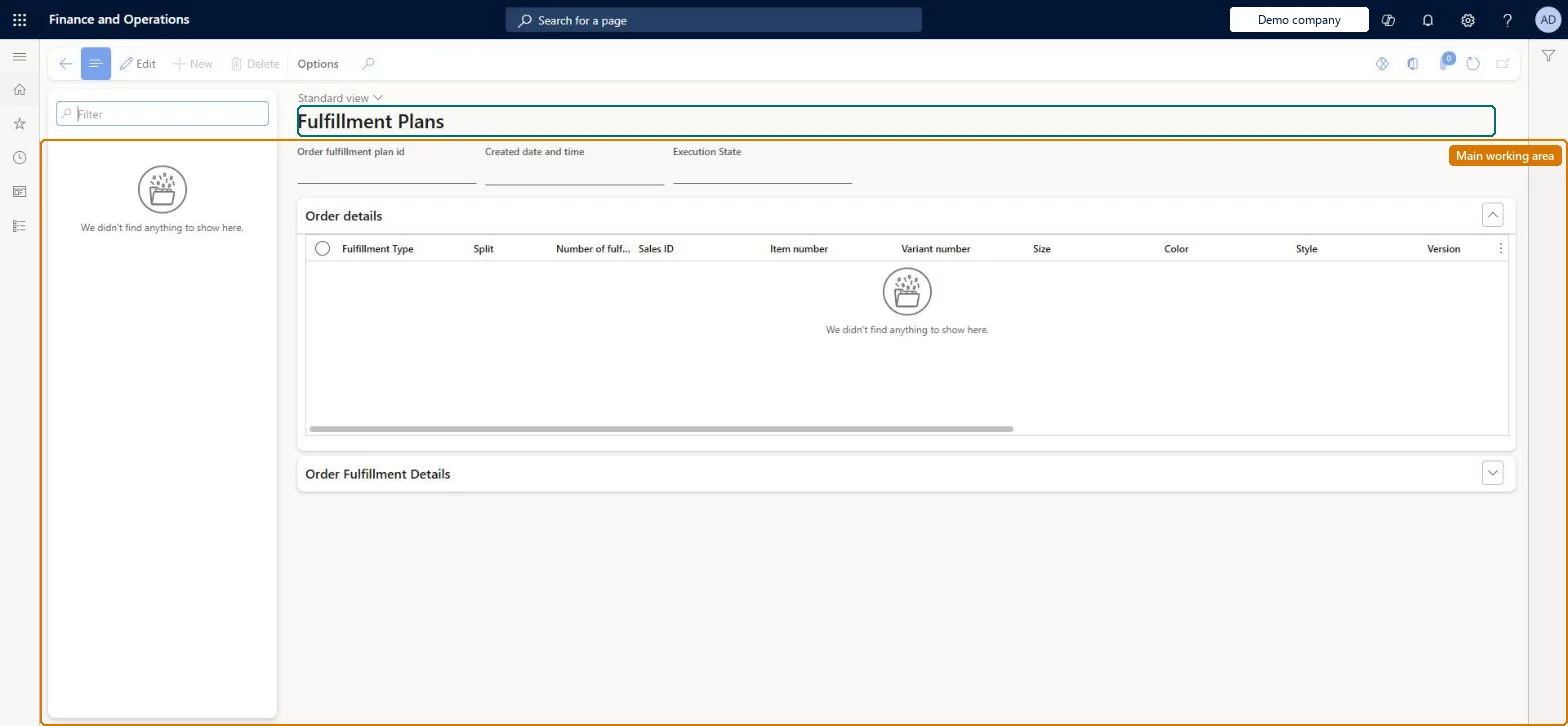
A page, also opened from the Fulfillment Plans tile of the Distributed order management workspace, that lists the fulfillment plans generated by DOM runs and shows how each sales order line was brokered to fulfilment locations.
Use distributed order management to move orders to warehouses in Dynamics 365 Commerce
Menu item
FulfillmentPlans
Main table
FulfillmentPlan
Show what matters for
PAGE GUIDEWhat the page does and how to use it7 sections. Choose a role to highlight what matters to you.
Everyone
1What it is and why
What it is
A page, also opened from the Fulfillment Plans tile of the Distributed order management workspace, that lists the fulfillment plans generated by DOM runs and shows how each sales order line was brokered to fulfilment locations.
What you do here
Use this page to review the result of a DOM run for an order: which lines were fully, partially or not brokered, whether a line was split, and the quantities assigned to each location.
Example
For example, open a plan to see whether a sales order line was split and brokered to more than one location.
The page in Dynamics 365. page title tab to open what to set or check
About the examples: Examples and screenshots in this guide use BEAT, a demo company in a Dynamics 365 test environment. Use your own company's codes and values instead of copying them.
Steps from Microsoft
Go to Retail and Commerce > Distributed order management > Fulfillment Plans.
Select the ID of the relevant order fulfillment plan.
Review the order details section for Fulfillment type, Split and Number of fulfillment locations.
Review the order fulfillment details section for the locations and quantities assigned.
One-way: Warning: the DOM fulfillment data deletion job permanently deletes fulfillment plans older than the Fulfillment data retention period (in days) set in DOM parameters. Microsoft Learn
If you change it later
Plans are kept only for the retention period set in DOM parameters; the deletion batch job removes older plans. Microsoft Learn
Technical architect
5Technical
Menu item
FulfillmentPlansChecked in Dynamics 365
Form
FulfillmentPlanChecked in Dynamics 365
Table
FulfillmentPlanShown as “ORDER FULFILLMENT PLAN” in Record infoChecked in Dynamics 365
Who can open it
PrivilegesMaintain DOM DOMMaintainDutiesMaintain DOM DOMMaintain1 security roleDOM administrator DOMAdministratorChecked in Dynamics 365
Roles to set it up and use it
To set it up or change itDOM administrator DOMAdministratorGive people one of these roles. On this system, 1 role can open this page.Checked in Dynamics 365