Retail and CommerceDistributed order managementBatch processing
DOMBatchDataServiceMenuItem
Business process
Use distributed order management to move orders to warehouses in Dynamics 365 Commerce
Menu item
DOMBatchDataServiceMenuItem
Show what matters for
PAGE GUIDEWhat the page does and how to use it8 sections. Choose a role to highlight what matters to you.
Everyone
1What it is and why
What it is
A batch job setup page where you schedule the DOM processor that runs distributed order management for a chosen fulfillment profile.
What you do here
Use this page to pick the fulfillment profile, batch group and recurrence for DOM runs, since DOM only runs as a batch job. Each run searches eligible Commerce sales lines, partitions them into batches, calculates distance and cost, and generates fulfillment plans.
Example
For example, schedule the processor to run every 15 minutes for the web-orders profile so that new e-commerce lines are brokered to the nearest store with stock.
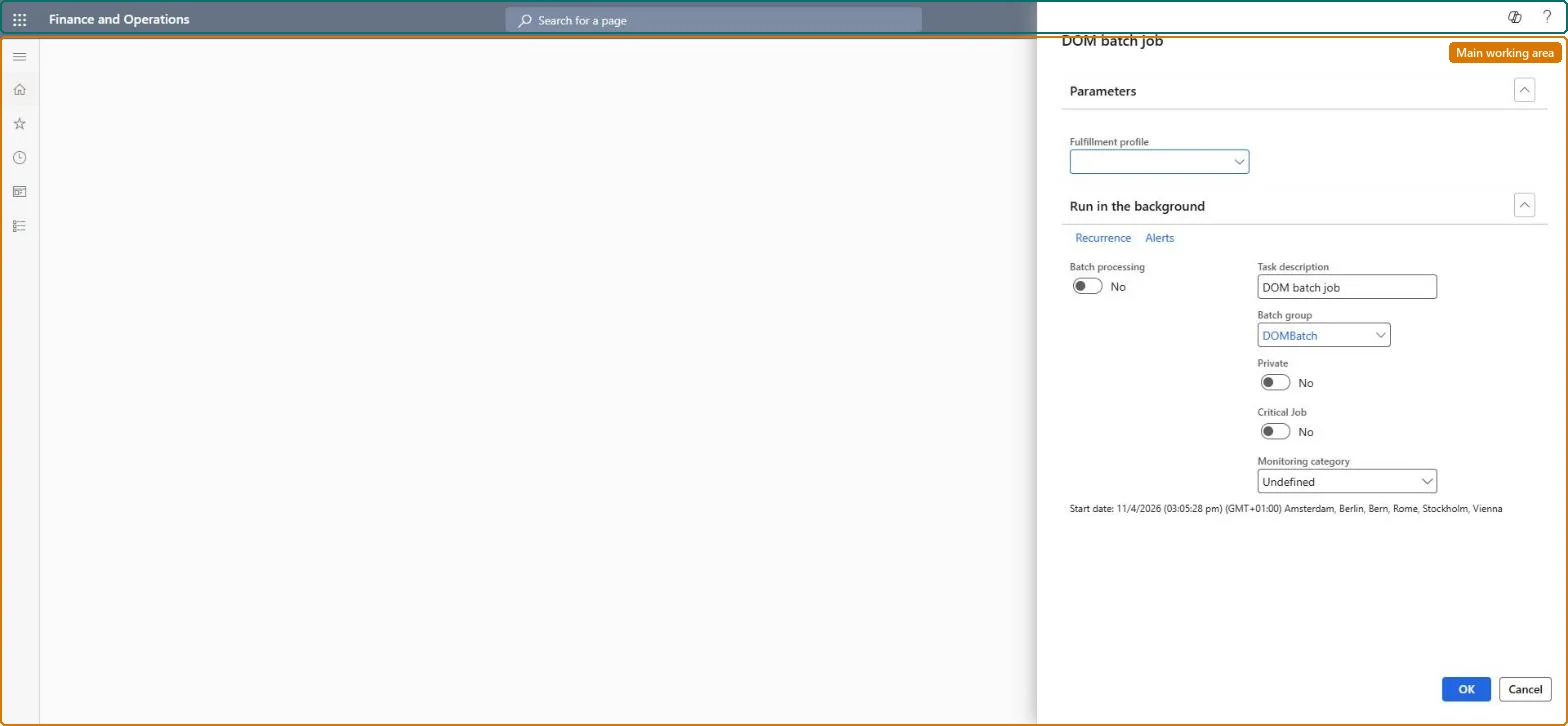
The page in Dynamics 365. page title tab to open what to set or check
About the examples: Examples and screenshots in this guide use BEAT, a demo company in a Dynamics 365 test environment. Use your own company's codes and values instead of copying them.
Steps from Microsoft
Go to Retail and Commerce > Distributed order management > Batch processing > DOM processor job setup.
On the Parameters FastTab, in Fulfillment profile, select the profile DOM must run for.
On the Run in the background FastTab, in Batch group, select a configured batch group.
In Task description, enter a name for the batch job.
Select Recurrence and specify how often the job runs.
Confirm DOM parameters has Enable distributed order management set to Yes and the fulfillment profile has Enable profile set to Yes.
On DOM processor job setup, select the fulfillment profile, a batch group, a task description and a recurrence, then select OK.
Create a Commerce sales order (Commerce sale = Yes) whose sales origin and mode of delivery match the profile, with a mode of delivery that isn't pickup or electronic delivery.
After the batch job runs, open the fulfillment plan for the run and check the order line was assigned a fulfillment location.
If the profile has Auto apply result = Yes, check the site and warehouse on the sales line were updated; set Exclude from DOM processing = Yes on another line and check it is skipped.
Configuration key Distributed Order Management (Retail node) in System administration > Setup > License configuration. Production use needs the Production Solver, which needs the DOM license key; the Simplified Solver shouldn't be used in production.
Reversible: The batch schedule can be changed or stopped at any time. What a run does to orders depends on the fulfillment profile: when Auto apply result is Yes, the run's results are applied to the sales order lines; when it is No, results only appear in the fulfillment plan. Check the profile before you schedule the job. Microsoft Learn
If you change it later
How long each run takes depends on the batching set on the profile; large optimization batches run longer because the job runs on a batch server. Microsoft Learn
Technical architect
6Technical
Menu item
DOMBatchDataServiceMenuItemChecked in Dynamics 365
Form
SysOperationTemplateFormChecked in Dynamics 365
Roles to set it up and use it
To use itDOM administrator DOMAdministratorGive people one of these roles. On this system, 1 role can run this page.Checked in Dynamics 365