Add continuity subscription to a call center order with Dynamics 365 Commerce
Menu item
MCRCreateContinuityChildrenOrders
Show what matters for
PAGE GUIDEWhat the page does and how to use it7 sections. Choose a role to highlight what matters to you.
Everyone
1What it is and why
What it is
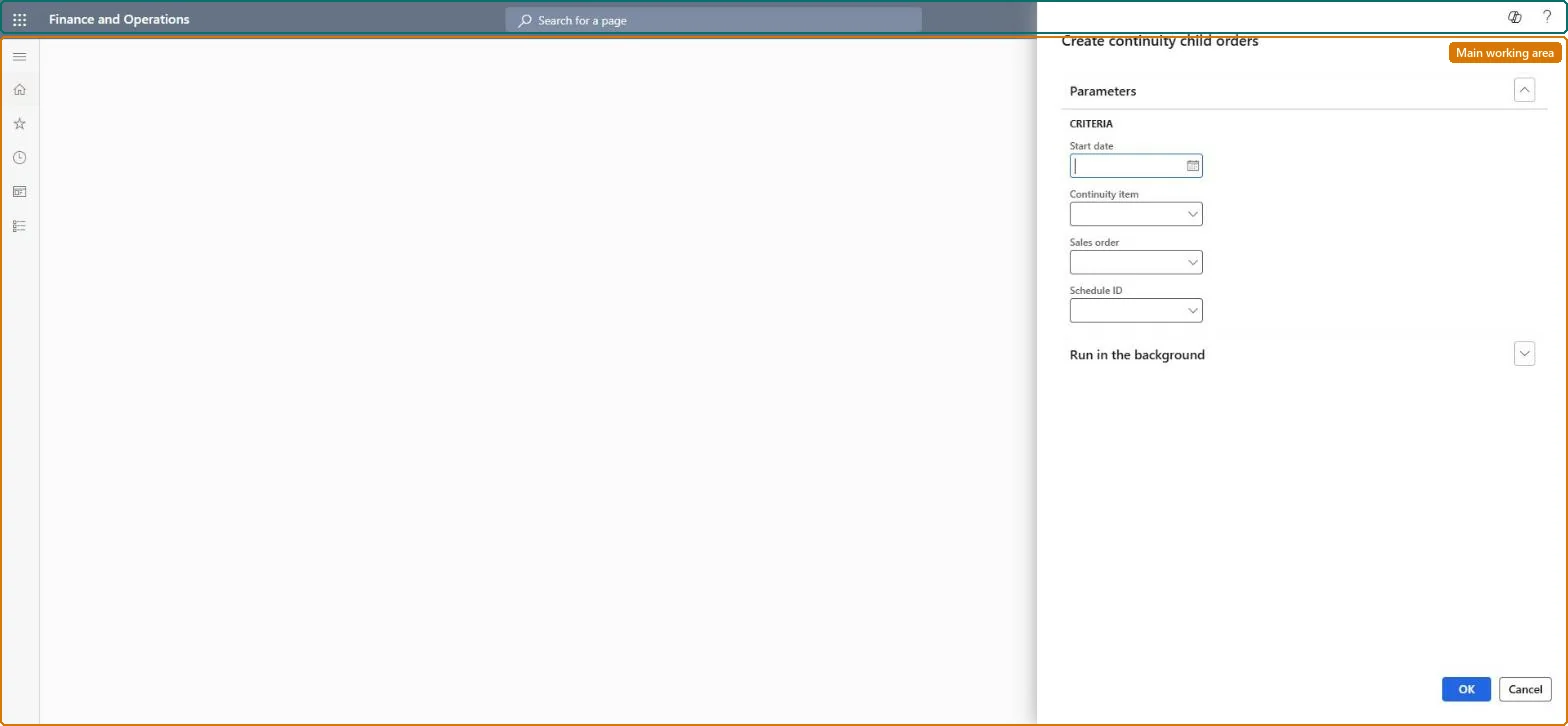
A periodic job page that creates the child sales orders for each continuity event (each shipment) from the parent continuity orders.
What you do here
Use this page to generate the child orders for the next shipment of selected continuity items or sales orders, either on demand or as a recurring batch job. The job reports how many child orders were created and how many were skipped for expired credit cards.
Example
For example, run the job for continuity item 88000 and one sales order number so only that customer's next shipment order is created.
The page in Dynamics 365. page title tab to open what to set or check
About the examples: Examples and screenshots in this guide use BEAT, a demo company in a Dynamics 365 test environment. Use your own company's codes and values instead of copying them.
When to run it
When to run it
After continuity payments are processed, when the next shipment of a continuity program is due.
How often
Once per continuity event, on demand or as a recurring batch job.
Batch settings
Recurring batch job per continuity item, after payments are processed.
What the output shows
New child sales orders for the next shipment of each parent continuity order. Orders with an expired card are skipped, and the Number of orders to create parameter caps how many are created per run.
Go to Retail and Commerce > Continuity > Create continuity child orders.
In Continuity item, enter the continuity item number whose parent orders should get child orders.
Optionally, in Sales order, enter one parent sales order to process only that order and shorten the run; leave it blank to process all orders of the program.
Optionally, fill in the Batch tab to run the creation on a schedule, then select OK.
Read the result message: it shows how many child orders were created and how many were skipped because the credit card expired.
Yes, by deleting the orders: Delete or cancel child orders created by mistake before they ship. Microsoft Learn
If you change it later
Each run creates new sales orders; the Number of orders to create parameter in call center parameters caps how many child orders are created, and orders with an expired card are skipped. Microsoft Learn
Technical architect
5Technical
Menu item
MCRCreateContinuityChildrenOrdersChecked in Dynamics 365
Form
DialogChecked in Dynamics 365
Roles to set it up and use it
To use itSales manager TradeSalesManagerGive people one of these roles. On this system, 1 role can run this page.Checked in Dynamics 365