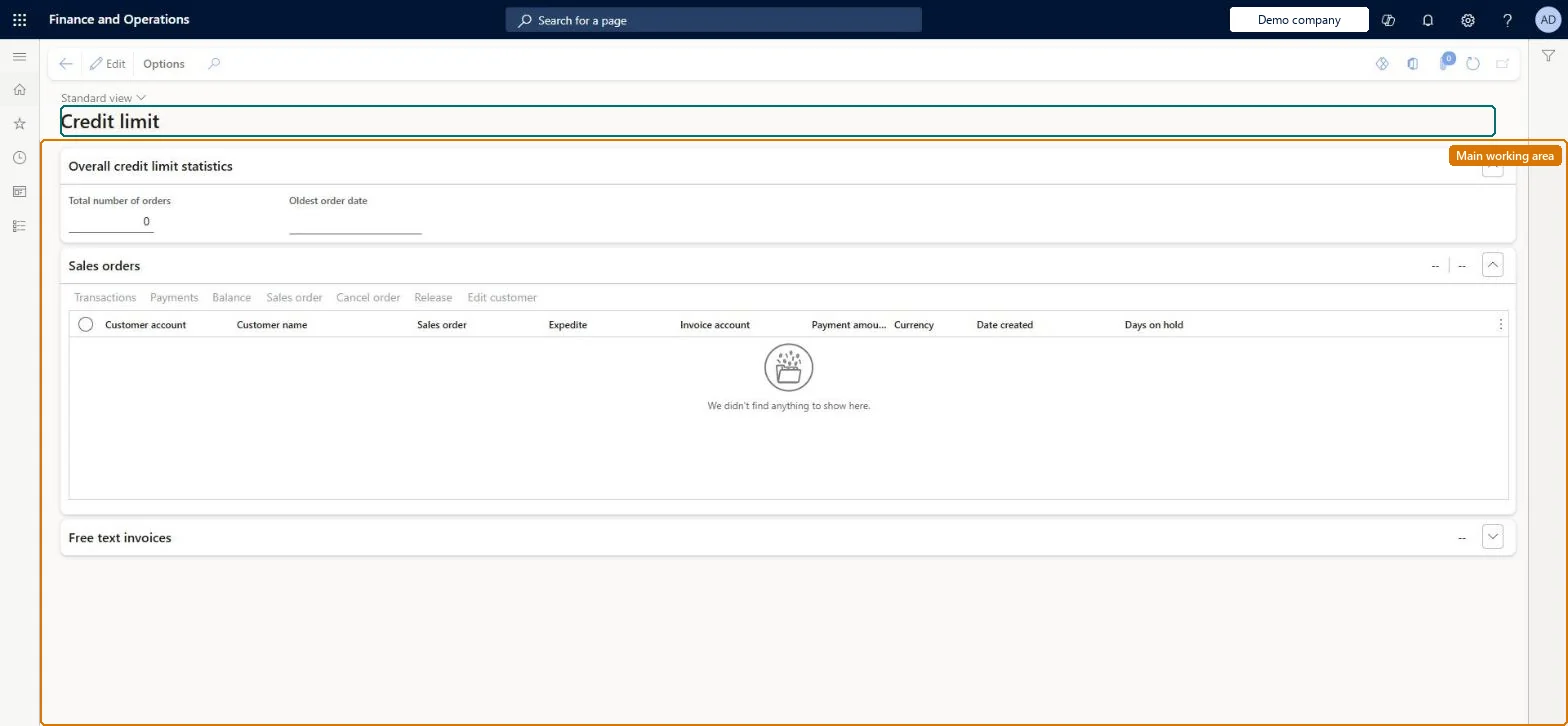
A work-queue page that lists call center sales orders held because the order total pushed the customer over their credit limit, so that a sales manager can release, cancel or correct them.
Customer service manager, Customer service representative, Sales representative
Business process
Use the credit limit workbench to manage credit for call center orders in Dynamics 365 Commerce
Menu item
MCROverCreditLimitWB
Main table
MCRCustPaymTable
Data entity
MCRSalesOrderCustomerPaymentEntity
Show what matters for
PAGE GUIDEWhat the page does and how to use it7 sections. Choose a role to highlight what matters to you.
Everyone
1What it is and why
What it is
A work-queue page that lists call center sales orders held because the order total pushed the customer over their credit limit, so that a sales manager can release, cancel or correct them.
What you do here
Use this page to manage customers that are exceeding their credit limit: release the held order, cancel it, open the sales order to change the payment, or edit the customer to raise the limit.
Example
For example, when a trade customer on account orders more than their remaining credit, the order lands here and the credit controller either raises the limit via Edit customer or releases the order after a part payment.
The page in Dynamics 365. page title tab to open what to set or check
About the examples: Examples and screenshots in this guide use BEAT, a demo company in a Dynamics 365 test environment. Use your own company's codes and values instead of copying them.
Steps from Microsoft
Go to Retail and Commerce > Channels > Call centers > Credit limit.
Select the held sales order.
Select Release to release the order for processing, or Cancel order to cancel it.
Select Sales order to change the payment information on the order.
Select Edit customer to change the customer's credit limit.
Releasing an order here lets it proceed despite the customer being over limit; the order stays blocked until someone releases it, cancels it or changes the limit. Microsoft Learn
Technical architect
5Technical
Menu item
MCROverCreditLimitWBChecked in Dynamics 365
Form
MCROverCreditLimitWBChecked in Dynamics 365
Table
MCRCustPaymTableShown as “CUSTOMER PAYMENTS” in Record infoChecked in Dynamics 365
Data entities
MCRSalesOrderCustomerPaymentEntityCustomer payments Checked in Dynamics 365
Who can open it
PrivilegesProcess payments that are over a credit limit MCROverCreditLimitWBMaintainDutiesMaintain customer service MCRCustomerServiceMaintain3 security rolesCustomer service manager TradeCustomerServiceManagerCustomer service representative TradeCustomerServiceRepresentativeSales representative TradeSalesRepresentativeChecked in Dynamics 365
Roles to set it up and use it
To set it up or change itSales representative TradeSalesRepresentativeCustomer service representative TradeCustomerServiceRepresentativeCustomer service manager TradeCustomerServiceManagerGive people one of these roles. On this system, 3 roles can open this page.Checked in Dynamics 365