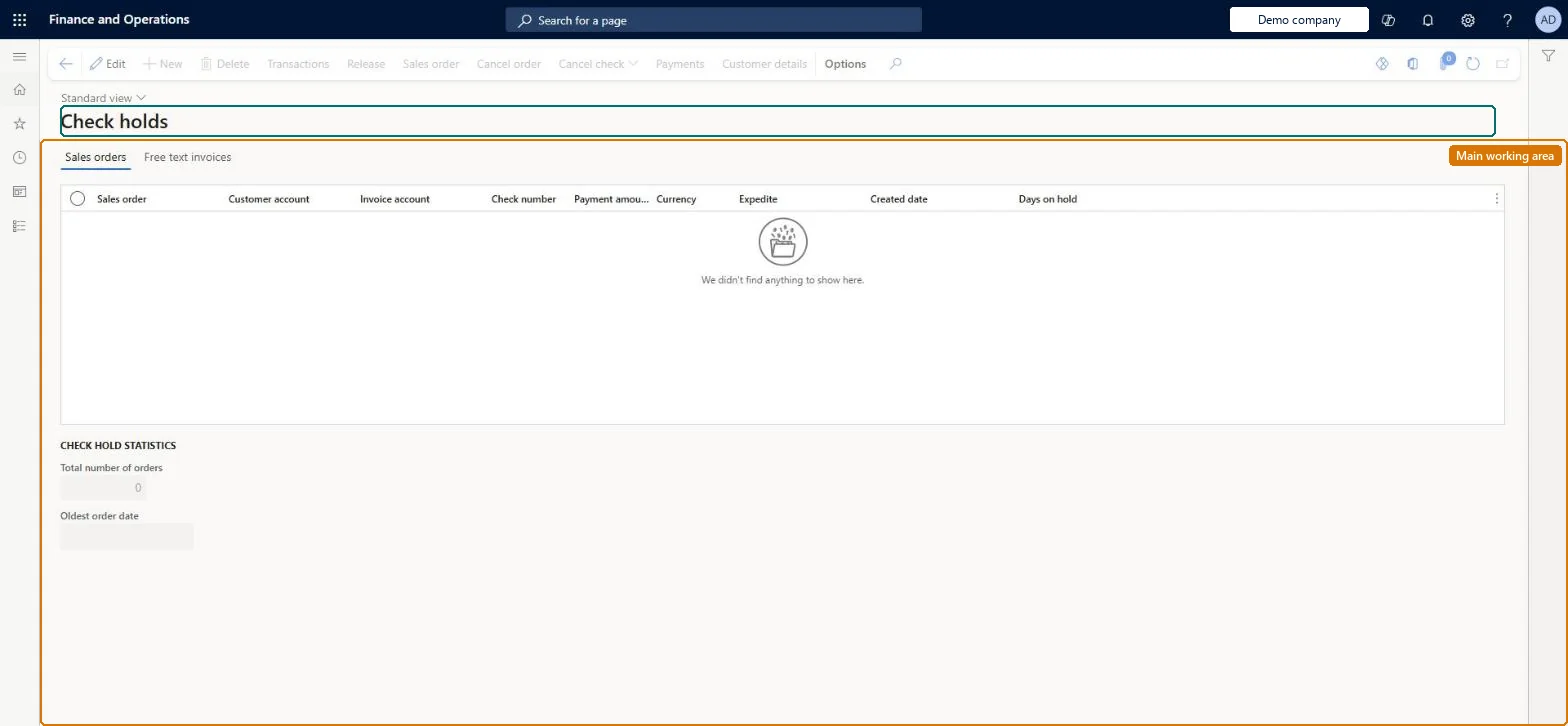
A work-queue page that lists call center sales orders that were placed on hold because a check payment exceeded the threshold amount set in Call center parameters, so that a supervisor can release them.
Use check holds to manage limits for check payments in Dynamics 365 Commerce
Menu item
MCRCheckHoldWB
Main table
MCRCustPaymTable
Data entity
MCRSalesOrderCustomerPaymentEntity
Show what matters for
PAGE GUIDEWhat the page does and how to use it7 sections. Choose a role to highlight what matters to you.
Everyone
1What it is and why
What it is
A work-queue page that lists call center sales orders that were placed on hold because a check payment exceeded the threshold amount set in Call center parameters, so that a supervisor can release them.
What you do here
Use this page to review orders held for large check payments and release them for processing once the check is considered safe.
Example
For example, if the check threshold is 500 and a customer pays a 700 order by check, the order waits here until a supervisor selects Release.
The page in Dynamics 365. page title tab to open what to set or check
About the examples: Examples and screenshots in this guide use BEAT, a demo company in a Dynamics 365 test environment. Use your own company's codes and values instead of copying them.
Steps from Microsoft
Go to Retail and Commerce > Channels > Call centers > Check holds.
To set it up or change itSales clerk TradeSalesClerkAccounting manager LedgerAccountingManagerAccountant LedgerAccountantGive people one of these roles. On this system, 3 roles can open this page.Checked in Dynamics 365
Actions on the page
(Action Pane without tabs): Transactions, Release, Sales order, Cancel order, Cancel check, Payments, Customer detailsChecked in Dynamics 365
Developer
6Developer
Open it by URL
https://<your-environment>/?mi=MCRCheckHoldWB
Integrate with
MCRSalesOrderCustomerPaymentEntity data entity Checked in Dynamics 365