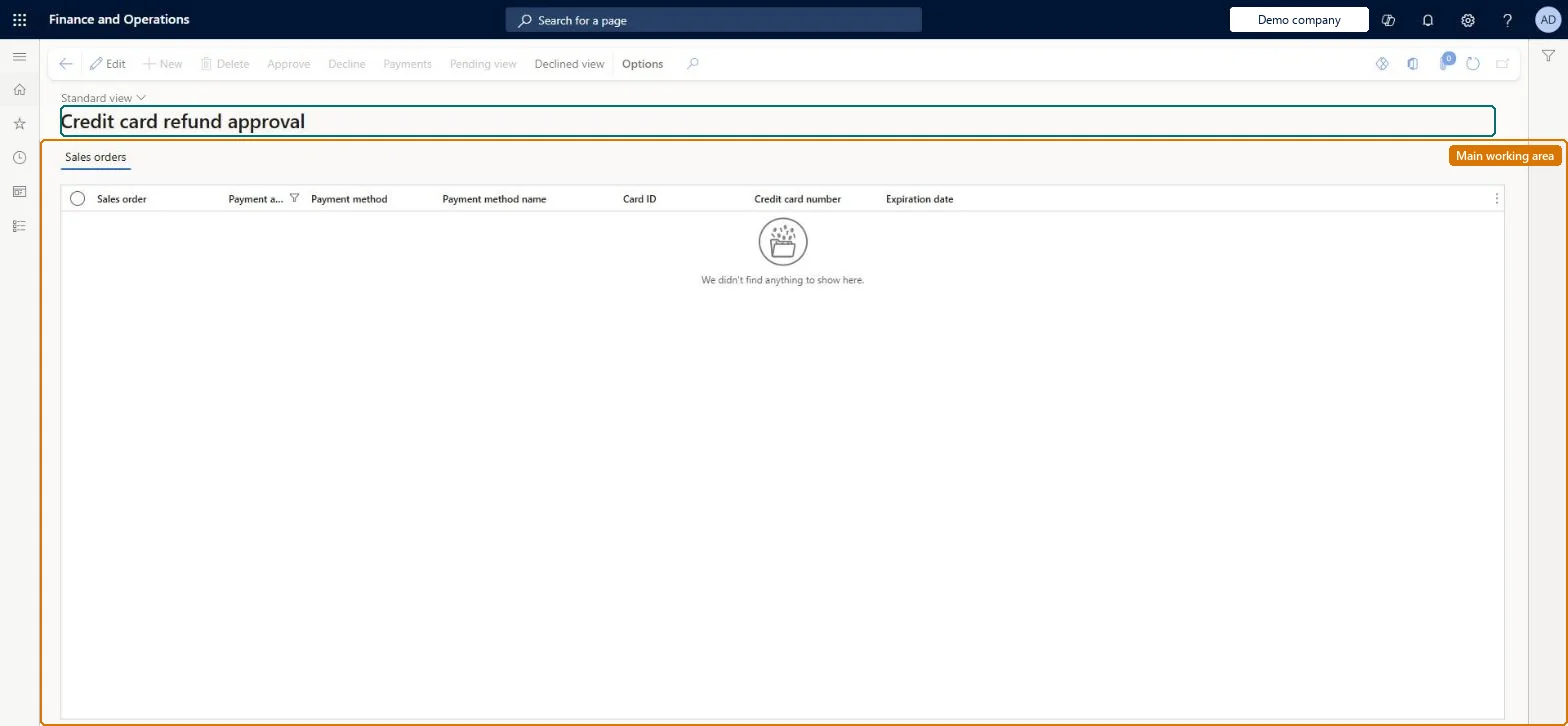
An approval-queue page listing credit card refunds on call center return orders that exceed the approval threshold set in Call center parameters, so that an authorized user can approve or decline each one.
Retail and CommerceChannelsCall centersCall center credit cards
MCRCCRefundApproval
Used by
Sales clerk
Business process
Record credit or debit card payments on call center orders in Dynamics 365 Commerce
Menu item
MCRCCRefundApproval
Main table
MCRCustPaymTable
Data entity
MCRSalesOrderCustomerPaymentEntity
Show what matters for
PAGE GUIDEWhat the page does and how to use it7 sections. Choose a role to highlight what matters to you.
Everyone
1What it is and why
What it is
An approval-queue page listing credit card refunds on call center return orders that exceed the approval threshold set in Call center parameters, so that an authorized user can approve or decline each one.
What you do here
Use this page to review the return sales order behind each queued credit card refund and approve it (so the return can be invoiced and the card refunded) or decline it.
Example
For example, with a threshold of 200, a 350 credit card refund created by a return waits here until a supervisor selects Approve.
The page in Dynamics 365. page title tab to open what to set or check
About the examples: Examples and screenshots in this guide use BEAT, a demo company in a Dynamics 365 test environment. Use your own company's codes and values instead of copying them.
Steps from Microsoft
Go to Retail and Commerce > Channels > Call centers > Call center credit cards > Refund approval.
Review the return sales order shown in the Sales order field and the refund details.
Select the refund.
Select Approve to approve it or Decline to decline it.
The ID of the return sales order that the refund belongs to.Microsoft Learn
SalesId
Solution architect
4Design impact
If you change it later
Until a queued refund is approved, the return order cannot be invoiced and the customer is not refunded; approval releases the invoice step that calls the processor. Microsoft Learn
Technical architect
5Technical
Menu item
MCRCCRefundApprovalChecked in Dynamics 365
Form
MCRCCRefundApprovalChecked in Dynamics 365
Table
MCRCustPaymTableShown as “CUSTOMER PAYMENTS” in Record infoChecked in Dynamics 365
Data entities
MCRSalesOrderCustomerPaymentEntityCustomer payments Checked in Dynamics 365