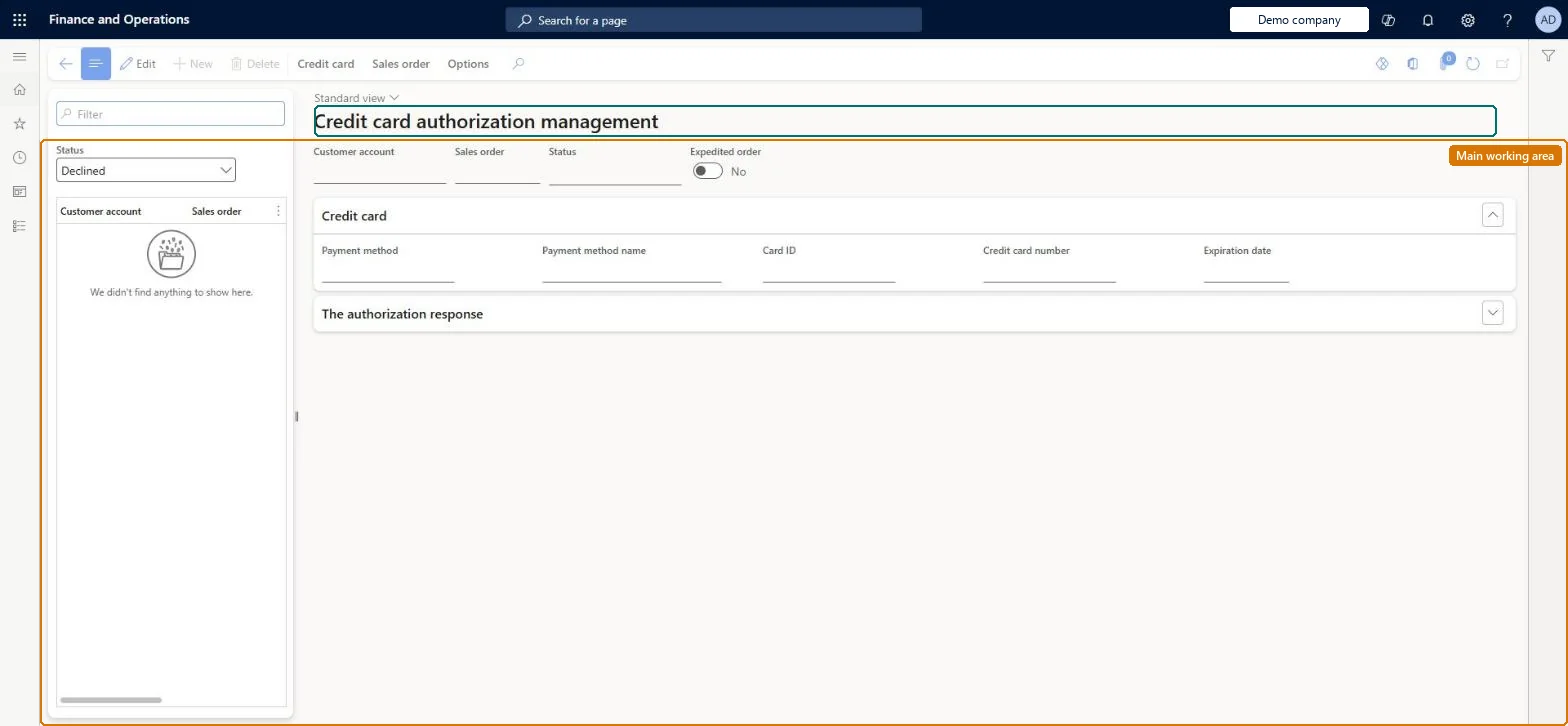
A work-queue page that lists call center orders whose credit card payment is pending authorization, declined, or on an authorization hold because of a future ship date, so that users can process, manually authorize or decline them.
Retail and CommerceChannelsCall centersCall center credit cards
MCRCCAuthManagement
Used by
Sales clerk
Business process
Record credit or debit card payments on call center orders in Dynamics 365 Commerce
Menu item
MCRCCAuthManagement
Main table
MCRCustPaymTable
Data entity
MCRSalesOrderCustomerPaymentEntity
Show what matters for
PAGE GUIDEWhat the page does and how to use it7 sections. Choose a role to highlight what matters to you.
Everyone
1What it is and why
What it is
A work-queue page that lists call center orders whose credit card payment is pending authorization, declined, or on an authorization hold because of a future ship date, so that users can process, manually authorize or decline them.
What you do here
Use this page to resend an authorization for a declined or held card payment (Credit card > Process), to manually authorize a payment with a code from the payment service, or to manually decline it, and so clear the order's Do not process flag.
Example
For example, an order with a future shipping date sits here with status Declined and Do not process set; the agent filters on Declined, selects the order and chooses Credit card > Process to re-authorize it.
The page in Dynamics 365. page title tab to open what to set or check
About the examples: Examples and screenshots in this guide use BEAT, a demo company in a Dynamics 365 test environment. Use your own company's codes and values instead of copying them.
Steps from Microsoft
Go to Retail and Commerce > Channels > Call centers > Call center credit cards > Authorization management.
Set the Status filter to Declined (or review the Pending authorization records).
Select the record by customer account or sales order.
Select Credit card, then Process to resend the authorization.
Alternatively select Manually authorize and enter the code from the payment service, or Manually decline with a reason code.
If the card details were wrong, open the sales order, replace the payment and submit again.
Capture failed: Capture failed due to stale authorization.(22062).
The authorization is older than the Adyen connector's Authorization stale period (days). Reauthorize the order (Credit card > Process) and keep the stale period longer than the Number of days before expired parameter. Microsoft Learn
Test checklist
Create a call center order with a future ship date and a card payment.
Check it appears on Authorization management with Do not process set on the order.
Filter Status to Declined, select the order, and select Credit card > Process.
Check the authorization succeeds and Do not process is cleared on the sales order.
Processing a record resends the authorization to the gateway and, if it succeeds, clears Do not process so the order can be released; manually authorizing records a code without contacting the gateway. Microsoft Learn
Technical architect
5Technical
Menu item
MCRCCAuthManagementChecked in Dynamics 365
Form
MCRCCAuthManagementChecked in Dynamics 365
Table
MCRCustPaymTableShown as “CUSTOMER PAYMENTS” in Record infoChecked in Dynamics 365
Data entities
MCRSalesOrderCustomerPaymentEntityCustomer payments Checked in Dynamics 365