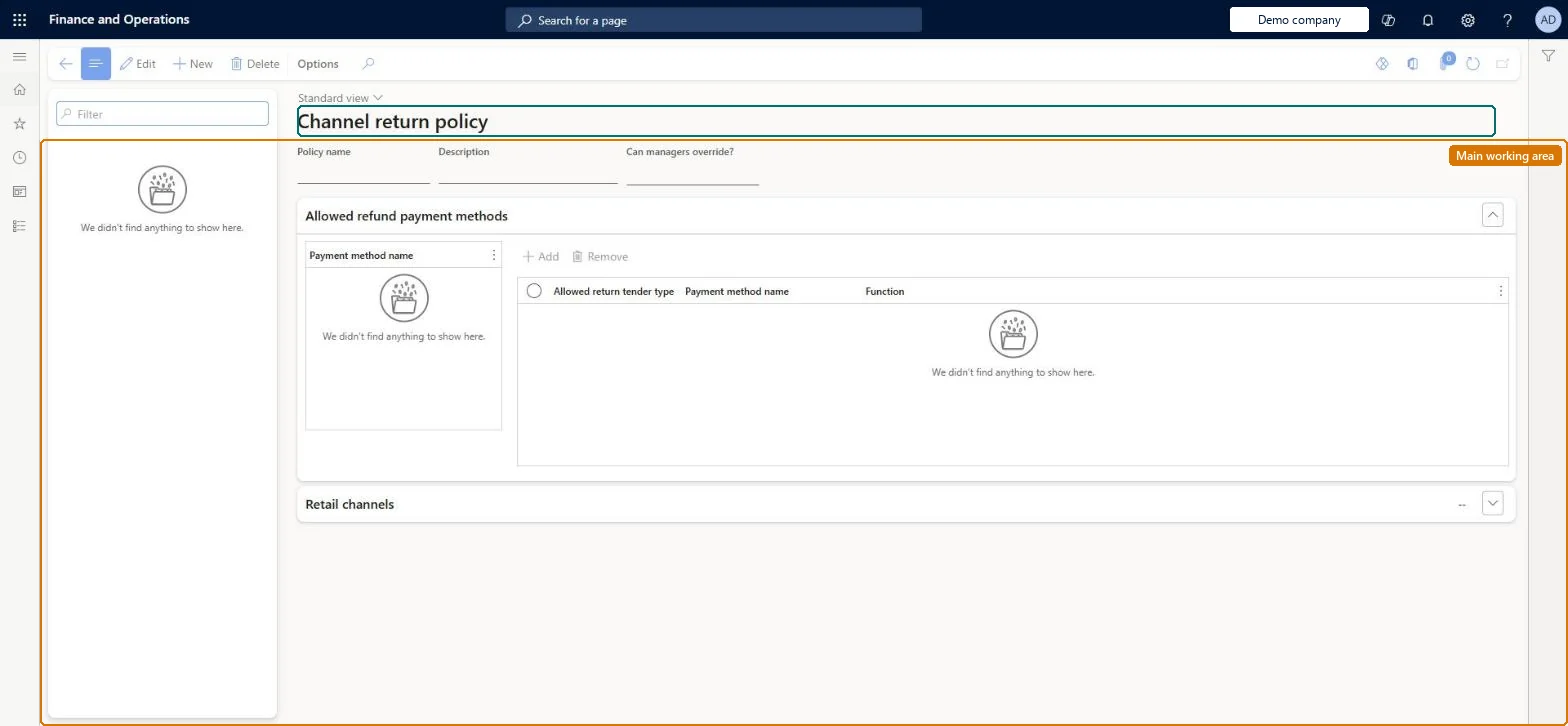
A setup page where you create return policy templates that specify, for each payment method used in the original purchase, which return tender types are allowed when a return is processed at the POS, and assign the templates to stores and online channels.
PAGE GUIDEWhat the page does and how to use it8 sections. Choose a role to highlight what matters to you.
Everyone
1What it is and why
What it is
A setup page where you create return policy templates that specify, for each payment method used in the original purchase, which return tender types are allowed when a return is processed at the POS, and assign the templates to stores and online channels.
What you do here
Use this page to enforce which payment tenders can be used to refund a return in a channel, optionally allowing store managers (and associates with the relevant POS permission) to override the allowed list. Run distribution job 1070 afterwards so the POS receives the policy.
Example
For example, if a purchase was paid with a gift card, the policy can restrict the refund to a new gift card or store credit.
The page in Dynamics 365. page title tab to open what to set or check
About the examples: Examples and screenshots in this guide use BEAT, a demo company in a Dynamics 365 test environment. Use your own company's codes and values instead of copying them.
Setup steps on this page
Set up Channel return policy
Use this page to enforce which payment tenders can be used to refund a return in a channel, optionally allowing store managers (and associates with the relevant POS permission) to override the allowed list. Run distribution job 1070 afterwards so the POS receives the policy.
Steps from Microsoft
Go to Retail and Commerce > Channel setup > Returns > Channel return policy.
Select New and enter a name and description for the template (or select an existing template).
If store managers may refund with other payment methods, set Can managers override? to Yes.
In the Allowed refund payment methods section, select an Allowed return tender type for each payment method.
On the Retail Channels tab, select Add and choose the stores, regions or organizations the template applies to.
When Yes, store managers (and associates with the Allow using all payment methods for refund permission) can refund with any payment method.Microsoft Learn
IsManagerOverrideEnabled
Allowed return tender type
For each original payment method, the tender types that may be used for the refund.Microsoft Learn
AllowedReturnTenderTypeId
Retail Channels
The stores, regions or organization nodes the template is assigned to; each store can have only one template.Microsoft Learn
Test checklist
Create a policy, set an allowed return tender type for each payment method and add the store on Retail Channels.
Run distribution job 1070.
In POS select Return Transaction, scan a cash receipt, select Amount Due and check only the allowed tenders are listed.
Select a tender that isn't allowed and check an error message is shown.
An allowed return tender type for every listed payment method, one policy per store, with Can managers override? = Yes only where managers may refund to any methodLearn says to add an allowed return tender type for each listed payment method so returns can go to it, and that each store can have only one policy.
Not running job 1070 after creating or changing the policy, so POS doesn't receive it.
Reversible: Policies can be edited and channels reassigned. Changes apply in POS after job 1070 runs. Microsoft Learn
If you change it later
A policy takes effect in a channel only from the date it is assigned and the channel job (1070) runs; at the POS a cashier who selects a tender that is not on the allowed list gets an error unless an override is permitted. Microsoft Learn
Technical architect
6Technical
Menu item
RetailReturnPolicyChannelChecked in Dynamics 365
Form
RetailReturnPolicyChannelChecked in Dynamics 365
Table
RetailReturnPolicyChanneShown as “RETAILRETURNPOLICYCHANNEL” in Record infoChecked in Dynamics 365
Data entities
RetailChannelAttributeValueEntityChannel attribute value Checked in Dynamics 365RetailChannelEntityRetail channel Checked in Dynamics 365RetailTenderTypeEntityPayment methods Microsoft data model RetailReturnPolicyChannelEntityRetailReturnPolicyChannelEntity Checked in Dynamics 365
Who can open it
PrivilegesRetailReturnPolicyChannelMaintainDutiesMaintain retail store tenders RetailStoreTendersMaintain2 security rolesRetail operations manager RetailOperationsManagerRetail service RetailServiceChecked in Dynamics 365
Roles to set it up and use it
To set it up or change itRetail service RetailServiceRetail operations manager RetailOperationsManagerGive people one of these roles. On this system, 2 roles can open this page.Checked in Dynamics 365