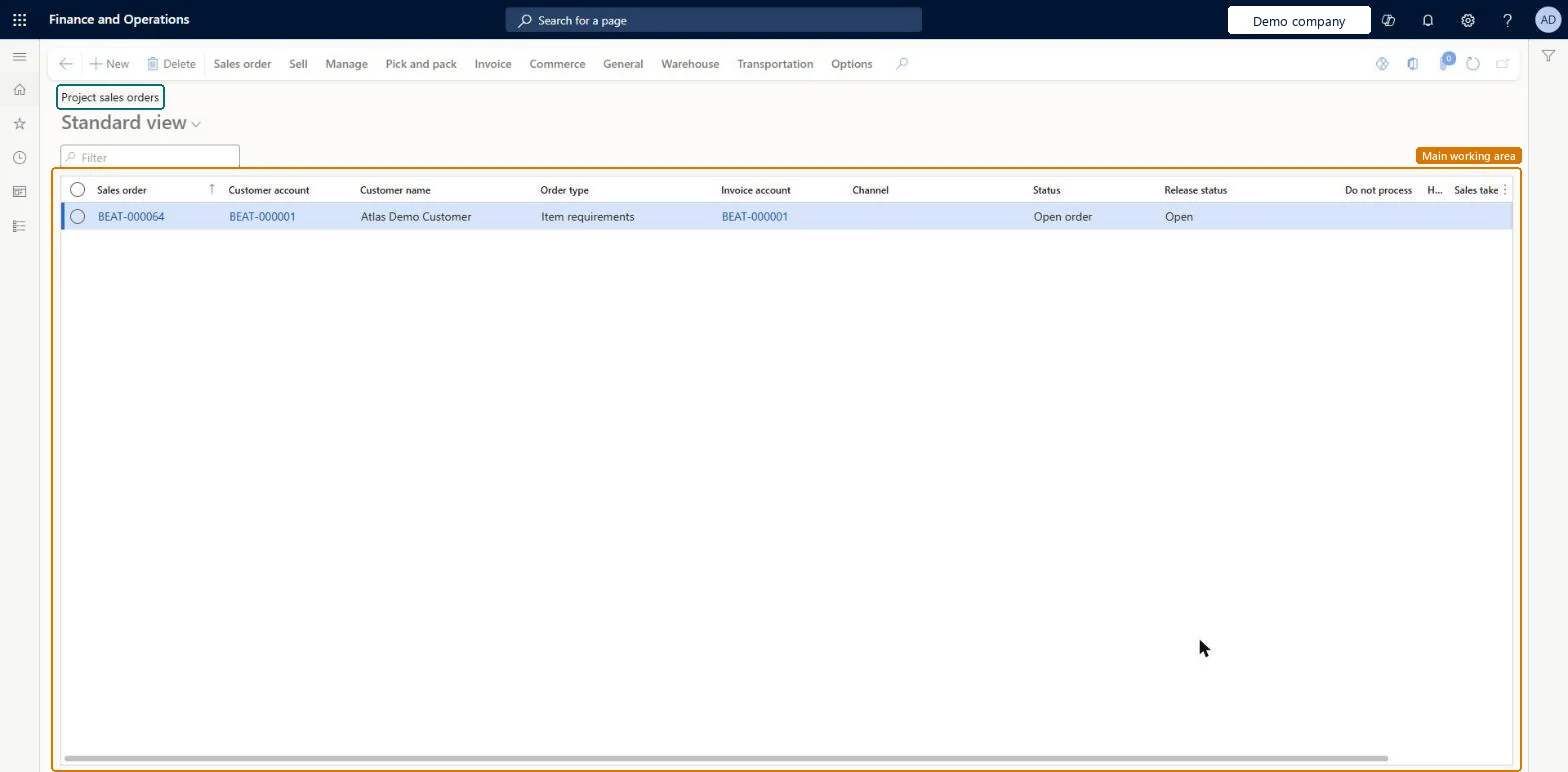
The list of sales orders created for projects. A project sales order is possible only on a Time and material project and charges the items to the project when the customer invoice is posted.
PAGE GUIDEWhat the page does and how to use it8 sections. Choose a role to highlight what matters to you.
Everyone
1What it is and why
What it is
The list of sales orders created for projects. A project sales order is possible only on a Time and material project and charges the items to the project when the customer invoice is posted.
What you do here
Use it to sell items on a project and invoice them through the sales order rather than through an invoice proposal.
Example
For example, on Time and material project PRJ-0042 BEAT sells 3 control panels at 2,400.00 each through a project sales order; posting the customer invoice charges the 7,200.00 sale to the project.
The page in Dynamics 365. page title tab to open what to set or check
About the examples: Examples and screenshots in this guide use BEAT, a demo company in a Dynamics 365 test environment. Use your own company's codes and values instead of copying them.
Setup steps on this page
Sell items on Time and material projects
Choose the sales order only where it fits the project type.
Steps from Microsoft
Go to Project management and accounting > Item tasks > Project sales orders to review the open orders.
To create one, open the Time and material project and on the Action Pane select Manage > Item tasks > Sales order.
If the project contract has more than one funding source, select the funding source that sets the customer.
Add the lines with item, quantity and price, and save.
Post the packing slip, then post the customer invoice, which charges the items to the project.
Use project sales orders only on Time and material projects and pick the funding source when the contract has several.Items on a sales order are charged to the project when the customer invoice posts, not through an invoice proposal.
On the live system, Project assistant, Sales clerk, Sales representative and Rental manager use this page.
Checked in Dynamics 365
Solution architect
5Design impact
Shared or per company
Per company: each legal entity has its own sales orders. Microsoft Learn
Can it be undone
Hard to reverse: After items are marked for packing, the packing slip of a project sales order can't be canceled; the posted invoice is corrected with a credit note. Microsoft Learn
If you change it later
After items are marked for packing, the packing slip of a project sales order can't be canceled. Microsoft Learn
Technical architect
6Technical
Menu item
SalesTableListPage_ProjChecked in Dynamics 365
Form
SalesTableListPageChecked in Dynamics 365
Table
SalesTableShown as “Sales orders” in Record infoChecked in Dynamics 365
To set it up or change itProject assistant ProjProjectClerkSales clerk TradeSalesClerkSales representative TradeSalesRepresentativeRental manager RentalManagerRental coordinator agent RentalCoordinatorAgentTo use itProject manager ProjProjectManagerProject supervisor ProjProjectSupervisorProject accountant ProjProjectAccountantField Service Integration User FieldServiceIntegrationUserService delivery manager SMAServiceDeliveryManagerGive people one of these roles. On this system, 33 roles can open this page.Checked in Dynamics 365
SalesOrderHeaderV2Entity (Sales order headers V2): loaded for each company.Load order: Load customers, projects and released products first, then open sales order headers and their lines.Load first: Customers, Projects, Released productsMicrosoft Learn