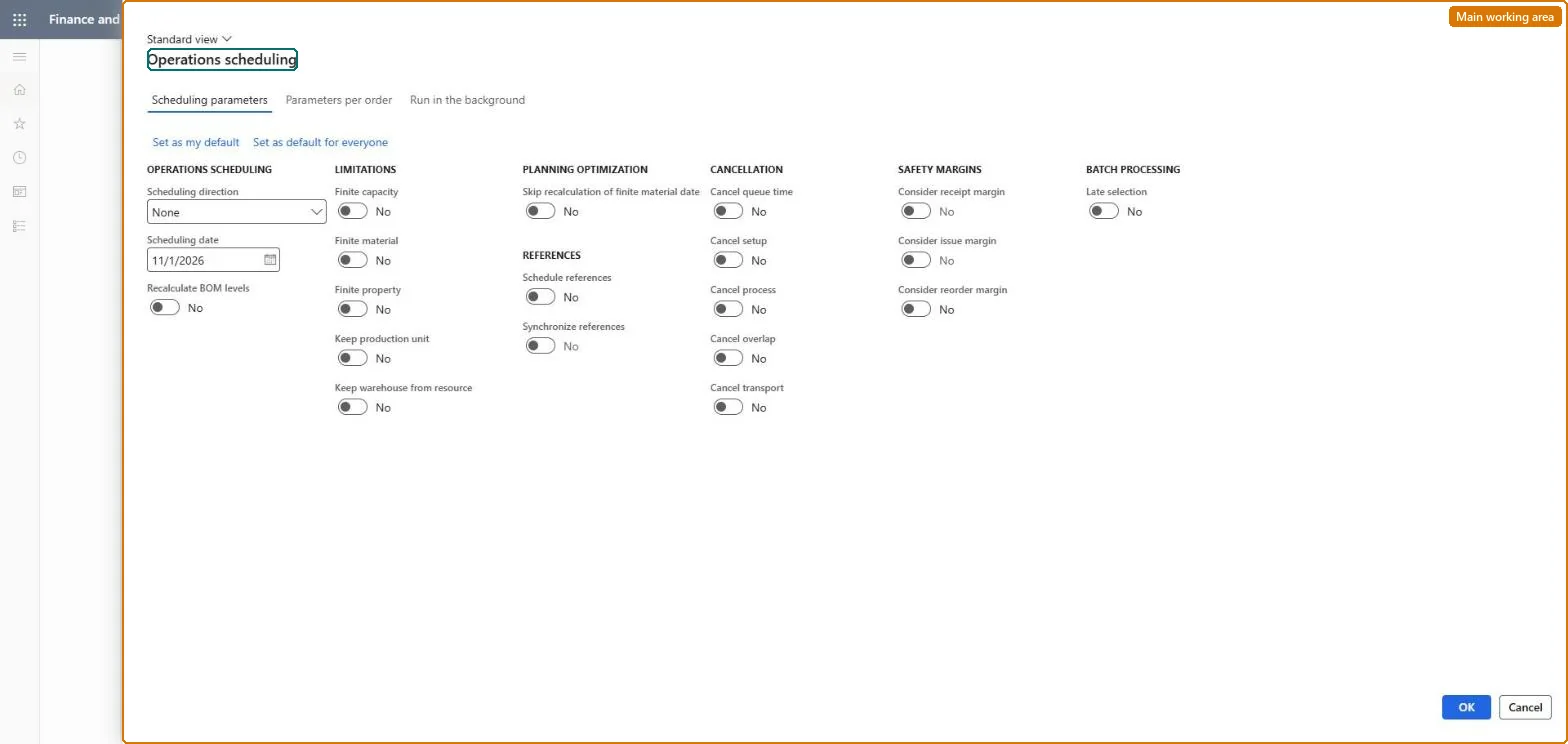
A periodic task dialog that runs operations scheduling for selected production orders, giving a general estimate of the production process over time by scheduling each operation on its resource group without splitting operations into jobs.
Schedule production using Operations scheduling in Dynamics 365 Supply Chain Management
Menu item
action:ProdSchedulingOperation
Show what matters for
PAGE GUIDEWhat the page does and how to use it7 sections. Choose a role to highlight what matters to you.
Everyone
1What it is and why
What it is
A periodic task dialog that runs operations scheduling for selected production orders, giving a general estimate of the production process over time by scheduling each operation on its resource group without splitting operations into jobs.
What you do here
Use this page to set the scheduling direction and date, decide whether capacity and materials are treated as finite, choose whether to schedule and synchronize subproductions, and cancel parts of the route times before the schedule is calculated.
Example
For example, a planner schedules a batch of new production orders backward from their delivery dates with finite capacity to see the latest start dates the resource groups can support.
The page in Dynamics 365. page title tab to open what to set or check
About the examples: Examples and screenshots in this guide use BEAT, a demo company in a Dynamics 365 test environment. Use your own company's codes and values instead of copying them.
When to run it
When to run it
After production orders are estimated (estimation runs automatically if it hasn't) and before they are released, to give them a rough schedule.
How often
Whenever new or changed production orders need a rough-cut schedule.
Batch settings
Run it in the background for many orders at once so the scheduling engine doesn't block your session.
What the output shows
Production orders with status Scheduled, start and end dates and capacity reserved on resource groups for each operation's duration. An order that ends far later than expected usually lacks free capacity or materials under finite settings.
Go to Production control > Periodic tasks > Scheduling > Operations scheduling.
Select the Scheduling direction: forward from the scheduling date to start as early as possible, or backward to start as late as possible and still finish on time; set the Scheduling date where needed.
Under Limitations, set Finite capacity to treat existing reservations on resources as unavailable, and Finite material to wait until components are available.
Under References, select Schedule references and Synchronize references so subproductions are scheduled with the main order and move when its dates change.
Under Cancellation, exclude queue, setup, process, overlap or transport times you don't want scheduled, then pick the orders in Records to include.
Open the orders afterwards: their status is Scheduled and they have start and end dates, but no start and end times per operation.
Yes, by resetting status: Reset the order from Scheduled to Estimated to remove the dates and capacity reservations, then schedule again. Microsoft Learn
If you change it later
Sets the production order status to Scheduled, reserves capacity on resource groups and, with finite material, makes the schedule depend on component availability; the schedule also drives master planning's material requirements. Microsoft Learn
Technical architect
5Technical
Menu item
action:ProdSchedulingOperationChecked in Dynamics 365
Form
ProdScheduleChecked in Dynamics 365
Roles to set it up and use it
To use itProduction supervisor ProdProductionSupervisorProduction manager ProdProductionManagerProduction planner ReqProductionPlannerGive people one of these roles. On this system, 3 roles can run this page.Checked in Dynamics 365