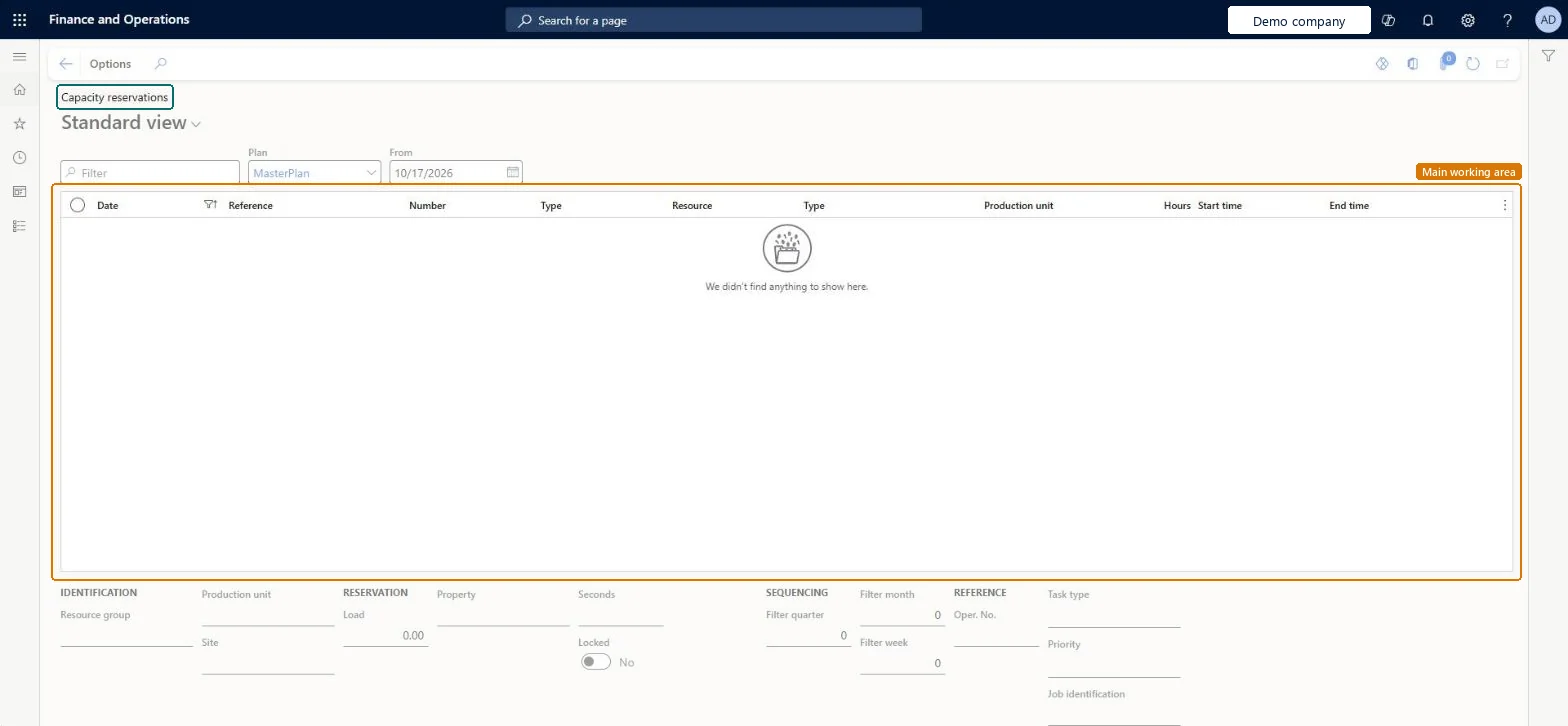
An inquiry page that shows the capacity reserved on resources, listed by date, reference, number, type, resource, production unit, hours, start time and end time.
Production manager, Production supervisor, Project manager and 1 more role
Business process
Schedule production jobs
Menu item
WrkCtrCapRes
Main table
WrkCtrCapRes
Data entity
WrkCtrOperationsResourceCapacityReservationEntity
Show what matters for
PAGE GUIDEWhat the page does and how to use it7 sections. Choose a role to highlight what matters to you.
Everyone
1What it is and why
What it is
An inquiry page that shows the capacity reserved on resources, listed by date, reference, number, type, resource, production unit, hours, start time and end time.
What you do here
Use this page to see which capacity reservations exist for a master plan from a chosen date. The details below the list show the resource group, site, load, property, locked status, sequencing, task type, priority and job identification of the selected reservation.
The page in Dynamics 365. page title tab to open what to set or check
Production control › Inquiries and reports › Resources › Capacity reservations
End user · Functional consultant
3How to do it
About the examples: Examples and screenshots in this guide use BEAT, a demo company in a Dynamics 365 test environment. Use your own company's codes and values instead of copying them.
How to use it
Go to Production control > Inquiries and reports > Resources > Capacity reservations.
Choose the Plan, such as MasterPlan.
Enter the From date.
Use the Filter box to find a reservation.
Review the Date, Reference, Number, Type, Resource, Production unit, Hours, Start time and End time columns.
Select a line to see its Resource group, Site, Load, Property, Locked, Sequencing, Task type, Priority and Job identification details below.
To use itProduction supervisor ProdProductionSupervisorProduction manager ProdProductionManagerProduction planner ReqProductionPlannerProject manager ProjProjectManagerGive people one of these roles. On this system, 4 roles can open this page.Checked in Dynamics 365
Actions on the page
Options: Personalize, Page options, ShareChecked in Dynamics 365