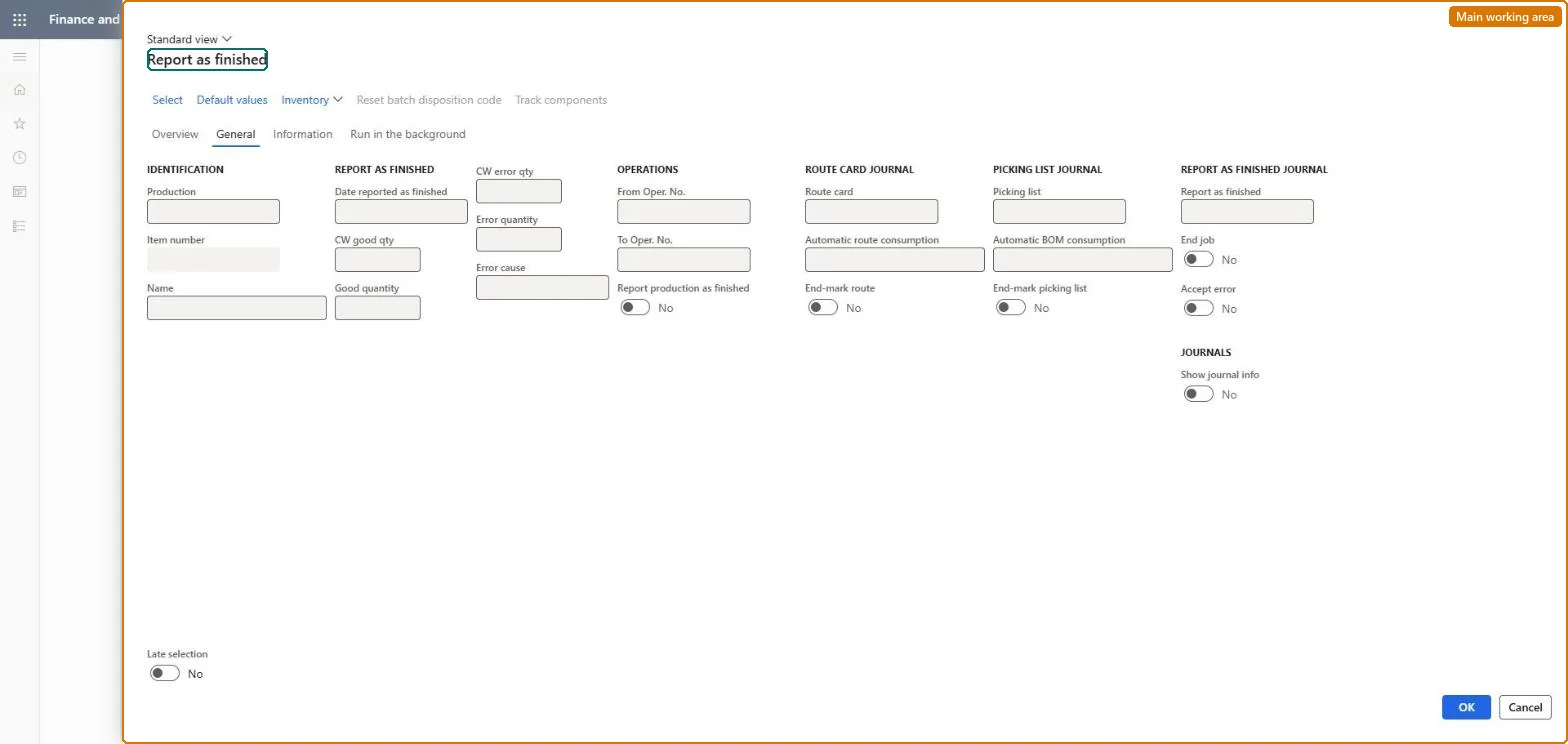
A periodic page that reports one or many production orders as finished, receiving the good quantity into inventory and recording error quantities and their cause.
Production controlPeriodic tasksProduction order status update
action:ProdReportFinished
Business process
Record production output manually through Report as Finished (RAF) journal in Dynamics 365 Supply Chain Management
Menu item
action:ProdReportFinished
Show what matters for
PAGE GUIDEWhat the page does and how to use it7 sections. Choose a role to highlight what matters to you.
Everyone
1What it is and why
What it is
A periodic page that reports one or many production orders as finished, receiving the good quantity into inventory and recording error quantities and their cause.
What you do here
Use this page to report finished quantities in bulk or on a batch schedule, choosing whether the order is end-marked so that no more quantity can be reported and whether consistency errors are accepted.
Example
For example, report part of the planned quantity and leave End job clear so that further quantities can be reported later.
The page in Dynamics 365. page title tab to open what to set or check
About the examples: Examples and screenshots in this guide use BEAT, a demo company in a Dynamics 365 test environment. Use your own company's codes and values instead of copying them.
When to run it
When to run it
When a production order, or part of it, is finished and the output must be received into inventory.
How often
Each time finished quantities are produced, or as a batch job at the end of a shift or day.
Batch settings
Run it in the background to report many orders at once, for example at the end of each shift.
What the output shows
Finished goods added to on-hand inventory, back-flushed material and time if set up, putaway work for warehouse items and quality orders where a quality association exists. An order you can't report further usually has End job selected.
Go to Production control > Periodic tasks > Production order status update > Report as finished.
Select the production orders that have the Started status.
Enter the Good quantity to receive into inventory, and the Error quantity with an Error cause for unusable items.
Select End job when no more quantity is expected; leave it cleared if more quantity can still be reported.
Leave Accept error cleared so the update is cancelled when inconsistencies are found; select it only if you accept them. Then review on-hand inventory and any putaway or quality orders.
Yes, by resetting status: Reset the order to an earlier status to revert the reported quantities. Then estimation and scheduling must run again. Microsoft Learn
If you change it later
Receives finished goods into inventory and, with WIP accounting, posts from WIP to finished goods; once End job is selected, no more quantity can be reported on the order. Microsoft Learn
Technical architect
5Technical
Menu item
action:ProdReportFinishedChecked in Dynamics 365
Form
ProdParmReportFinishedChecked in Dynamics 365
Roles to set it up and use it
To use itProduction supervisor ProdProductionSupervisorShop supervisor JmgShopSupervisorMachine operator JmgMachineOperatorGive people one of these roles. On this system, 3 roles can run this page.Checked in Dynamics 365