A periodic page that ends one or many production orders, calculating the actual cost of what was produced and setting the status to Ended so that no more costs can be posted.
Production controlPeriodic tasksProduction order status update
action:ProdHistoricalCost
Business process
End product and record actual costs in Dynamics 365 Supply Chain Management
Menu item
action:ProdHistoricalCost
Show what matters for
PAGE GUIDEWhat the page does and how to use it7 sections. Choose a role to highlight what matters to you.
Everyone
1What it is and why
What it is
A periodic page that ends one or many production orders, calculating the actual cost of what was produced and setting the status to Ended so that no more costs can be posted.
What you do here
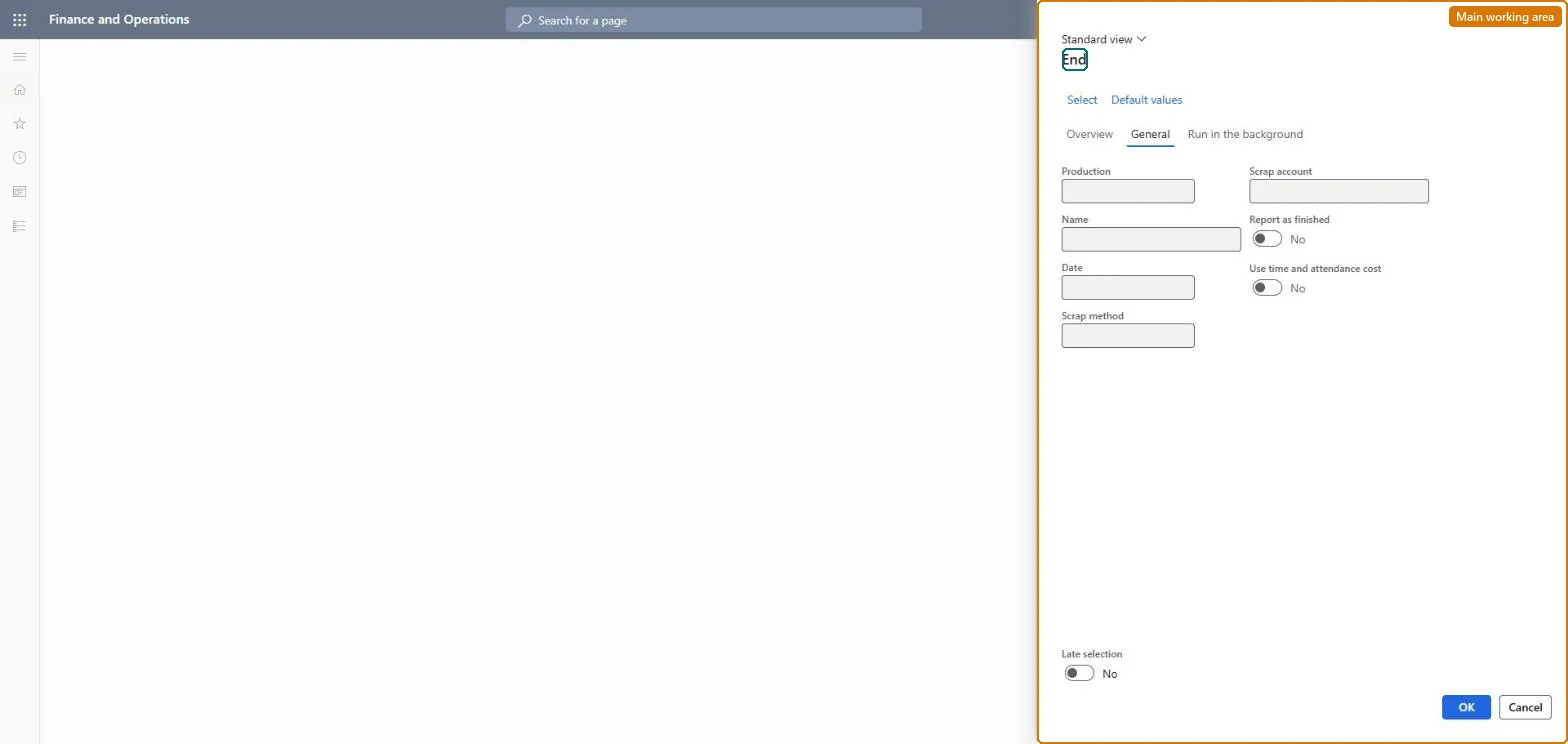
Use this page to end reported-as-finished orders in bulk or on a batch schedule, choosing the posting date and how any scrap quantity is costed.
Example
For example, select the Allocation scrap method so that the cost of scrapped material is added to the finished goods instead of being posted to a scrap account.
The page in Dynamics 365. page title tab to open what to set or check
About the examples: Examples and screenshots in this guide use BEAT, a demo company in a Dynamics 365 test environment. Use your own company's codes and values instead of copying them.
When to run it
When to run it
When production orders are complete and all consumption, feedback and corrections are posted, before the period is closed.
How often
At least before each period close, or as a recurring batch job with Late selection for orders that are reported as finished.
Batch settings
Run it as a recurring batch job with Late selection so orders reported as finished are ended regularly.
What the output shows
Production orders with status Ended and actual cost replacing estimated cost for material, labor and overhead. A large variance usually means consumption was missing or posted twice before the order was ended.
Go to Production control > Periodic tasks > Production order status update > End.
Select the production orders that have the status Reported as finished.
On the General tab, enter the posting Date for ending the orders.
In the Scrap method field, choose whether scrap cost is posted to a Scrap account or allocated to the finished quantity, and enter the Scrap account if needed.
Open the ended orders and review the cost comparison between estimated and actual cost.
No: Ending is final. The order can't be reset to an earlier status and no more costs can be posted. Run it only after all consumption and feedback is posted. Microsoft Learn
If you change it later
Ending is final: the order can no longer be updated or reset to an earlier status, estimated transactions are replaced by actual cost, and WIP postings are reversed. Microsoft Learn
Technical architect
5Technical
Menu item
action:ProdHistoricalCostChecked in Dynamics 365
Form
ProdParmHistoricalCostChecked in Dynamics 365
Roles to set it up and use it
To use itProduction supervisor ProdProductionSupervisorGive people one of these roles. On this system, 1 role can run this page.Checked in Dynamics 365