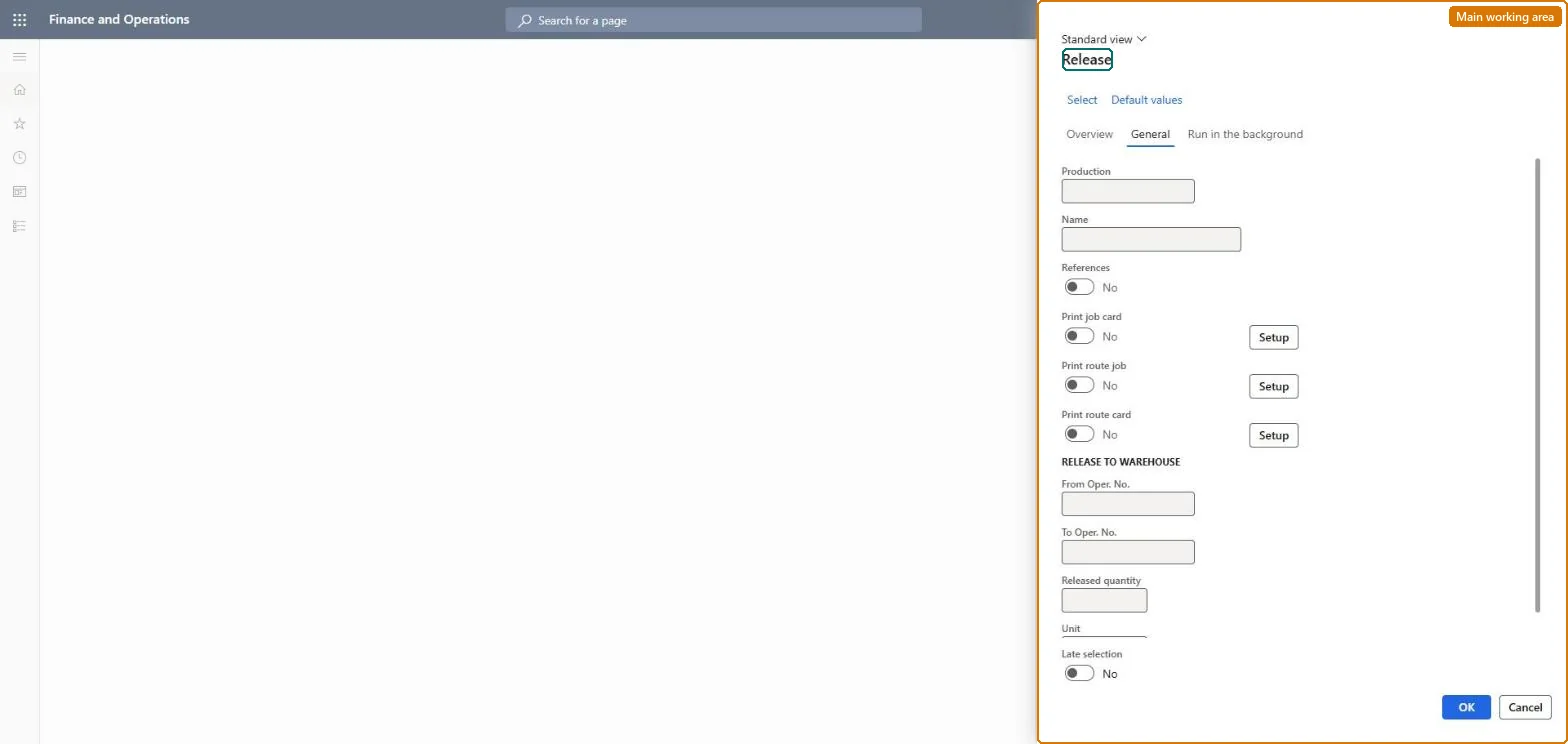
A periodic page that releases one or many production orders to the shop floor, changing their status to Released and optionally printing job cards, route jobs and route cards.
Production controlPeriodic tasksProduction order status update
action:ProdRelease
Business process
Release a production or batch order manually in Dynamics 365 Supply Chain Management
Menu item
action:ProdRelease
Show what matters for
PAGE GUIDEWhat the page does and how to use it7 sections. Choose a role to highlight what matters to you.
Everyone
1What it is and why
What it is
A periodic page that releases one or many production orders to the shop floor, changing their status to Released and optionally printing job cards, route jobs and route cards.
What you do here
Use this page to release scheduled production orders in bulk or on a batch schedule, so that shop floor workers can report progress and, where warehouse management is used, the material lines are released to the warehouse.
Example
For example, select Print route card to print a document that lists the operations only, which is suitable for orders scheduled at operation level.
The page in Dynamics 365. page title tab to open what to set or check
About the examples: Examples and screenshots in this guide use BEAT, a demo company in a Dynamics 365 test environment. Use your own company's codes and values instead of copying them.
When to run it
When to run it
When the schedule is finished and the material is available to be picked, so shop floor workers can start reporting.
How often
Whenever scheduled orders are ready for the shop floor, or as a recurring batch with Late selection.
Batch settings
Run it as a recurring batch job with Late selection to release scheduled orders without manual selection.
What the output shows
Production orders with status Released and the selected production papers. With warehouse management, waves and picking work follow from the released BOM lines; no work usually means the Production line release parameter releases lines separately.
Go to Production control > Periodic tasks > Production order status update > Release.
Select the production orders that have the Scheduled status; orders that are Reported as finished or Ended can't be selected.
On the General tab, choose the production papers: Print job card (one page per job, needs job scheduling), Print route job (the same job information on one page) or Print route card (operations without jobs).
Turn on References to release the underlying sub-productions at the same time.
Open the orders afterwards: status Released, papers printed and, with warehouse management, BOM lines released to the warehouse.
Yes, by resetting status: Reset to Scheduled changes only the status field. Warehouse work created at release stays and must be handled in the warehouse. Microsoft Learn
If you change it later
Depending on the Production line release parameter, releasing an order also releases its BOM and formula lines to the warehouse and so creates picking work; reversing the release only changes the status field. Microsoft Learn
Technical architect
5Technical
Menu item
action:ProdReleaseChecked in Dynamics 365
Form
ProdParmReleaseChecked in Dynamics 365
Roles to set it up and use it
To use itProduction supervisor ProdProductionSupervisorGive people one of these roles. On this system, 1 role can run this page.Checked in Dynamics 365