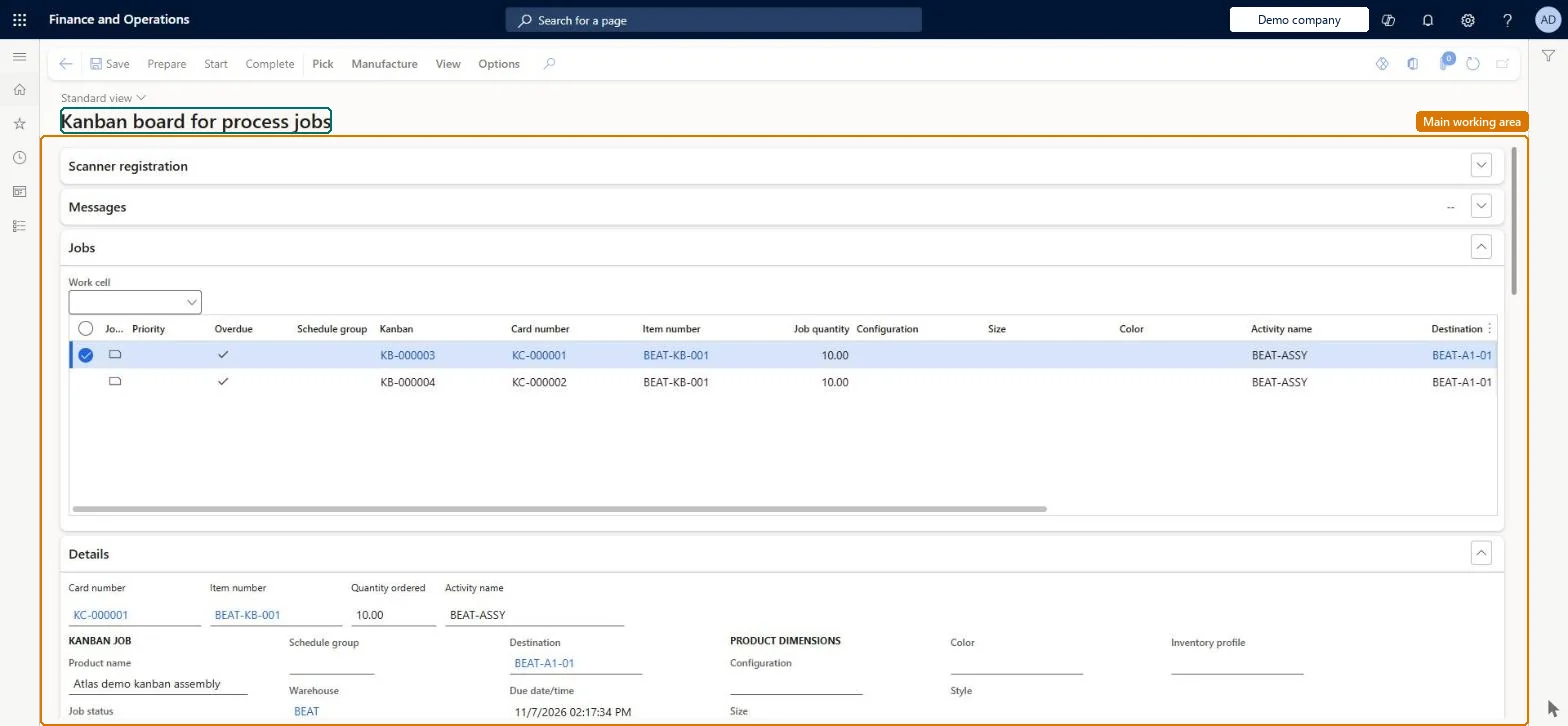
A shop-floor board that shows the process kanban jobs of one or more work cells, where operators prepare, start and complete jobs and report good and error quantities.
Materials manager, Machine operator, Shop supervisor and 4 more roles
Business process
Report production output
Menu item
KanbanBoardWorkCell
Main table
KanbanBoardTmpProcessJob
Show what matters for
PAGE GUIDEWhat the page does and how to use it7 sections. Choose a role to highlight what matters to you.
Everyone
1What it is and why
What it is
A shop-floor board that shows the process kanban jobs of one or more work cells, where operators prepare, start and complete jobs and report good and error quantities.
What you do here
Use this page to run the normal production flow at a work cell: pick material, start the next kanban job, complete it with the expected or actual quantities, and print kanban cards.
Example
For example, a machine operator selects the work cell, starts the first planned job, and completes it; when a job has defects they use Complete (details) to enter the error quantity.
The page in Dynamics 365. page title tab to open what to set or check
About the examples: Examples and screenshots in this guide use BEAT, a demo company in a Dynamics 365 test environment. Use your own company's codes and values instead of copying them.
Steps from Microsoft
Go to Production control > Kanban > Kanban board for process jobs.
In the Work cell field, select the work cell.
Select a job with the Planned status.
Select Start.
Select Complete to finish the job with the expected quantity.
For a job with defects, select Manufacture > Complete (details), enter Error quantity and Good quantity, then OK.
Card number, item, ordered quantity and activity of the selected job.Microsoft Learn
Production instructions
Text, pictures or documents attached to the activity.Microsoft Learn
Job status
Status icons show whether the job is planned, in progress or completed.Microsoft Learn
Error quantity / Good quantity
Quantities entered when completing a job with details.Microsoft Learn
Solution architect
4Design impact
If you change it later
Completing a job records it as finished with the actual quantity and removes it from the job list. Microsoft Learn
Technical architect
5Technical
Menu item
KanbanBoardWorkCellChecked in Dynamics 365
Form
KanbanBoardWorkCellChecked in Dynamics 365
Table
KanbanBoardTmpProcessJobShown as “KANBAN BOARD - LIST OF PROCESS JOBS” in Record infoChecked in Dynamics 365
Who can open it
PrivilegesMaintain kanban board for process jobs KanbanBoardWorkCellMaintainView kanban board for process jobs KanbanBoardWorkCellViewDutiesEnable kanban execution process KanbanExecutionProcessEnableMaintain production kanban execution KanbanExecutionProductionMaintainInquire into production kanban progress KanbanExecutionProductionProgressInquire7 security rolesMaterials manager InventMaterialsManagerMachine operator JmgMachineOperatorShop supervisor JmgShopSupervisorWaterspider LeanWaterspiderProduction manager ProdProductionManagerProduction supervisor ProdProductionSupervisorProduction planner ReqProductionPlannerChecked in Dynamics 365
Roles to set it up and use it
To set it up or change itMachine operator JmgMachineOperatorWaterspider LeanWaterspiderTo use itProduction supervisor ProdProductionSupervisorProduction manager ProdProductionManagerShop supervisor JmgShopSupervisorProduction planner ReqProductionPlannerMaterials manager InventMaterialsManagerGive people one of these roles. On this system, 7 roles can open this page.Checked in Dynamics 365