A periodic cleanup job that deletes the update history created when purchase order confirmations, picking lists, product receipts and invoices are posted.
PAGE GUIDEWhat the page does and how to use it7 sections. Choose a role to highlight what matters to you.
Everyone
1What it is and why
What it is
A periodic cleanup job that deletes the update history created when purchase order confirmations, picking lists, product receipts and invoices are posted.
What you do here
Use this periodic task to remove purchase update history records, up to a date you choose.
The page in Dynamics 365. page title tab to open what to set or check
About the examples: Examples and screenshots in this guide use BEAT, a demo company in a Dynamics 365 test environment. Use your own company's codes and values instead of copying them.
When to run it
When to run it
When the update history from posting purchase confirmations, picking lists, product receipts and invoices has grown and the old entries are no longer needed.
How often
On demand, for example once or twice a year, after the business has agreed the retention period.
Batch settings
Run it in the background outside business hours when years of history are deleted at once.
What the output shows
Purchase update history created up to the date you entered, with the status you chose, is deleted. Posted documents and their journals are not affected.
Go to Procurement and sourcing > Periodic tasks > Clean up > Purchase update history cleanup.
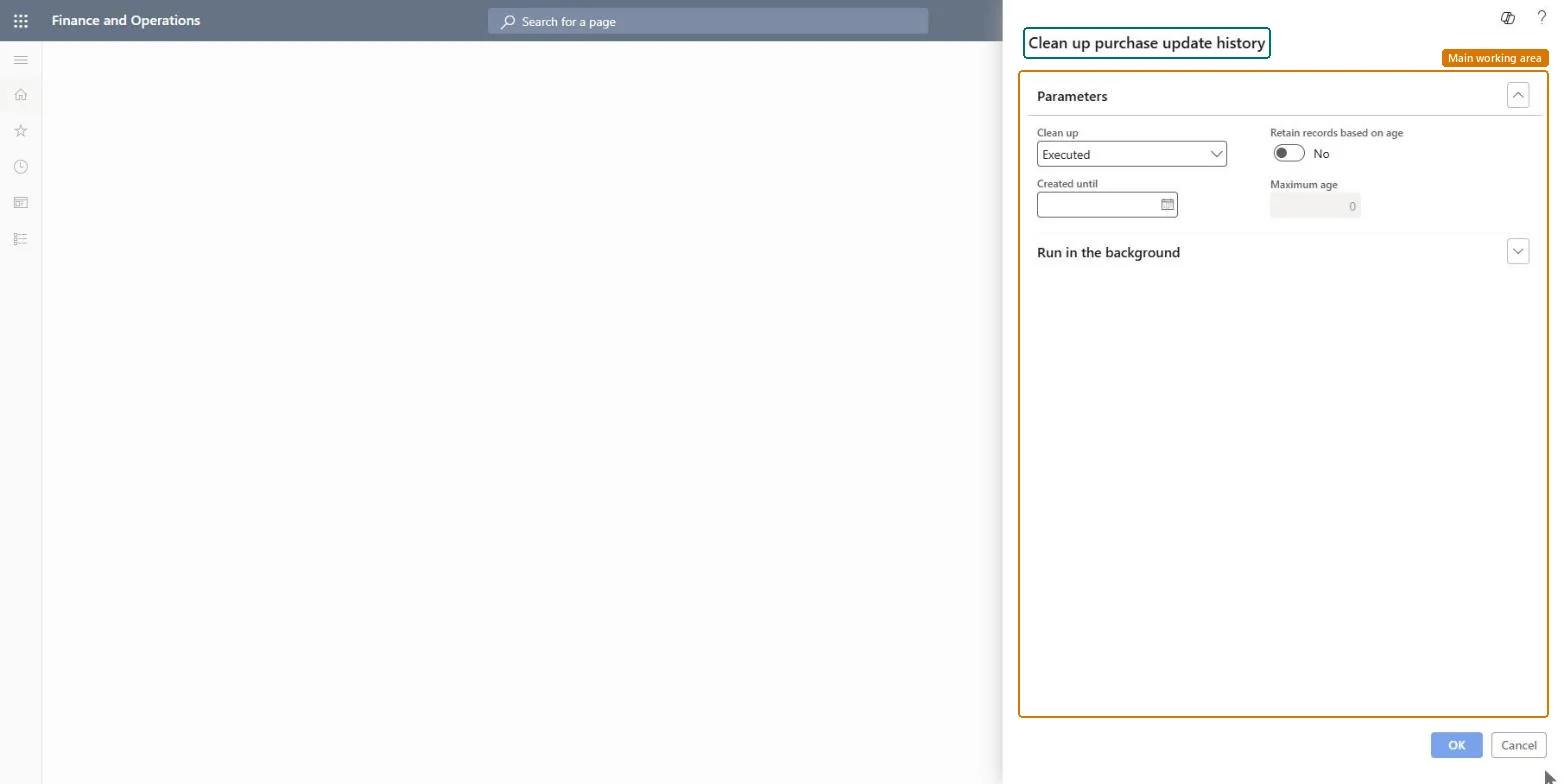
In Clean up, choose Executed to delete only history from updates that completed, or Executed and erroneous to also delete history from updates that failed.
In Created until, enter the last creation date to delete. Keep recent history so you can still look into current confirmations, product receipts and invoices.
Run the job in a test environment first and agree with the business that the history isn't needed.
Select OK, then open the history on update for a recent purchase order to make sure newer history is still there.
No: Deleted update history can't be restored. Run it only after the business confirms the history is no longer needed. Microsoft Learn
If you change it later
Deletes purchase update history records of confirmations, picking lists, product receipts and invoices up to the date you entered. Microsoft Learn
Technical architect
5Technical
Menu item
action:PurchParmCleanUpChecked in Dynamics 365
Form
DialogChecked in Dynamics 365
Roles to set it up and use it
To use itInformation technology manager SysServerITManagerGive people one of these roles. On this system, 1 role can run this page.Checked in Dynamics 365