BeyondERP.Newsletter
Menu

Job page · Procurement and sourcing

Draft consignment replenishment order journal cleanup

A periodic cleanup job that deletes draft consignment replenishment order journals.

Business process
Procure goods and services
Menu item
action:ConsignmentDraftReplenishmentOrderJournalCleanUp
Show what matters for
PAGE GUIDEWhat the page does and how to use it7 sections. Choose a role to highlight what matters to you.
Everyone

1What it is and why

What it isA periodic cleanup job that deletes draft consignment replenishment order journals.
What you do hereUse this periodic task to clean up draft consignment replenishment order journals.
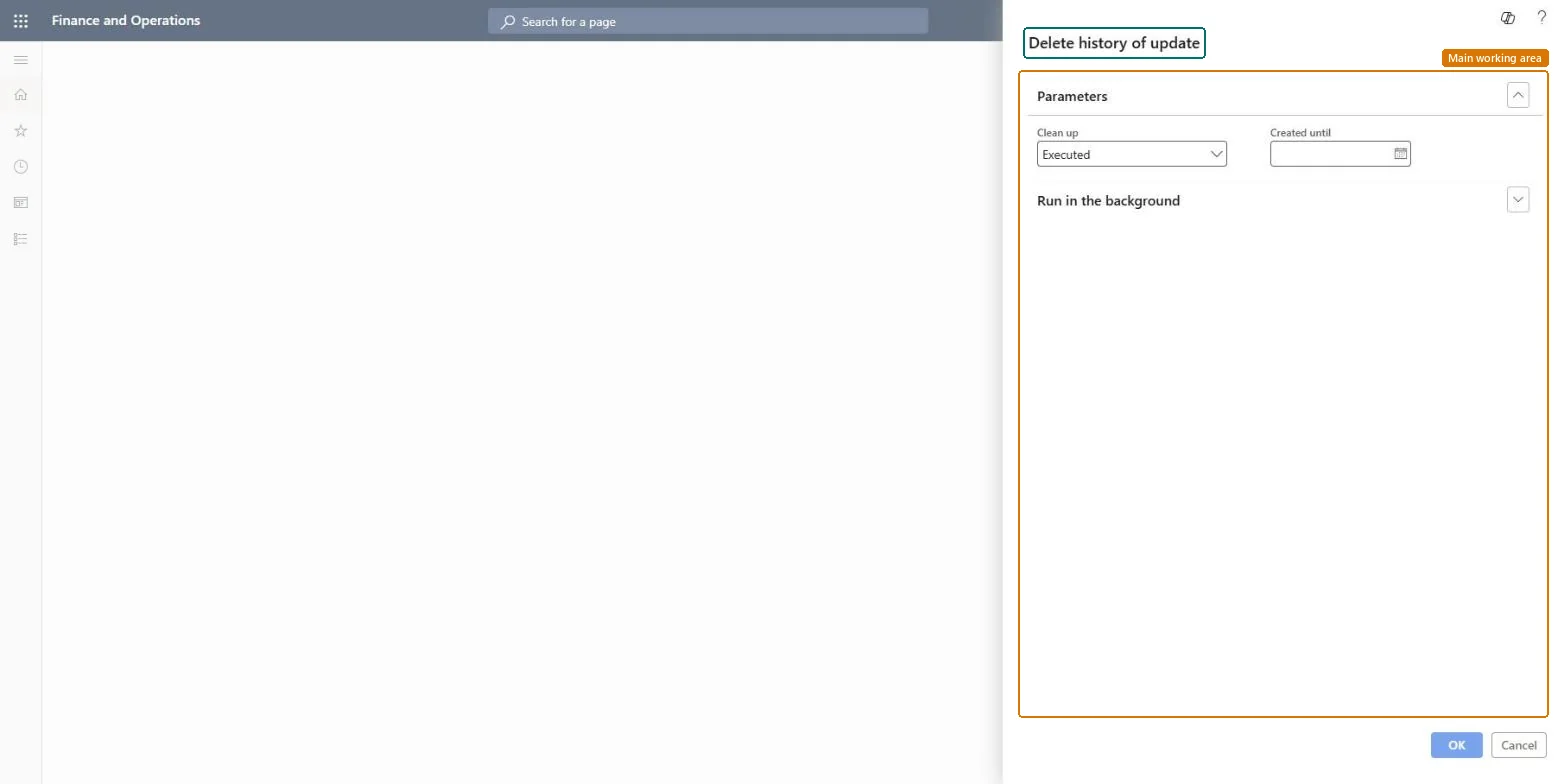
Draft consignment replenishment order journal cleanup page in Dynamics 365
The page in Dynamics 365. page title tab to open what to set or check
Functional consultant · Solution architect

2Where it fits

Business processProcure goods and services
Menu pathProcurement and sourcing › Periodic tasks › Clean up › Draft consignment replenishment order journal cleanup
Related pagesPurchase update history cleanup Microsoft Learn Delete requests for quotations Microsoft Learn
End user · Functional consultant

3How to do it

About the examples: Examples and screenshots in this guide use BEAT, a demo company in a Dynamics 365 test environment. Use your own company's codes and values instead of copying them.

When to run it

When to run itWhen draft journals from consignment replenishment orders have piled up and are no longer used.
How oftenOn demand, when old draft journals accumulate.
Batch settingsRun it in the background if there are many draft journals.
What the output showsDraft consignment replenishment order journals created up to the date you entered are deleted. The consignment replenishment orders themselves are not deleted.

Source: Microsoft Learn

Steps from Microsoft

  1. Go to Procurement and sourcing > Periodic tasks > Clean up > Draft consignment replenishment order journal cleanup.
  2. In Clean up, keep Executed or choose the option that matches the draft journals you want to remove.
  3. In Created until, enter the date up to which draft consignment replenishment order journals are deleted.
  4. Make sure no one is still working on a draft journal from that period, because drafts are deleted with no copy.
  5. Run it, then open the consignment replenishment orders to see that the old draft journals are gone.

Source: Microsoft Learn

Test checklist

  1. Old draft journals are gone.
  2. Recent drafts after the date are still there.

Source: Microsoft Learn

Solution architect

4Design impact

Can it be undoneNo: Deleted draft journals can't be restored. Run it only for drafts nobody needs. Microsoft Learn
If you change it laterDeletes draft consignment replenishment order journals up to the date you entered. Microsoft Learn
Technical architect

5Technical

Menu itemaction:ConsignmentDraftReplenishmentOrderJournalCleanUp Checked in Dynamics 365
FormDialog Checked in Dynamics 365
Roles to set it up and use itTo use itInformation technology manager SysServerITManagerGive people one of these roles. On this system, 1 role can run this page.Checked in Dynamics 365
Developer

6Developer

Open it by URLhttps://<your-environment>/?mi=action:ConsignmentDraftReplenishmentOrderJournalCleanUp
Everyone

7Sources