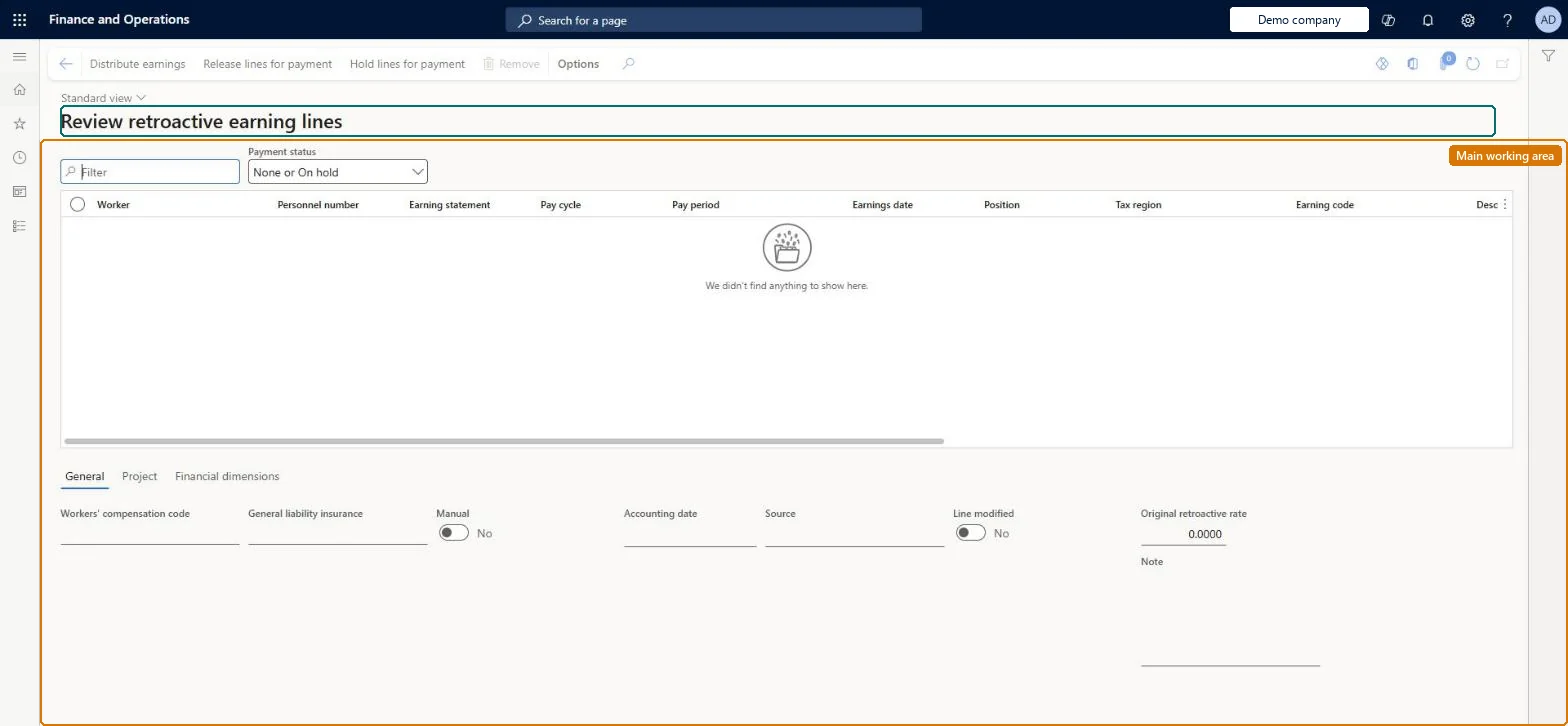
About the examples: Examples and screenshots in this guide use BEAT, a demo company in a Dynamics 365 test environment. Use your own company's codes and values instead of copying them.
How to use it
Go to Payroll > Earnings statement processing > Retroactive earnings > Review retroactive earning lines.
Set Payment status to choose which lines to show, and use the Filter box to find a line.
Select a line and review the General, Project and Financial dimensions tabs below the grid.
Select Distribute earnings, Release lines for payment or Hold lines for payment to act on the selected lines.
Select Remove to delete a selected line.
Source: Checked in Dynamics 365
Test checklist
Give an hourly test worker a back-dated rate increase.
Run Generate retroactive earnings for the pay cycle and date range, with an accounting date.
Open Review retroactive earning lines and check a line exists with the retroactive earning code and the original rate as source.
Hard to reverse: Retroactive earning lines can be changed while unreleased, but the original retroactive rate they came from cannot. For salaried workers the salary lines are adjusted in place, not shown as separate lines, and rate changes should start at the beginning of a pay period. Microsoft Learn
If you change it later
Retroactive lines can be changed, but the original rate they came from cannot. Microsoft Learn
Technical architect
5Technical
Menu item
PayrollEarningStatementRetroactiveLinesChecked in Dynamics 365
Form
PayrollEarningStatementRetroactiveLinesChecked in Dynamics 365
Table
PayrollEarningStatementLineShown as “EARNINGS STATEMENT LINES” in Record infoChecked in Dynamics 365
Data entities
PayrollEarningStatementImportEntityPayroll Earning Statement Import Microsoft data model PayrollEarningStatementLineEntityEarnings statement lines Microsoft data model PayrollEarningStatementLineInquiryEntityEarning statement lines inquiry Microsoft data model
Who can open it
PrivilegesMaintain payroll earnings PayrollEarningsMaintainView payroll earnings PayrollEarningsViewDutiesInquire into earning entry PayrollEarningStatementGenerationInquireMaintain earning entry PayrollEarningStatementGenerationMaintInquire into payroll payments PayrollPayStatementGenerationInquire2 security rolesPayroll administrator HcmPayrollAdministratorPayroll manager HcmPayrollManagerChecked in Dynamics 365
Roles to set it up and use it
To set it up or change itPayroll administrator HcmPayrollAdministratorTo use itPayroll manager HcmPayrollManagerGive people one of these roles. On this system, 2 roles can open this page.Checked in Dynamics 365
Actions on the page
(Action Pane without tabs): Distribute earnings, Release lines for payment, Hold lines for payment, RemoveChecked in Dynamics 365
PayrollEarningStatementImportEntity (Payroll Earning Statement Import): loaded for each company.PayrollEarningStatementLineEntity (Earnings statement lines): shared by all companies.Microsoft Learn