About the examples: Examples and screenshots in this guide use BEAT, a demo company in a Dynamics 365 test environment. Use your own company's codes and values instead of copying them.
When to run it
When to run it
When you find wrong or incomplete earnings for some workers and need to keep them off the next pay statement run while you correct them.
How often
On demand, when earnings must be corrected before payment.
Batch settings
Run it interactively for a few workers; use the background only when you hold a whole department or union agreement.
What the output shows
Earnings statements in the selected cycle, period and filter get payment status On hold and are left out of pay statements and premium earnings until released. If a statement didn't go on hold, it is usually already included on a pay statement, which can't be held.
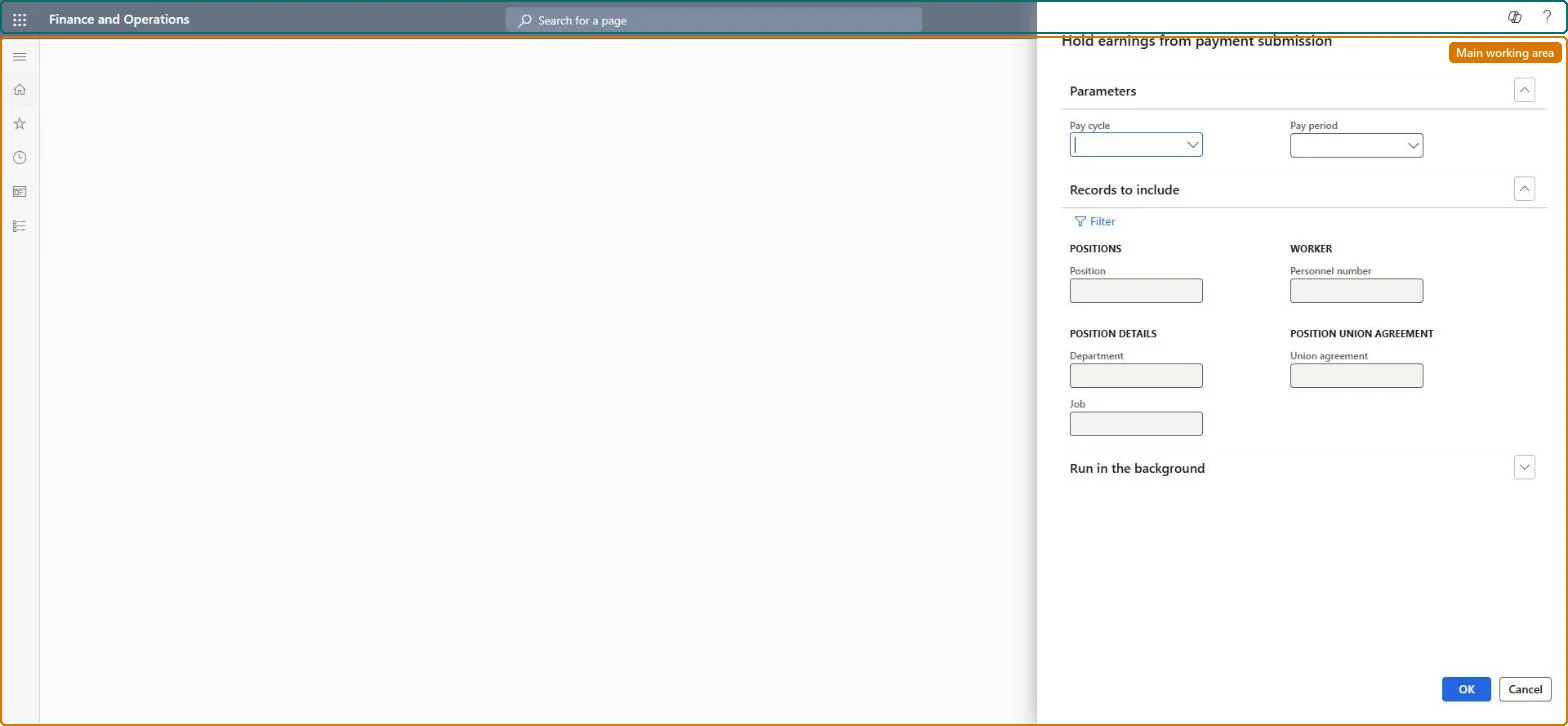
Go to Payroll > Earnings statement processing > Hold earnings statement.
In Parameters, select the Pay cycle and Pay period of the earnings you want to stop from being paid.
Under Records to include, select Filter and narrow the run by Position, Personnel number, Department, Union agreement or Job, so only the earnings that need correcting are held.
Select OK. The payment status of the matching earnings statements is set to On hold, even if some lines were already released.
Open All earnings statements and confirm that the held statements show On hold, and that lines already on a pay statement were not affected.