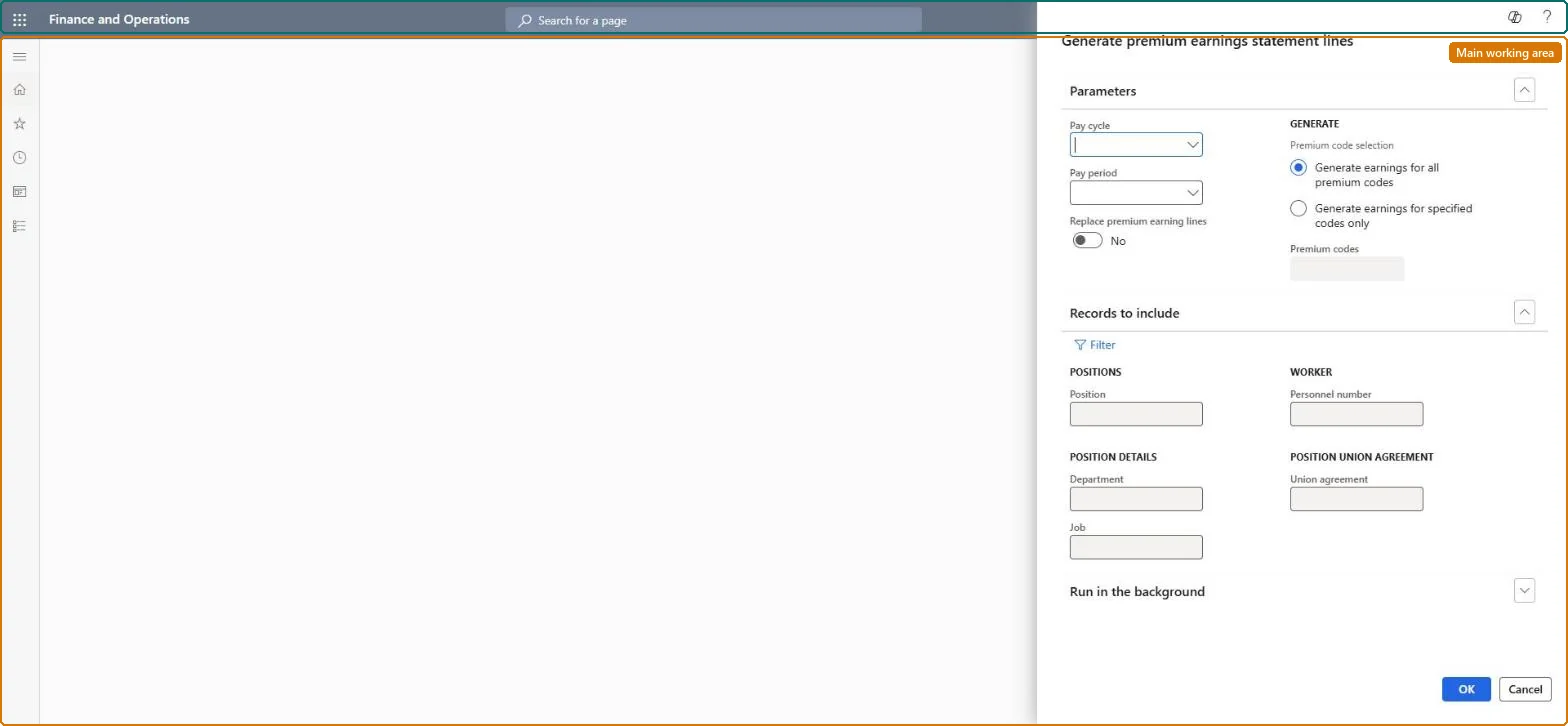
A periodic process that adds premium earning lines, such as shift or overtime premiums, to existing earnings statements for a pay cycle and pay period.
PAGE GUIDEWhat the page does and how to use it7 sections. Choose a role to highlight what matters to you.
Everyone
1What it is and why
What it is
A periodic process that adds premium earning lines, such as shift or overtime premiums, to existing earnings statements for a pay cycle and pay period.
What you do here
Use this page to calculate premium earnings for all premium codes, or only for selected codes when one premium depends on another.
Example
For example, you first generate the shift differential code and then run it again for a premium that is paid on top of the shift differential.
The page in Dynamics 365. page title tab to open what to set or check
About the examples: Examples and screenshots in this guide use BEAT, a demo company in a Dynamics 365 test environment. Use your own company's codes and values instead of copying them.
When to run it
When to run it
After Generate earnings has created the earnings statements for the period, and before you release them.
How often
Once per pay period for each pay cycle that pays premiums, with one extra run for each level of dependent premium codes.
Batch settings
Run it in the background per pay cycle; when premiums depend on each other, run the base premium codes first and the dependent codes in a second run.
What the output shows
Premium earning lines added to the existing earnings statements of the pay cycle and period. A worker with no premium line usually has no earnings statement for the period, or has lines on hold; a premium that is too low often means a dependent code ran before the premium it builds on.
Go to Payroll > Earnings statement processing > Generate premium earnings.
Before you start, work out whether any premium depends on another one, for example a premium that is paid on top of a shift differential.
Select the Pay cycle and Pay period of the earnings statements that should get premium lines. The job only adds lines to existing statements; it doesn't create new ones.
Select Replace premium earnings if existing premium lines must be replaced. You usually combine it with Generate earnings for specified codes only.
In Generate, choose Generate earnings for all premium codes when there are no dependencies, or Generate earnings for specified codes only and pick the codes to calculate in this pass.
Select OK, repeat for each further group of dependent premium codes, then open All earnings statements to review the premium lines and the batch job log for errors.
Yes, before release: Premium lines that are not released can be changed or deleted on the earnings statement, or replaced by running the job again with Replace premium earnings. Microsoft Learn
If you change it later
Lines on hold get no premium earnings, and replacing premium earnings overwrites premium lines that have not been released. Microsoft Learn
Technical architect
5Technical
Menu item
PayrollPremiumEarningGenerationChecked in Dynamics 365
Form
DialogChecked in Dynamics 365
Roles to set it up and use it
To use itPayroll administrator HcmPayrollAdministratorGive people one of these roles. On this system, 1 role can run this page.Checked in Dynamics 365