Production supervisor, Project manager, Process engineer and 1 more role
Business process
Administer system features
Menu item
WrkCtrCapability
Main table
WrkCtrCapability
Data entity
OpResOperationsResourceCapabilityEntity
Setup steps
1 on this page
Show what matters for
PAGE GUIDEWhat the page does and how to use it8 sections. Choose a role to highlight what matters to you.
Everyone
1What it is and why
What it is
A setup page where you create capabilities, the abilities that resources have to do particular activities, and assign them to resources.
What you do here
Use this page to let scheduling choose resources by matching the capabilities that a route operation needs with the capabilities of each resource.
Example
For example, two drilling machines can both have the Drilling capability at different levels, and a minimum level on the route makes sure only the faster machine is chosen.
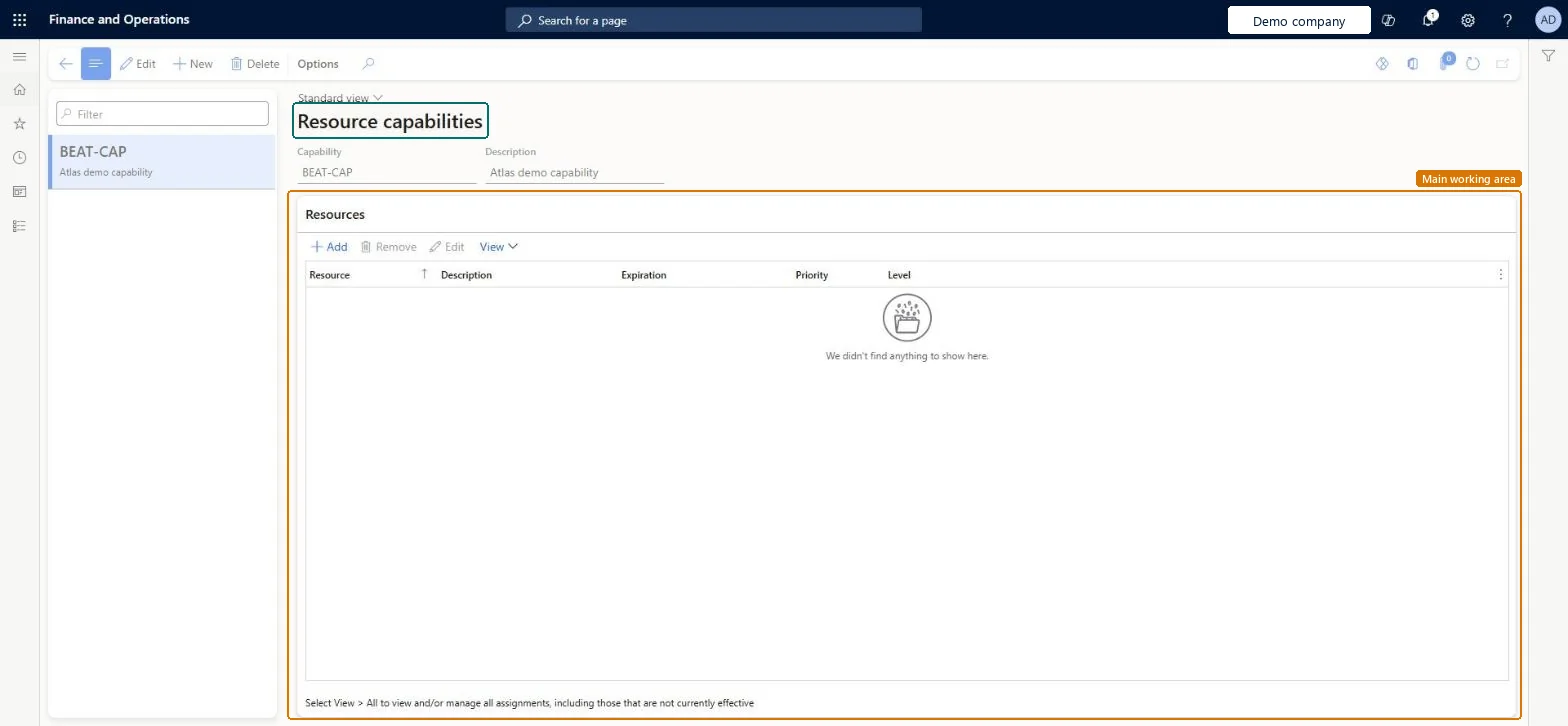
The page in Dynamics 365. page title tab to open what to set or check
About the examples: Examples and screenshots in this guide use BEAT, a demo company in a Dynamics 365 test environment. Use your own company's codes and values instead of copying them.
Step by step, with screenshots
Set up Resource capabilities1 screen
Use this page to let scheduling choose resources by matching the capabilities that a route operation needs with the capabilities of each resource.
Screen 1
Create a resource capability
Go to Organization administration > Resources > Resource capabilities
Select New
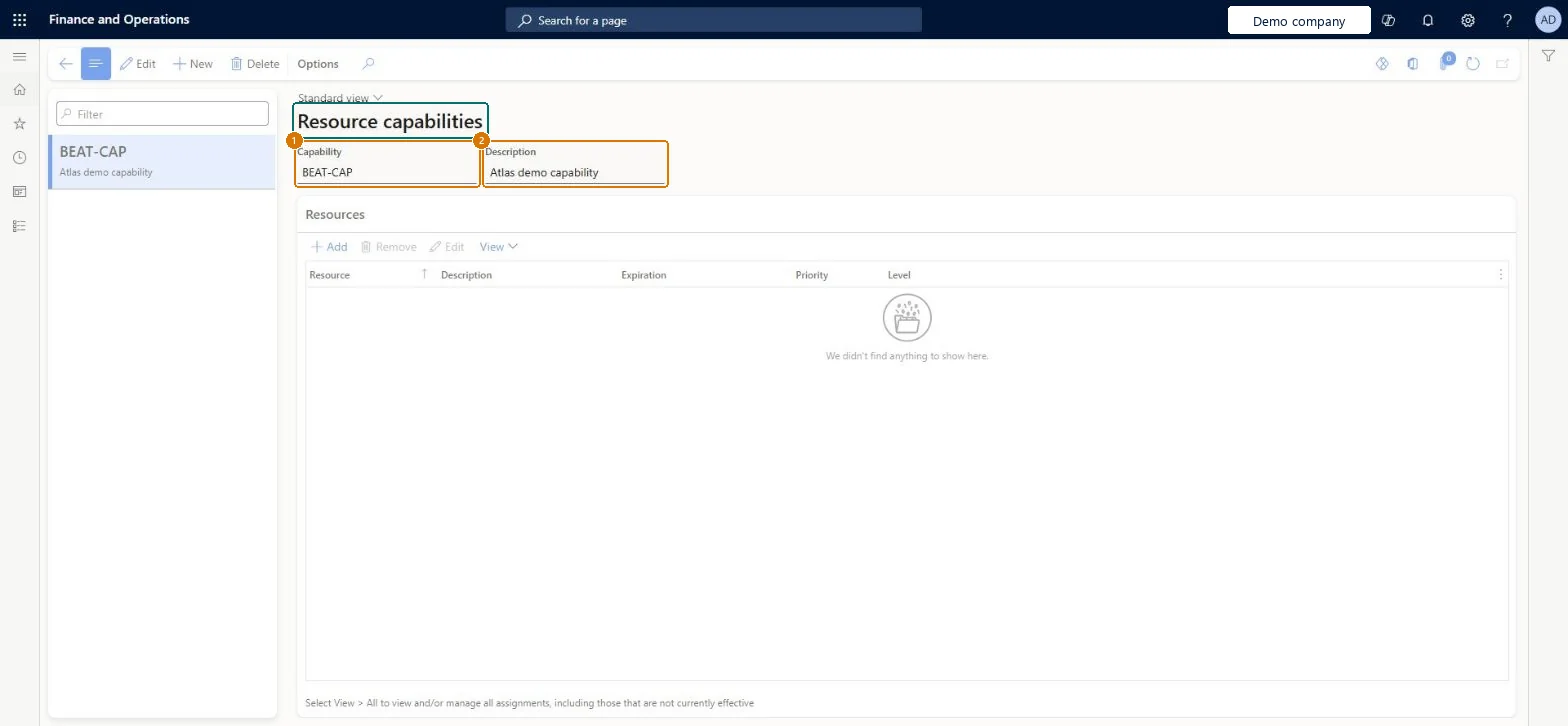
Enter the capability and its description
Select Save
Add the resources that have the capability when they exist
1Capability
BEAT-CAP
2Description
Capability
Show the full screen page title tab to open what to set or check
Steps from Microsoft
Go to Organization administration > Resources > Resource capabilities.
Select New to create a capability.
In the Capability field, enter a unique name.
In the Description field, enter a description.
Save the capability.
On the Resources tab, select Add.
In the Resource field, select the resource that has the capability.
Set the Level, Priority and Expiration values for that resource.
Retire a capability by setting an Expiration date on the resource assignment instead of deleting it; use Level (or separate capabilities) to tell proficiencies apart.Learn advises care when deleting capabilities and suggests adjusting the expiration date instead; Level plus Minimum level needed on the route lets scheduling pick only resources that are good enough.
Hard to reverse: Capabilities in use on a route relation or an active production order route can't be deleted; expire the assignment on the resource instead. Microsoft Learn
If you change it later
A capability can't be deleted while it's on a route relation or on the route of an active production order; changing the expiration date on the resources is the safer choice. Microsoft Learn
Technical architect
6Technical
Menu item
WrkCtrCapabilityChecked in Dynamics 365
Form
WrkCtrCapabilityChecked in Dynamics 365
Table
WrkCtrCapabilityShown as “Capabilities” in Record infoKey field: Name, DescriptionChecked in Dynamics 365
PrivilegesMaintain capabilities WrkCtrCapabilityMaintainView capabilities WrkCtrCapabilityViewDutiesInquire into resource management reference data WrkCtrResourceManagementRefDataInquireMaintain resource master WrkCtrResourcesMasterMaintain4 security rolesProduction supervisor ProdProductionSupervisorProject manager ProjProjectManagerProcess engineer RouteProcessEngineerProcess engineering manager RouteProcessEngineeringManagerChecked in Dynamics 365
Roles to set it up and use it
To set it up or change itProject manager ProjProjectManagerProcess engineer RouteProcessEngineerProduction supervisor ProdProductionSupervisorTo use itProcess engineering manager RouteProcessEngineeringManagerGive people one of these roles. On this system, 4 roles can open this page.Checked in Dynamics 365
Actions on the page
Options: Personalize, Page options, ShareChecked in Dynamics 365
Checked in a working Dynamics 365 system, version 10.0.49: the menu item, form, table and security, the page, the demo records and the values in the screenshots.