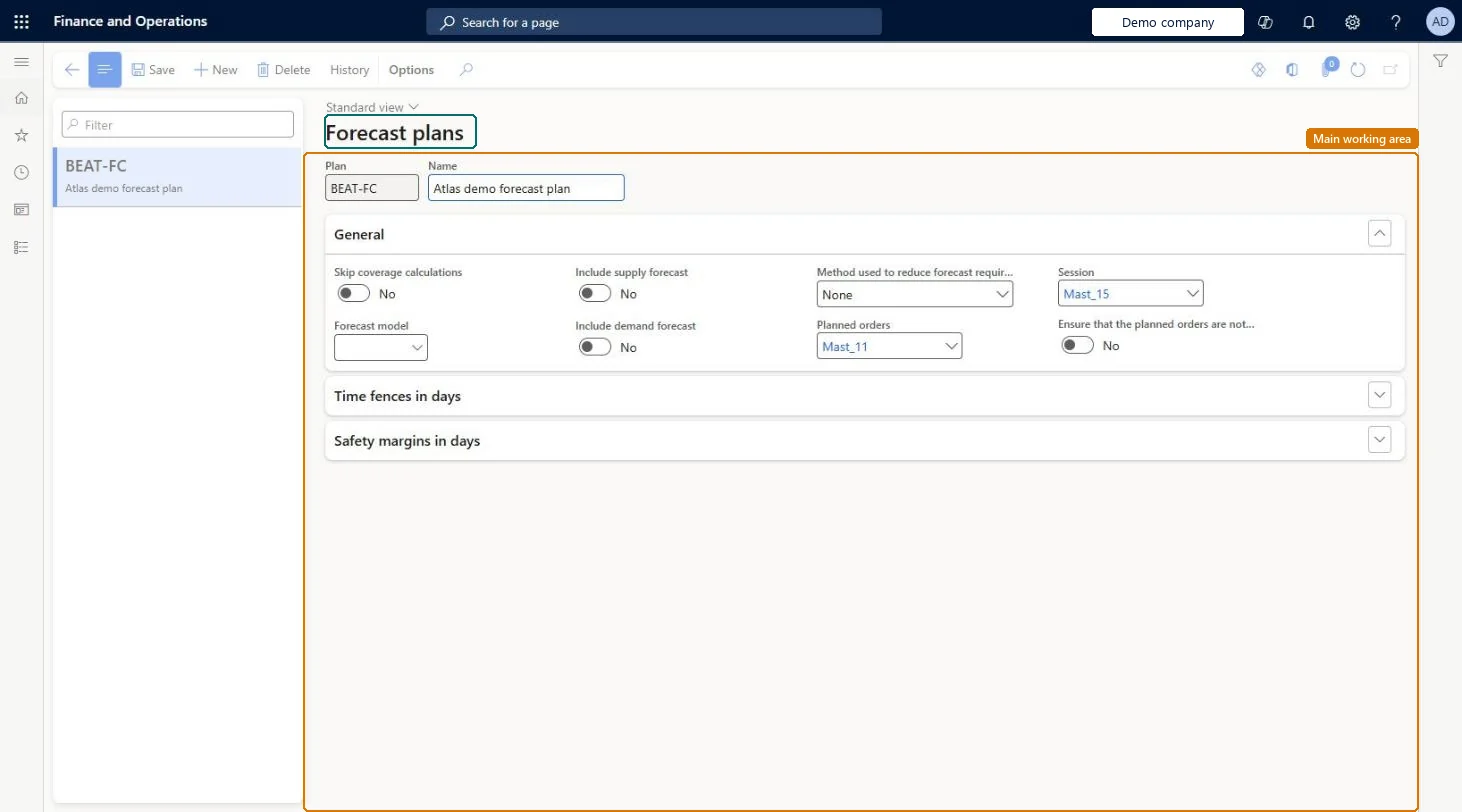
A setup page for forecast plans: the plans that forecast planning uses to calculate gross requirements from forecasts for long-term planning of materials and capacity.
PAGE GUIDEWhat the page does and how to use it8 sections. Choose a role to highlight what matters to you.
Everyone
1What it is and why
What it is
A setup page for forecast plans: the plans that forecast planning uses to calculate gross requirements from forecasts for long-term planning of materials and capacity.
What you do here
Use this page to create forecast plans and set their forecast model, which forecasts they include, how forecast requirements are reduced, and their time fences and safety margins.
Example
For example, you can set up several forecast plans with different settings and compare the results.
The page in Dynamics 365. page title tab to open what to set or check
About the examples: Examples and screenshots in this guide use BEAT, a demo company in a Dynamics 365 test environment. Use your own company's codes and values instead of copying them.
Setup steps on this page
Set up Forecast plans
Use this page to create forecast plans and set their forecast model, which forecasts they include, how forecast requirements are reduced, and their time fences and safety margins.
How to use it
Go to Master planning > Setup > Plans > Forecast plans.
Select New.
Enter the Plan and its Name.
On the General FastTab, select the Forecast model, set Include supply forecast and Include demand forecast, and choose the Method used to reduce forecast requirements.
Check the Planned orders and Session number sequences.
Expand Time fences in days and Safety margins in days to set them, then select Save.
Source: Checked in Dynamics 365
Fields on the page
Field
What it means
Table column
Method used to reduce forecast requirements
How forecast requirements are reduced by actual orders, for example by a reduction key.Microsoft Learn
With Planning Optimization, don't build forecast plans; assign the forecast model to a master plan and set Include demand forecast to Yes.Planning Optimization doesn't support separate forecast planning, so the Current forecast plan setting has no effect. Forecasts are planned by assigning a forecast model to a master plan.
Setting up forecast plans and the Current forecast plan parameter and expecting forecast-driven planned orders. With Planning Optimization nothing is generated from them.
Reversible: Forecast plans are not used by Planning Optimization, so changing or deleting them has no effect on planning results. Microsoft Learn
If you change it later
Planning Optimization does not use forecast plans; to plan from forecasts with Planning Optimization, assign a forecast model to a master plan instead. Microsoft Learn
Technical architect
6Technical
Menu item
ReqPlanForecastChecked in Dynamics 365
Form
ReqPlanForecastChecked in Dynamics 365
Table
ReqPlanForecastShown as “FORECAST PLAN SETUP” in Record infoChecked in Dynamics 365
PrivilegesMaintain forecast plans ReqPlanForecastMaintainView forecast plans ReqPlanForecastViewDutiesInquire into forecast policies ForecastForecastPoliciesInquireEnable forecast process ForecastForecastProcessEnable1 security roleProduction manager ProdProductionManagerChecked in Dynamics 365
Roles to set it up and use it
To set it up or change itProduction manager ProdProductionManagerGive people one of these roles. On this system, 1 role can open this page.Checked in Dynamics 365
Actions on the page
(Action Pane without tabs): HistoryChecked in Dynamics 365
ReqForecastPlanEntity (Forecast plans): loaded for each company, in Microsoft's default template 430 - Master planning.Load order: Microsoft's default template 430 - Master planning loads Forecast plans at execution unit 1, level 30, sequence 40. Lower levels load first, and entities at the same level load in sequence order.Load first: the default templates at lower levels (System setup to General ledger)Microsoft Learn