A run that uses a forecast plan to calculate gross requirements from forecasts, for long-term planning of materials and capacity, and to generate planned orders.
PAGE GUIDEWhat the page does and how to use it7 sections. Choose a role to highlight what matters to you.
Everyone
1What it is and why
What it is
A run that uses a forecast plan to calculate gross requirements from forecasts, for long-term planning of materials and capacity, and to generate planned orders.
What you do here
Use this run to calculate the material and capacity needs that your demand and supply forecasts create, for all items or for selected items.
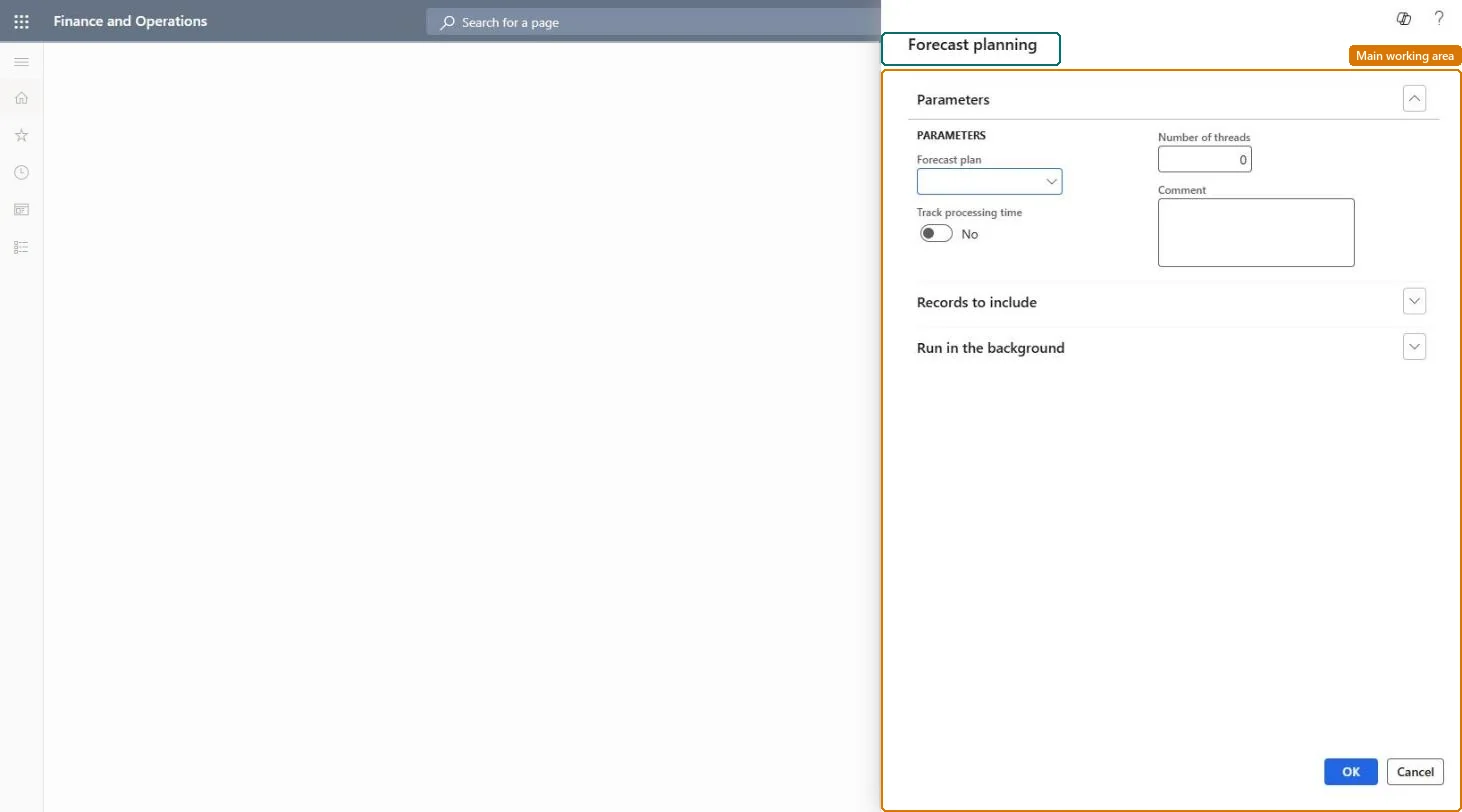
The page in Dynamics 365. page title tab to open what to set or check
About the examples: Examples and screenshots in this guide use BEAT, a demo company in a Dynamics 365 test environment. Use your own company's codes and values instead of copying them.
When to run it
When to run it
When you need a long-term view of materials and capacity based on demand and supply forecasts, for example before budget or capacity reviews.
How often
On demand, after forecasts have been updated.
Batch settings
Run it in the background for all items, with Number of helpers set so the run finishes in your batch window.
What the output shows
Planned orders and gross requirements in the forecast plan for the selected items. Note that Planning Optimization doesn't support separate forecast planning, so with it the forecast plan setting has no effect.
Go to Master planning > Forecasting > Forecast planning.
In Forecast plan, select the forecast plan to calculate. Forecast planning calculates gross requirements from forecasts, not from actual orders.
To plan only some items, select Select and define the item query; leave it empty to plan all items.
Set Track process task duration only when you need to analyse run times, because it slows the run, and set Number of helpers for parallel scheduling helpers.
Enter a Comment, run it, and open the planned orders of the forecast plan to see the long-term material and capacity need.