Materials manager, Production manager, Production supervisor and 3 more roles
Business process
React to supply chain signals
Menu item
ReqTransActionsListPagePurchAdvance
Main table
ReqTrans
Show what matters for
PAGE GUIDEWhat the page does and how to use it6 sections. Choose a role to highlight what matters to you.
Everyone
1What it is and why
What it is
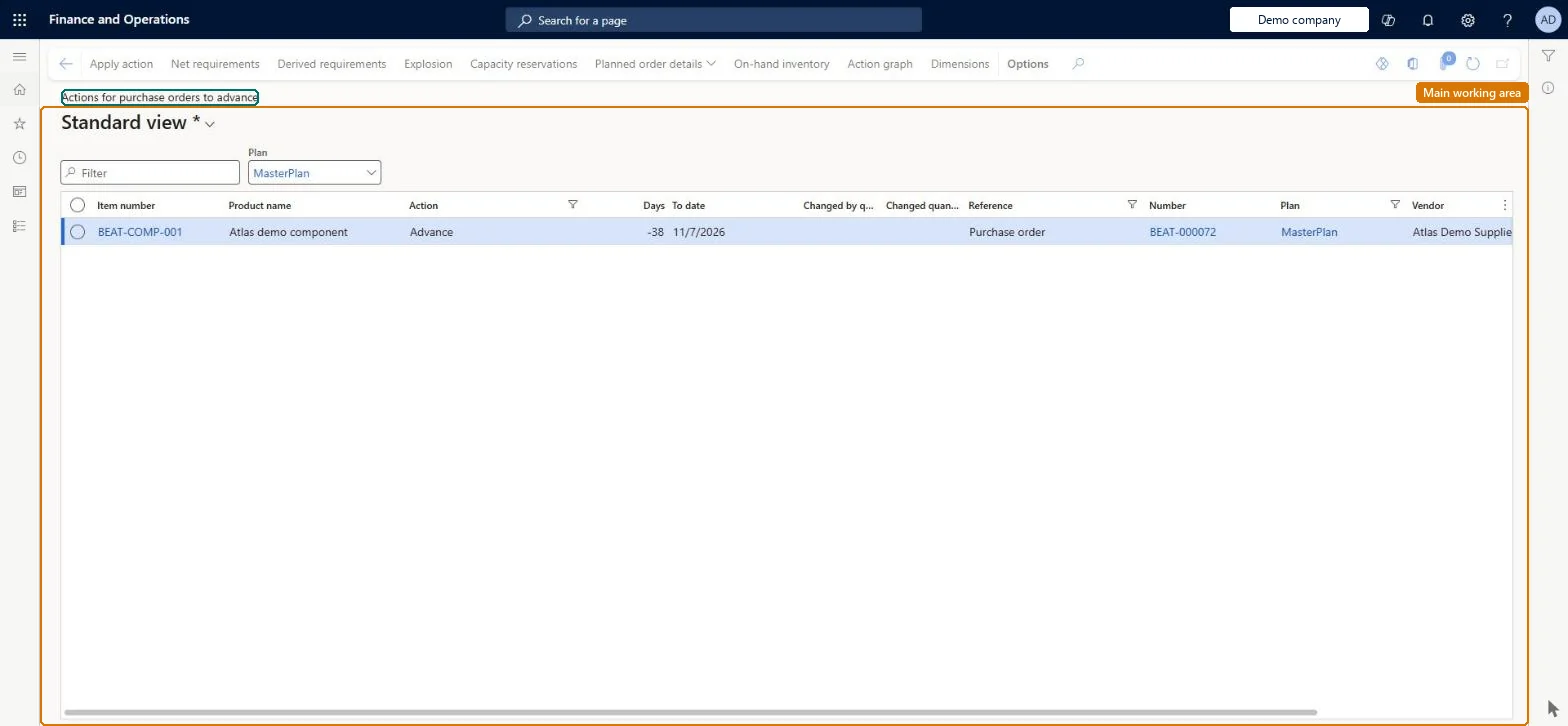
A list of action messages that suggest moving existing purchase orders to an earlier date.
What you do here
Use this page to review the purchase orders that master planning suggests receiving earlier, and decide whether to make each change.
Example
For example, when a sales order ship date is brought forward after a purchase order was already created to cover it, master planning suggests advancing that purchase order.
The page in Dynamics 365. page title tab to open what to set or check
Apply advance actions for bill of materials components before the actions for their parent items, and then run master planning again; otherwise, orders for higher-level items can be affected. Microsoft Learn
Technical architect
4Technical
Menu item
ReqTransActionsListPagePurchAdvanceChecked in Dynamics 365
Form
ReqTransActionListPageChecked in Dynamics 365
Table
ReqTransShown as “NET REQUIREMENTS” in Record infoChecked in Dynamics 365
To use itProduction planner ReqProductionPlannerProduction manager ProdProductionManagerMaterials manager InventMaterialsManagerPurchasing manager TradePurchasingManagerProduction supervisor ProdProductionSupervisorGive people one of these roles. On this system, 6 roles can open this page.Checked in Dynamics 365
Actions on the page
(Action Pane without tabs): Apply action, Net requirements, Derived requirements, Explosion, Capacity reservations, Planned order details, On-hand inventory, Action graph, DimensionsChecked in Dynamics 365