Use planning optimization in Dynamics 365 Supply Chain Management to generate a coordinated master plan
Menu item
ReqCalcScheduleItemTable
Show what matters for
PAGE GUIDEWhat the page does and how to use it7 sections. Choose a role to highlight what matters to you.
Everyone
1What it is and why
What it is
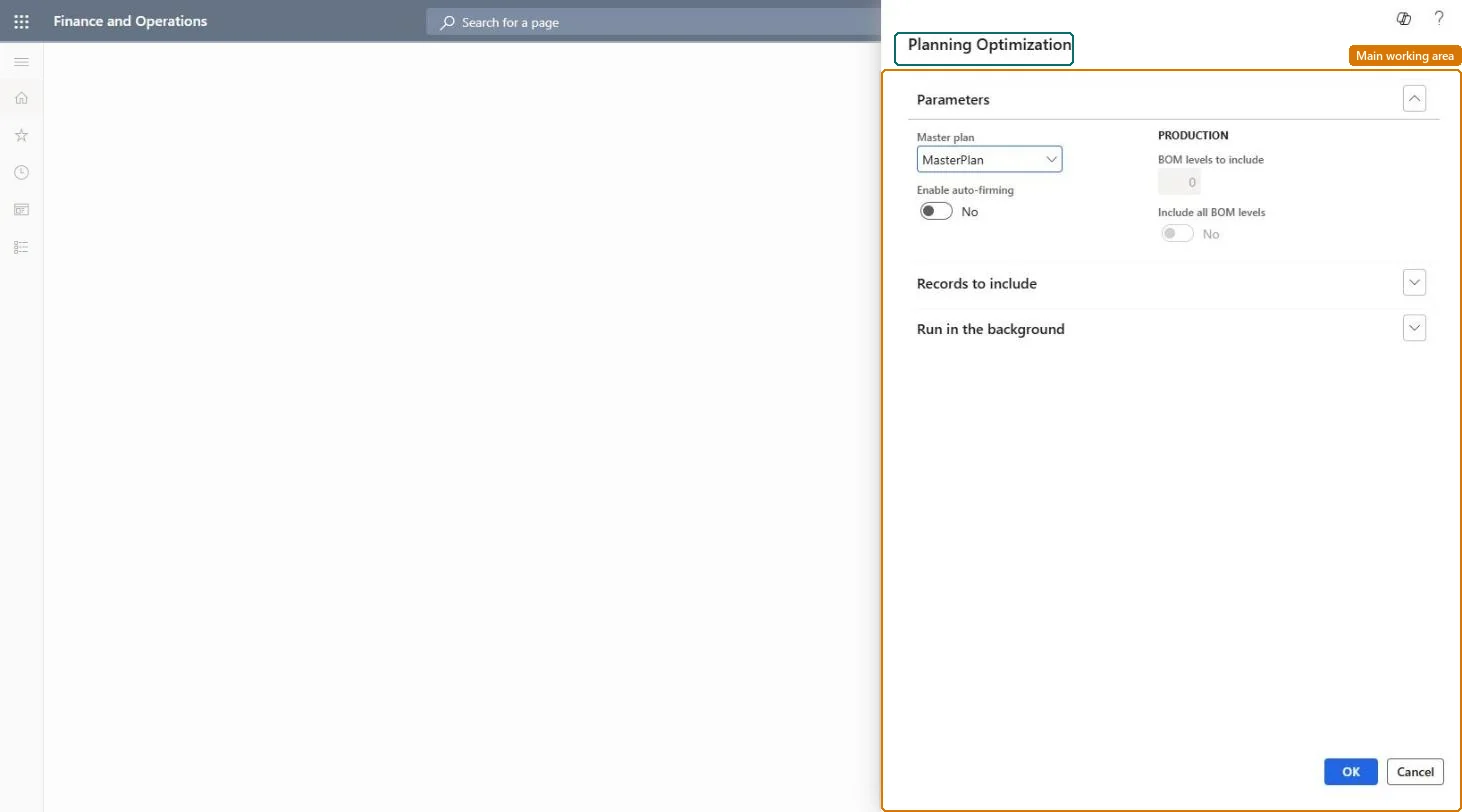
A dialog box that starts a master planning run for a selected master plan, either now or as a scheduled background job.
What you do here
Use this page to run master planning for a plan and, if needed, limit the run to a subset of items and bill of materials (BOM) levels.
Example
For example, a planner runs the plan for one group of manufactured items with all BOM levels included, so that their components are planned together with them.
The page in Dynamics 365. page title tab to open what to set or check
About the examples: Examples and screenshots in this guide use BEAT, a demo company in a Dynamics 365 test environment. Use your own company's codes and values instead of copying them.
When to run it
When to run it
When demand or supply has changed and planned orders must be brought up to date, typically as a scheduled run before planners review and firm orders.
How often
On a recurring batch schedule that matches your planning cycle; a recurring job applies the same runtime filter and BOM levels every time.
Batch settings
Set recurrence on the Run in the background FastTab so the plan is regenerated without a user starting it; keep filtered runs as separate jobs with their own comment.
What the output shows
A new plan version with planned purchase, transfer and production orders, plus requirements, for the items in the run. A missing item usually means it falls outside the plan filter or runtime filter; a component without supply usually means BOM levels to include was set too low.
Go to Master planning > Master planning > Run > Master planning.
On the Parameters FastTab, select the Master plan to run and add a Comment that says why you run it, for example a run for one item group only.
Under Records to include, select Filter to set a runtime filter on products. If the master plan also has a plan filter, only items that pass both filters are planned.
Set Include all BOM levels to Yes to plan all components of manufactured items with the parent. Set it to No and enter BOM levels to include: 0 ignores components, 1 adds supply for direct components, 2 also adds their components.
Open Planned orders for the plan and look at the items in the run. Items outside the filter keep the planned orders from their last run.
Partly: Run the plan again to replace its output. Planned orders with status Approved are kept, and orders already firmed stay as real orders. Microsoft Learn
If you change it later
A run replaces the earlier planning output only for the items it includes; items left out by the runtime filter keep their previous output. Microsoft Learn
Technical architect
5Technical
Menu item
ReqCalcScheduleItemTableChecked in Dynamics 365
Form
DialogChecked in Dynamics 365
Roles to set it up and use it
To use itProduction planner ReqProductionPlannerGive people one of these roles. On this system, 1 role can run this page.Checked in Dynamics 365