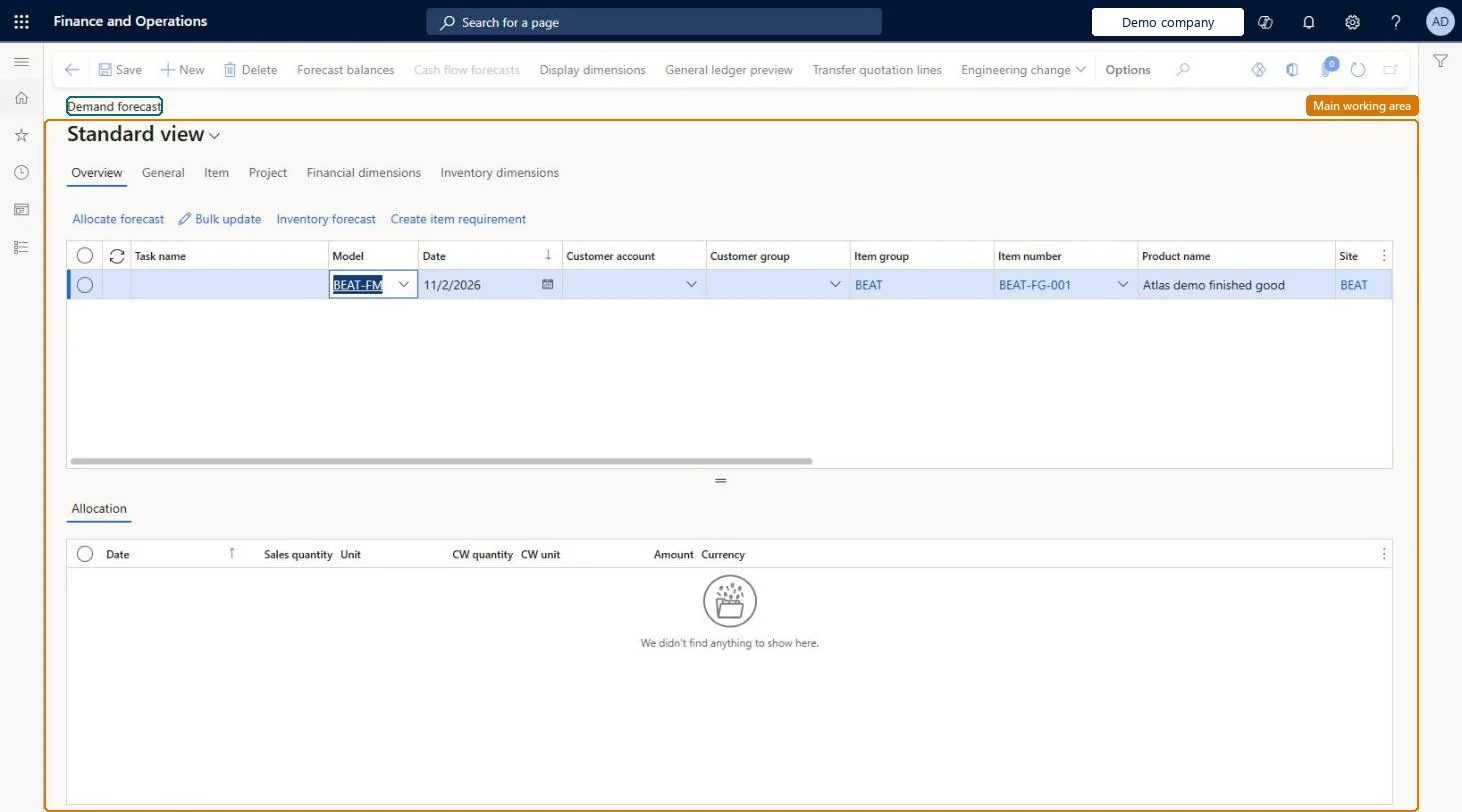
About the examples: Examples and screenshots in this guide use BEAT, a demo company in a Dynamics 365 test environment. Use your own company's codes and values instead of copying them.
Steps from Microsoft
Go to Master planning > Forecasting > Manual forecast entry > Demand forecast lines.
On the Action Pane, select New.
In the Model field, select the forecast model, and then enter the item or customer details and the quantity.
On the Overview tab, select Allocate forecast on the toolbar.
Review the time horizon and intervals in the Allocation grid.
PrivilegesMaintain demand forecasts for item groups ForecastSalesMaintainView demand forecasts for item groups ForecastSalesViewDutiesCash flow position details drill down CashflowPositionDetailsDrillDownMaintain demand forecasts ForecastDemandForecastMaintainInquire into demand forecasts ForecastDemandForecastProgressInquireMaintain project budgets ProjProjectBudgetsMaintainMaintain project forecasts ProjProjectForecastMaintainInquire into project forecast status ProjProjectForecastStatusInquireMaintain authorization of adjusted demand forecasts ReqDemPlanImportMaintainEnable the demand forecasting process ReqDemPlanProcessEnable8 security rolesMaterials manager InventMaterialsManagerTreasurer PaymTreasurerProduction manager ProdProductionManagerProject accountant ProjProjectAccountantProject assistant ProjProjectClerkProject manager ProjProjectManagerProduction planner ReqProductionPlannerSales manager TradeSalesManagerChecked in Dynamics 365
Roles to set it up and use it
To set it up or change itProduction planner ReqProductionPlannerProduction manager ProdProductionManagerProject manager ProjProjectManagerSales manager TradeSalesManagerProject accountant ProjProjectAccountantTo use itMaterials manager InventMaterialsManagerTreasurer PaymTreasurerGive people one of these roles. On this system, 8 roles can open this page.Checked in Dynamics 365
Actions on the page
(Action Pane without tabs): Forecast balances, Cash flow forecasts, Display dimensions, General ledger preview, Transfer quotation lines, Engineering changeChecked in Dynamics 365
ForecastDemandForecastEntryEntity (Demand forecast entries): loaded for each company.ProjForecastSalesEntity (Project item forecasts): loaded for each company.Microsoft Learn