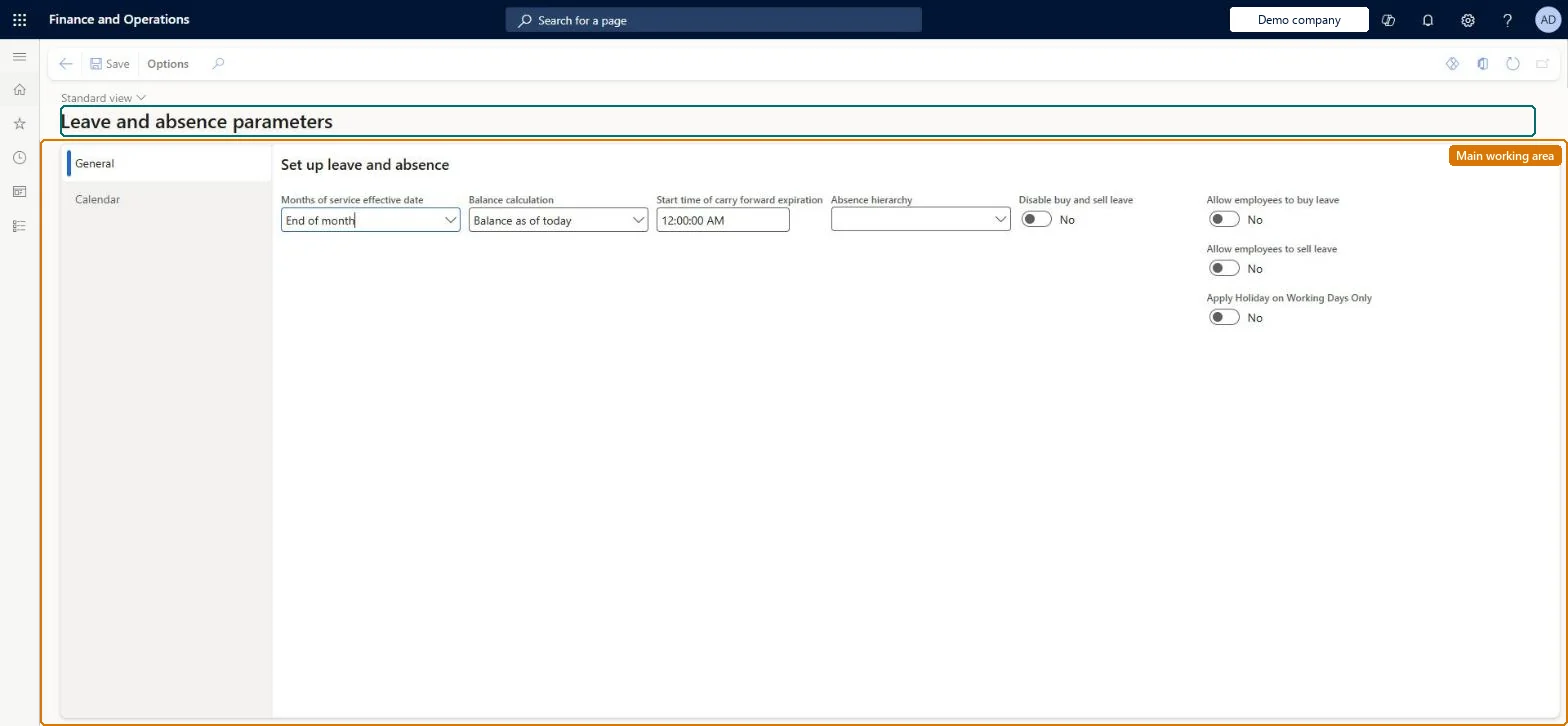
A setup page where you set the company-wide rules for leave and absence, such as the leave unit, how balances are calculated, buy and sell options and calendar settings.
PAGE GUIDEWhat the page does and how to use it8 sections. Choose a role to highlight what matters to you.
Everyone
1What it is and why
What it is
A setup page where you set the company-wide rules for leave and absence, such as the leave unit, how balances are calculated, buy and sell options and calendar settings.
What you do here
Use this page to choose hours or days as the leave unit, set the months-of-service effective date and balance calculation, schedule carry-forward expiration, allow buying and selling of leave, and set what the leave calendars show.
Example
For example, set Balance calculation to Balance as of today so balances show all accruals, adjustments and requests up to today.
The page in Dynamics 365. page title tab to open what to set or check
About the examples: Examples and screenshots in this guide use BEAT, a demo company in a Dynamics 365 test environment. Use your own company's codes and values instead of copying them.
Setup steps on this page
Set up Leave and absence parameters
Use this page to choose hours or days as the leave unit, set the months-of-service effective date and balance calculation, schedule carry-forward expiration, allow buying and selling of leave, and set what the leave calendars show.
Steps from Microsoft
Go to Leave and absence > Setup > Leave and absence parameters.
On the General tab, set Unit for leave and absence and, for days, Enable half day definition.
Set Months of service effective date and Balance calculation.
Set the Start time for the Carry forward expiration batch job.
Set Allow employees to buy leave and Allow employees to sell leave as needed.
On the Calendar tab, change the calendar settings.
Set Unit for leave and absence (hours or days) before creating leave plans; with days, turn on Enable half day definition if employees take half daysMicrosoft asks you to verify these parameters before setting up leave and absence plans. Half day definition is only available when the unit is days and lets employees request the first or second half of a day.
How should leave balances be shown (Balance calculation)?Choosing Balance as of accrual period without telling employees: balances then show accruals, adjustments and requests only up to the accrual period set by the leave plan frequency, not as of today.
Solution architect
5Design impact
If you change it later
Turning on the buy and sell options lets you create buy and sell leave policies and lets employees submit buy and sell requests; calendar settings change the view options on the leave calendars. Microsoft Learn
Technical architect
6Technical
Menu item
LeaveAbsenceParametersChecked in Dynamics 365
Form
LeaveAbsenceParametersChecked in Dynamics 365
Table
HRMParametersShown as “PERSONNEL PARAMETERS” in Record infoChecked in Dynamics 365
Data entities
LeaveAbsenceParametersEntityLeave and absence parameters Checked in Dynamics 365hcmParametersEntityHuman resources parameters Checked in Dynamics 365
Who can open it
PrivilegesDelete the leave and absence calendar parameters LeaveAbsenceParametersMaintainView the leave and absence calendar parameters LeaveAbsenceParametersViewDutiesView worker-specific leave and absence processes LeaveProcessInquireMaintain worker-specific leave and absence processes LeaveProcessMaintain2 security rolesHuman resource assistant HcmHumanResourceAssistantHuman resource manager HcmHumanResourceManagerChecked in Dynamics 365
Roles to set it up and use it
To set it up or change itHuman resource assistant HcmHumanResourceAssistantTo use itHuman resource manager HcmHumanResourceManagerGive people one of these roles. On this system, 2 roles can open this page.Checked in Dynamics 365