About the examples: Examples and screenshots in this guide use BEAT, a demo company in a Dynamics 365 test environment. Use your own company's codes and values instead of copying them.
Step by step, with screenshots
Set up Workbench profiles1 screen
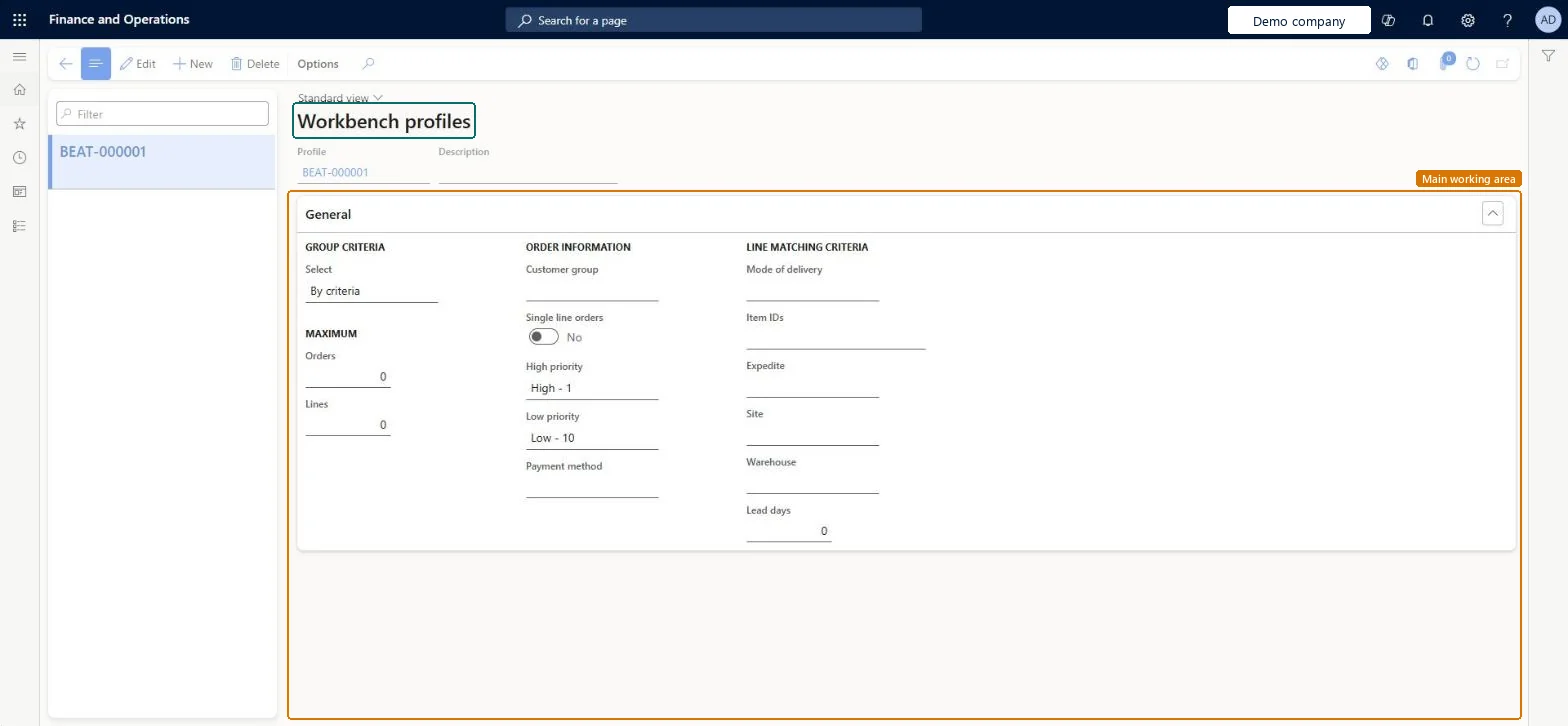
Use this page to save a standard set of parameters to apply when you create picking lists for a picking session.
Screen 1
Create a picking workbench profile
Go to Inventory management > Setup > Picking workbench > Workbench profiles
Select New (the profile ID comes from the number sequence) and enter a description
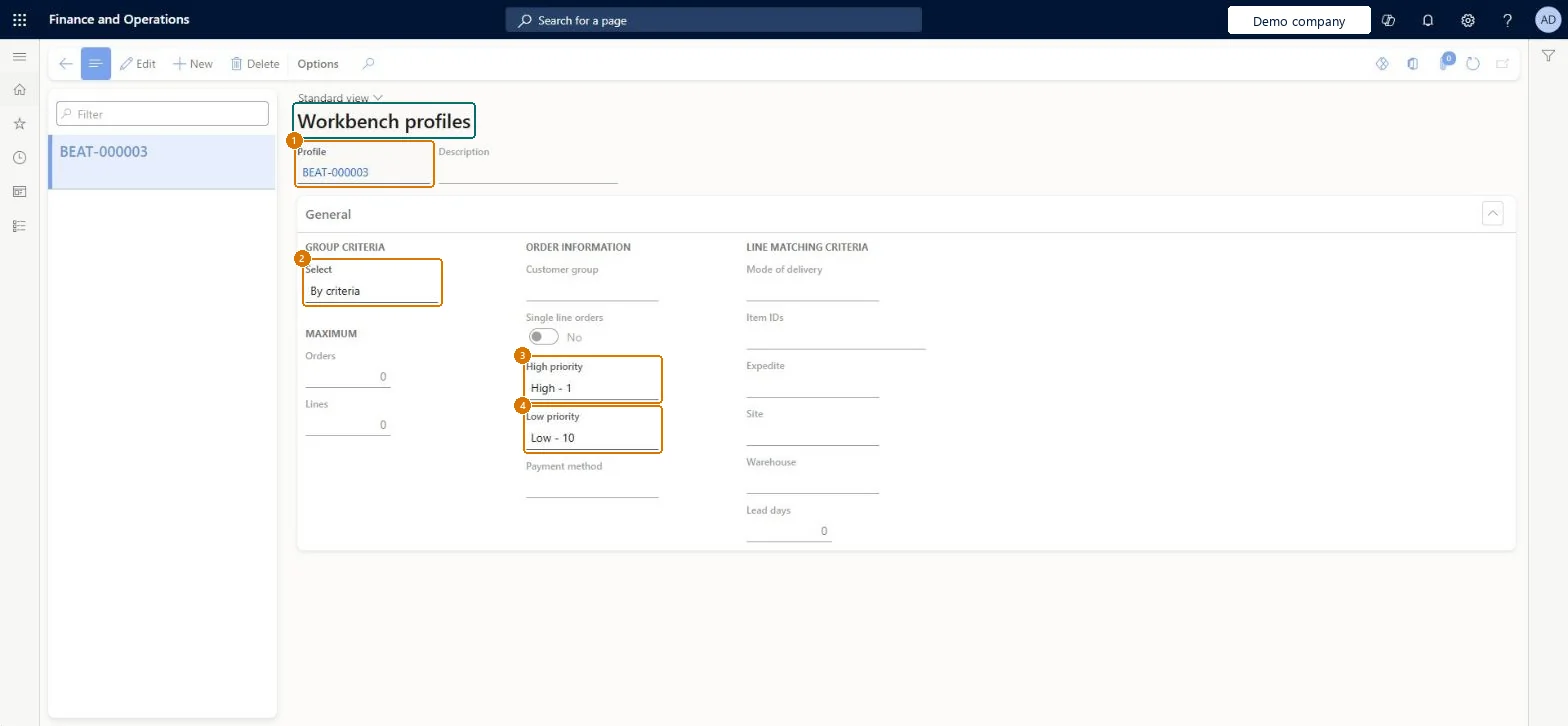
Under Group criteria, choose how orders are selected and the maximum number of orders and lines
Under Order information, set the customer group, single line orders and the high and low priority range
Under Line matching criteria, optionally limit by mode of delivery, items, site, warehouse and lead days
Select Save
1Profile
BEAT-000003
2Select
By criteria
3High priority
High - 1
4Low priority
Low - 10
Show the full screen page title tab to open what to set or check
Steps from Microsoft
Go to Inventory management > Setup > Picking workbench > Workbench profiles.
Select New.
Enter a description for the profile.
On the General tab, under Group criteria, in the Select field, choose how to group the criteria.
Profile values are only defaults; you can change them in the picking session before picking batches are generated. Microsoft Learn
Technical architect
5Technical
Menu item
MCRPickingWorkbenchProfileChecked in Dynamics 365
Form
MCRPickingWorkbenchProfileChecked in Dynamics 365
Table
MCRPickingWorkbenchProfileShown as “Picking workbench profile” in Record infoChecked in Dynamics 365
Who can open it
PrivilegesMaintain picking workbench profiles MCRPickingWorkbenchProfileMaintainDutiesSet up picking processes MCRInventPickEnableMaintain the picking workbench MCRInventPickMaintain4 security rolesMCRTestUserRoleBuying agent TradeBuyingAgentSales clerk TradeSalesClerkWarehouse manager WMSWarehouseManagerChecked in Dynamics 365
Roles to set it up and use it
To set it up or change itWarehouse manager WMSWarehouseManagerBuying agent TradeBuyingAgentSales clerk TradeSalesClerkGive people one of these roles. On this system, 3 roles can open this page.Checked in Dynamics 365
Actions on the page
Options: Personalize, Page options, ShareChecked in Dynamics 365
Checked in a working Dynamics 365 system, version 10.0.49: the menu item, form, table and security, the page, the demo records and the values in the screenshots.