BeyondERP.Newsletter
Menu

Page · Credit and collections

Collections cases

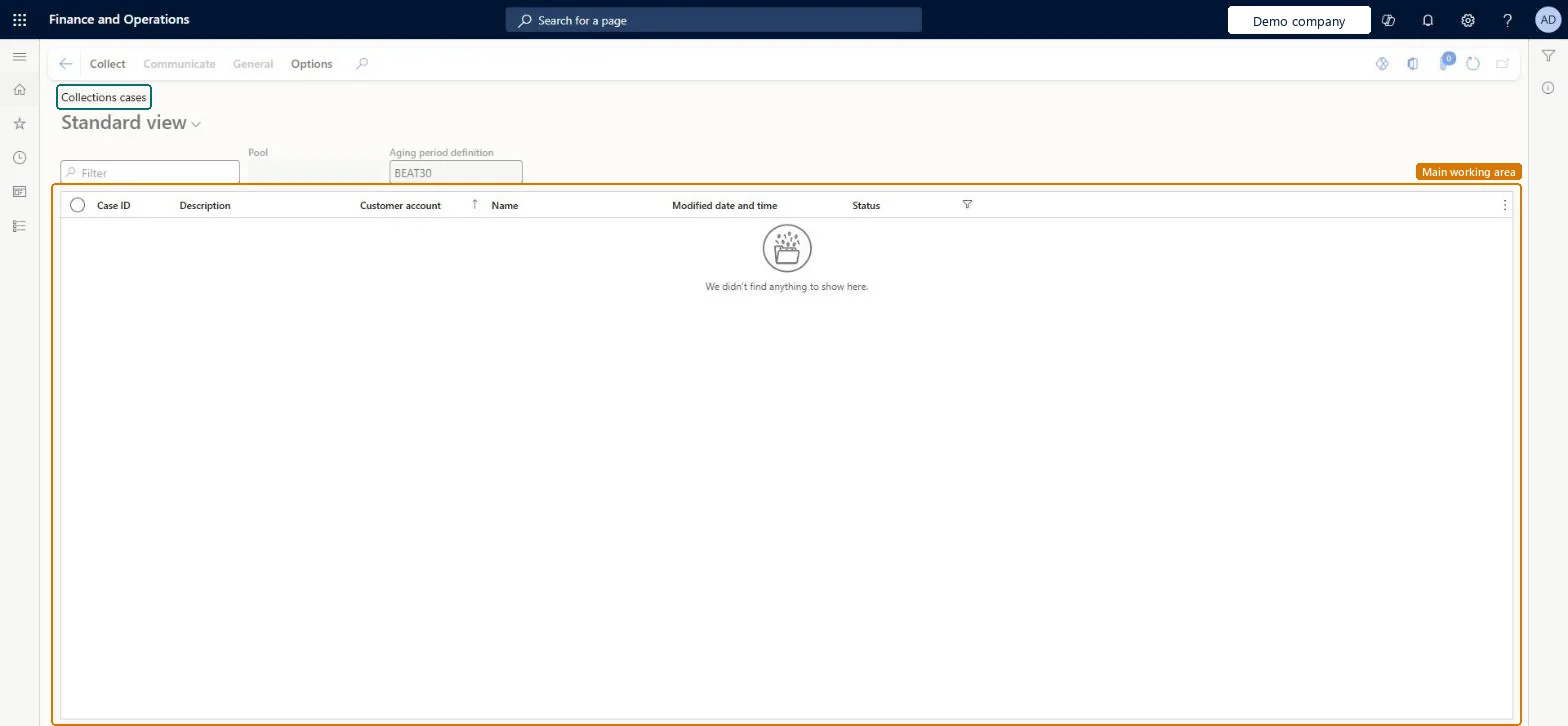
A list page that shows collections cases, which are cases in a case category with the Collections case type.

Business process
Manage credit and collections
Menu item
CustCollectionsCaseListPage
Show what matters for
PAGE GUIDEWhat the page does and how to use it6 sections. Choose a role to highlight what matters to you.
Everyone

1What it is and why

What it isA list page that shows collections cases, which are cases in a case category with the Collections case type.
What you do hereUse this page to group the transactions and activities you are collecting on so you can manage them together as one case.
ExampleFor example, if you must collect on three transactions, you add them to one case and manage the related collections activities together.
Collections cases page in Dynamics 365
The page in Dynamics 365. page title tab to open what to set or check
Functional consultant · Solution architect

2Where it fits

End user · Functional consultant

3How to do it

About the examples: Examples and screenshots in this guide use BEAT, a demo company in a Dynamics 365 test environment. Use your own company's codes and values instead of copying them.

How to use it

  1. Go to Credit and collections > Collections > Collections cases.
  2. Type in the Filter box to find a case.
  3. Check the Case ID, Description, Customer account, Name, Modified date and time and Status columns.
  4. Select the Collect tab on the Action Pane to reach New, Manage, Journals and View.
  5. Select New to start a case.

Source: Checked in Dynamics 365

Technical architect

4Technical

Menu itemCustCollectionsCaseListPage Checked in Dynamics 365
FormCustCollectionsCaseListPage Checked in Dynamics 365
Roles to set it up and use itTo use itCollections manager CollectionLetterCollectionsManagerCollections agent CollectionLetterCollectionsAgentAccounts receivable manager CustInvoiceAccountsReceivableManagerAccounting manager LedgerAccountingManagerAuditor AuditPolicyManagerGive people one of these roles. On this system, 7 roles can open this page.Checked in Dynamics 365
Actions on the pageCollect: New, Manage, Journals, ViewCommunicateGeneralOptions: Personalize, Page options, ShareChecked in Dynamics 365
Developer

5Developer

Open it by URLhttps://<your-environment>/?mi=CustCollectionsCaseListPage
Everyone

6Sources