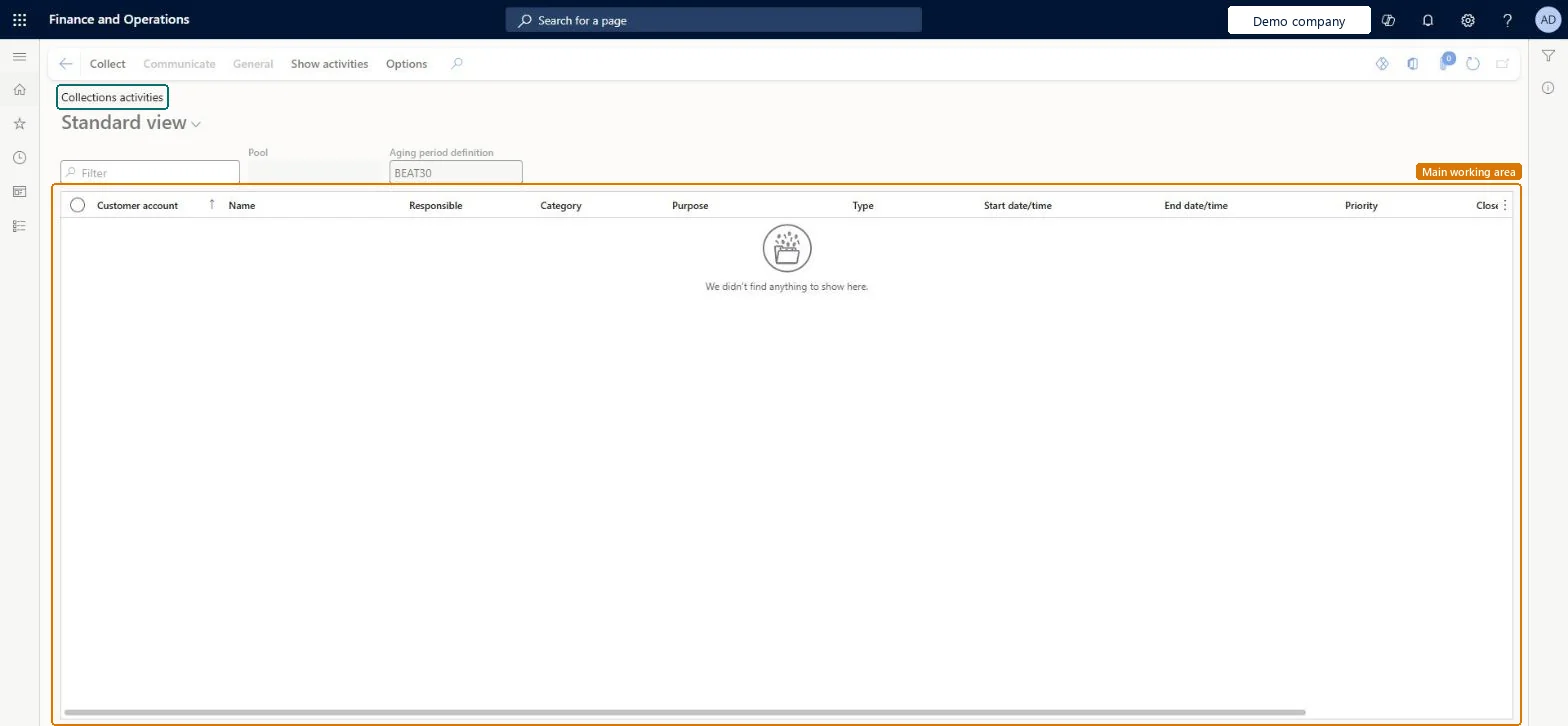
About the examples: Examples and screenshots in this guide use BEAT, a demo company in a Dynamics 365 test environment. Use your own company's codes and values instead of copying them.
How to use it
Go to Credit and collections > Collections > Collections activities.
Type in the Filter box to find an activity.
Check the Customer account, Name, Responsible, Category, Purpose, Type, Start date/time, End date/time and Priority columns.
Select Show activities on the Action Pane to change which activities are listed.
Select the Collect tab to reach New, Manage, Journals and View.
Source: Checked in Dynamics 365
Test checklist
Age customer balances so the test customer has an aging snapshot.
From Aged balances, open the customer with Collect and create an activity on the Collections page.
Open Collections activities and check the activity is listed.
As a collections agent without Allow agent to view all customer pools, select a pool that excludes the customer and check the activity is hidden.
Reversible: The page is a view of activities created from the Collections page. It shows only customers with an aging snapshot, filtered by the pools of the collections agent. Microsoft Learn
Technical architect
5Technical
Menu item
CustCollectionsActivitiesListPageChecked in Dynamics 365
Form
CustCollectionsActivitiesListPageChecked in Dynamics 365
Who can open it
PrivilegesView collections activities list page CustCollectionsActivitiesListPageViewDutiesReview collections process performance CollectionLetterCollectionProcPerfRevieInquire into collections status CollectionLetterCollectionsStatusInquirMaintain collections transactions CollectionLetterCollectionsTransMaintai7 security rolesAuditor AuditPolicyManagerCollections agent CollectionLetterCollectionsAgentCollections manager CollectionLetterCollectionsManagerAccounts receivable manager CustInvoiceAccountsReceivableManagerAccountant LedgerAccountantAccounting manager LedgerAccountingManagerFinancial controller LedgerFinancialControllerChecked in Dynamics 365
Roles to set it up and use it
To use itCollections manager CollectionLetterCollectionsManagerCollections agent CollectionLetterCollectionsAgentAccounts receivable manager CustInvoiceAccountsReceivableManagerAccounting manager LedgerAccountingManagerAuditor AuditPolicyManagerGive people one of these roles. On this system, 7 roles can open this page.Checked in Dynamics 365
Actions on the page
Collect: New, Manage, Journals, ViewCommunicateGeneralShow activities: Show activitiesOptions: Personalize, Page options, ShareChecked in Dynamics 365