Accounts payable manager, Budget clerk, Budget contributor and 8 more roles
Business process
Consolidate online in Dynamics 365 Finance
Menu item
LedgerConsolidateAccountGroup
Main table
LedgerConsolidateAccountGroup
Data entity
LedgerConsolidateAccountGroupEntity
Setup steps
1 on this page
Show what matters for
PAGE GUIDEWhat the page does and how to use it8 sections. Choose a role to highlight what matters to you.
Everyone
1What it is and why
What it is
Groups of accounts used to consolidate data.
What you do here
Use this page to create account groups, each with an identifier and name, that are selected in the Consolidate online process.
Example
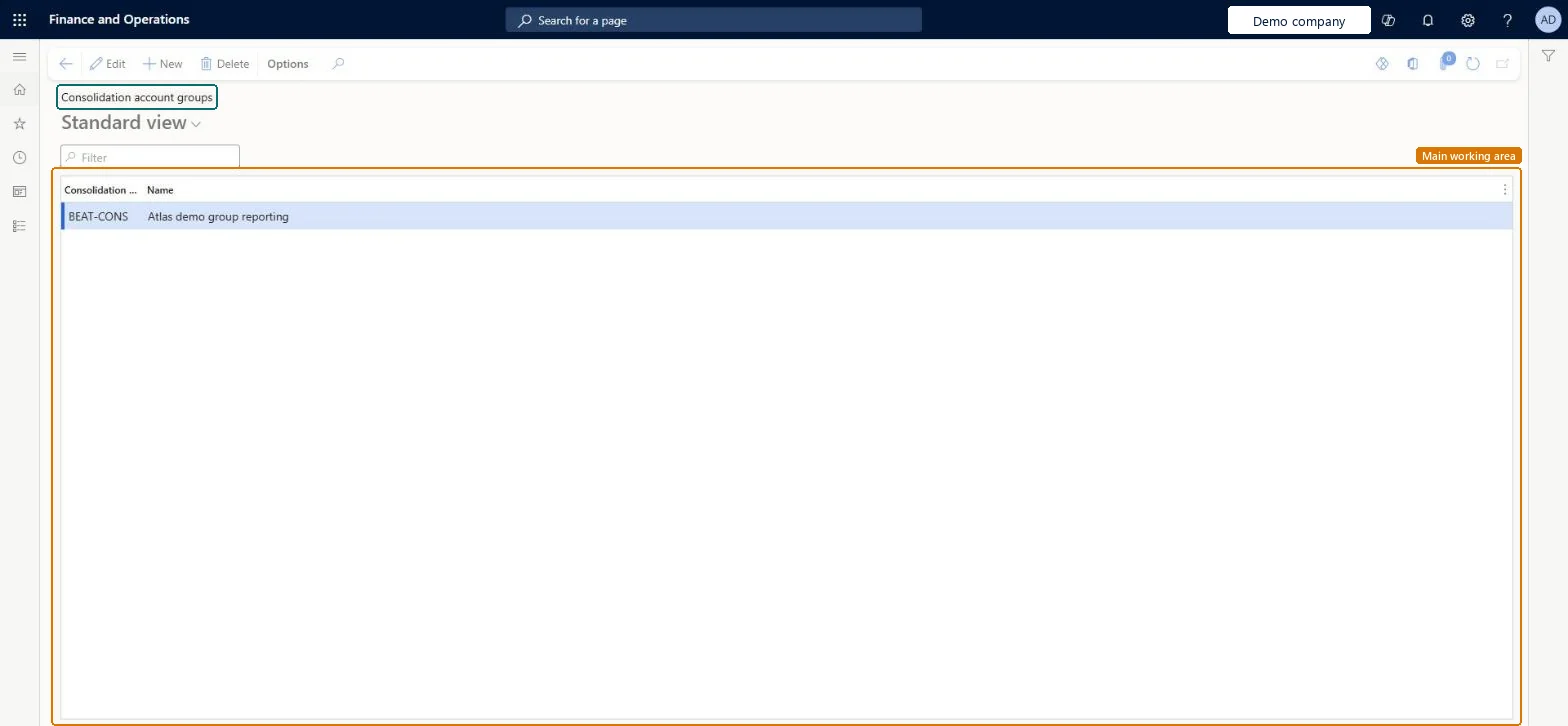
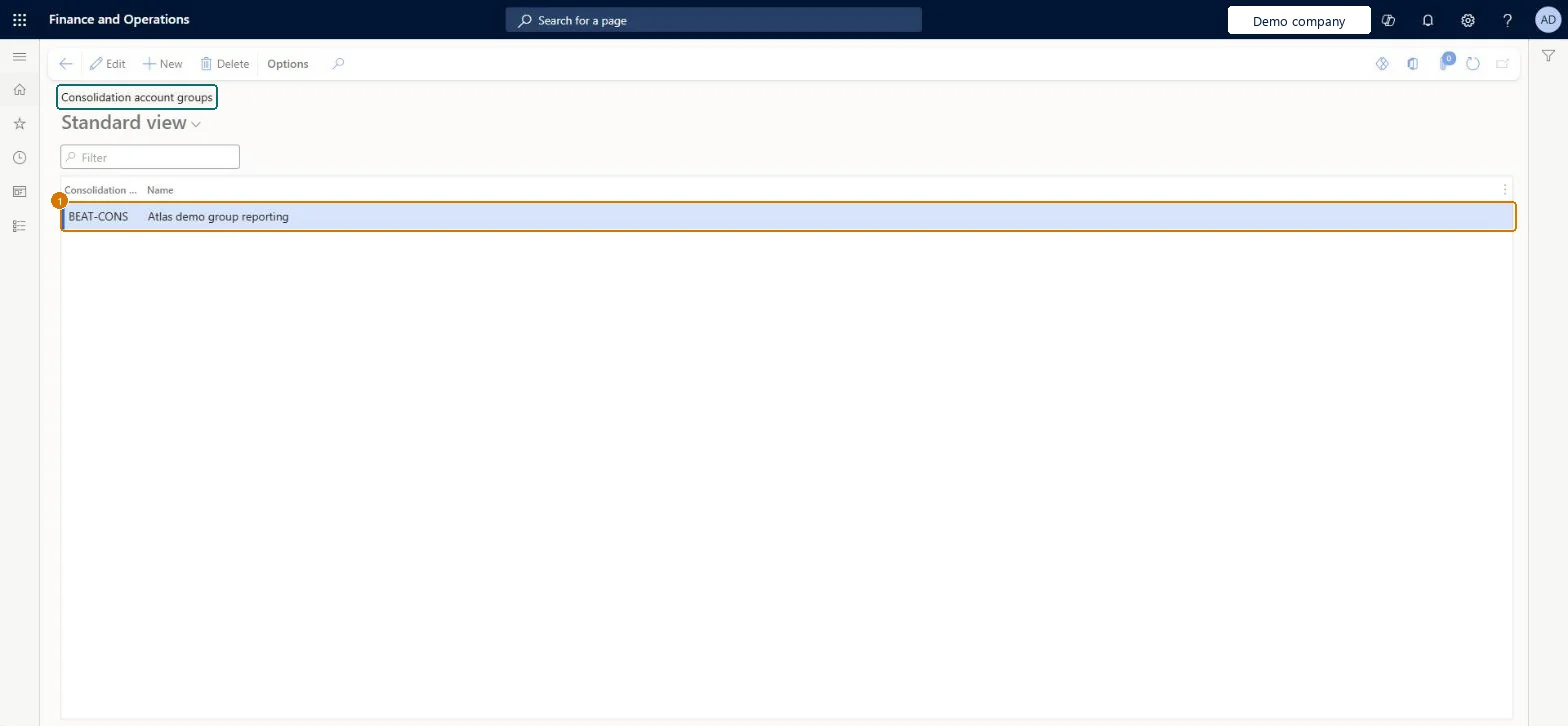
For example, BEAT uses group BEAT-CONS for group reporting and maps main account 610100 to consolidation account G6100 in it on Additional consolidation accounts.
The page in Dynamics 365. page title tab to open what to set or check
About the examples: Examples and screenshots in this guide use BEAT, a demo company in a Dynamics 365 test environment. Use your own company's codes and values instead of copying them.
Step by step, with screenshots
Set up Consolidation account groups1 screen
Use this page to create account groups, each with an identifier and name, that are selected in the Consolidate online process.
Screen 1
Create the consolidation account group
Go to General ledger > Chart of accounts > Accounts > Consolidation account groups
Select New
Enter the group code BEAT-CONS and its name
Name
Group reporting
Show the full screen page title tab to open what to set or check
Steps from Microsoft
Go to Consolidations > Setup > Consolidation account groups.
Select New.
In the Consolidation account group field, enter a unique ID for the group.
The consolidation stops with an error because account numbers don't correspond
With a shared chart of accounts set Use consolidation account to No; otherwise set the Consolidation account on each subsidiary main account, or use a consolidation account group, and set Use consolidation account to Yes. Microsoft Learn
Test checklist
Create a group with a unique identifier and a name, for example one for the statutory chart of accounts.
Map main accounts to it on Additional consolidation accounts.
Select the group in the Consolidate online process and run a consolidation for one month.
Check the consolidated transactions use the consolidation account values of the group.
One group per target chart, typically a government-mandated chart of accounts or the chart defined by group headquartersLearn describes a consolidation account group as typically representing a government-mandated chart of accounts, or a mapping to a chart that headquarters defines.
Consolidations is part of General ledger in Dynamics 365 Finance. In this system Accountant, Accounting manager, Accounting supervisor, Chief financial officer and Financial controller hold the consolidation duties. The controller defines the groups. No Feature management feature is needed for this page.
Shared: both consolidation group entities are shared by all companies in Data management, and the group is chosen on each consolidation template. Checked in Dynamics 365
Can it be undone
Reversible: Groups can be added or renamed at any time. A group is selected when you run Consolidate online, so a change takes effect on the next run; earlier runs can be rerun to reprocess their transactions. Microsoft Learn
If you change it later
A group is selected on the consolidation template; changing its mappings changes where balances land on the next run, and earlier runs must be rerun to follow. Microsoft Learn
Technical architect
6Technical
Menu item
LedgerConsolidateAccountGroupChecked in Dynamics 365
Form
LedgerConsolidateAccountGroupChecked in Dynamics 365
Table
LedgerConsolidateAccountGroupShown as “CONSOLIDATION ACCOUNT GROUP” in Record infoKey field: IdChecked in Dynamics 365
Data entities
LedgerConsolidateAccountGroupEntityConsolidation groups and accounts Microsoft data model LedgerConsolidateAccountGroupV2EntityConsolidation main accounts Microsoft data model
Who can open it
PrivilegesMaintain consolidation account groups LedgerConsolidateAccountGroupMaintainView consolidation account groups LedgerConsolidateAccountGroupViewDutiesInquire into chart of account master LedgerChartOfAccountsInquireMaintain chart of accounts master LedgerChartOfAccountsMaintain11 security rolesBudget clerk BudgetBudgetClerkBudget contributor BudgetBudgetContributorBudget manager BudgetBudgetManagerChief executive officer CompanyChiefExecutiveOfficerChief financial officer CompanyChiefFinancialOfficerAccounts receivable manager CustInvoiceAccountsReceivableManagerAccountant LedgerAccountantAccounting manager LedgerAccountingManagerAccounting supervisor LedgerAccountingSupervisorFinancial controller LedgerFinancialControllerAccounts payable manager VendInvoiceAccountsPayableManagerChecked in Dynamics 365
Roles to set it up and use it
To set it up or change itAccounting supervisor LedgerAccountingSupervisorAccounting manager LedgerAccountingManagerTo use itAccountant LedgerAccountantChief financial officer CompanyChiefFinancialOfficerFinancial controller LedgerFinancialControllerBudget clerk BudgetBudgetClerkBudget manager BudgetBudgetManagerGive people one of these roles. On this system, 11 roles can open this page.Checked in Dynamics 365
LedgerConsolidateAccountGroupEntity (Consolidation groups and accounts): shared by all companies, in Microsoft's default template 020 - GL Shared.LedgerConsolidateAccountGroupV2Entity (Consolidation main accounts): shared by all companies.Load order: Microsoft's default template 020 - GL Shared loads Consolidation groups and accounts at execution unit 1, level 20, sequence 30. Lower levels load first, and entities at the same level load in sequence order.Load first: Chart of accounts, Main account, the default templates at lower levels (System setup to Global address book)Microsoft Learn
Checked in a working Dynamics 365 system, version 10.0.49: the menu item, form, table and security, the page, the demo records and the values in the screenshots.