Transaction page · Budgeting
Budget plans
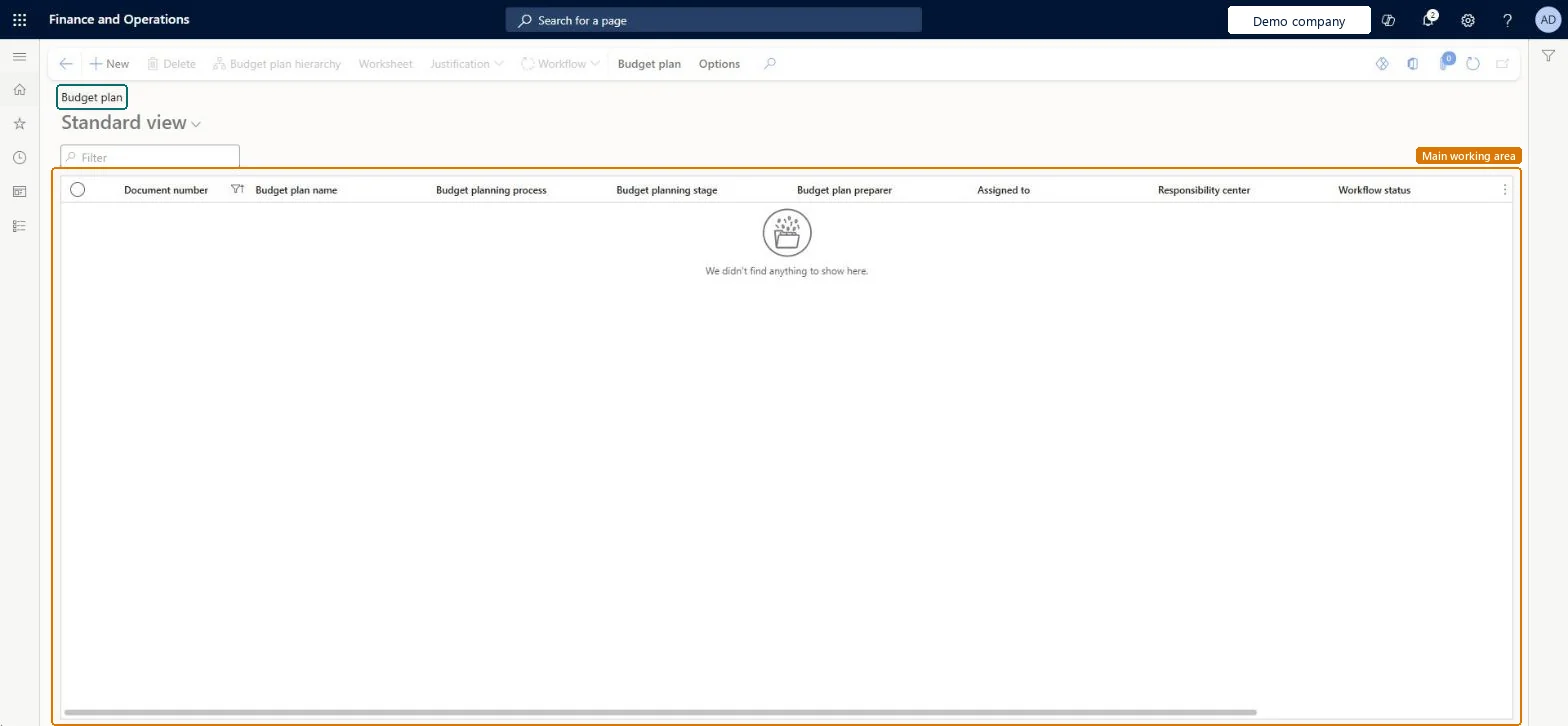
A list page of budget plans, the documents that hold the budget data for a budget cycle.
- Used by
- Auditor, Business Performance Planning app role, Budget clerk and 11 more roles
- Business process
- —
- Menu item
BudgetPlanList- Main table
BudgetPlanHeader- Data entity
BudgetPlanHeaderEntity- Setup steps
- —
Show what matters for
Everyone
1What it is and why
| What it is | A list page of budget plans, the documents that hold the budget data for a budget cycle. |
|---|---|
| What you do here | Used to define the expected revenue and expenditure for a budget cycle and move each plan through review and approval. |
| Example | For example, a finance manager can start from last year's actual amounts, create estimates for the 12 months of the coming year, adjust them in Excel and submit the plan for approval. |
Functional consultant · Solution architect
2Where it fits
| Business process | — |
|---|---|
| Menu path | Budgeting › Budget plans |
| Set up first | Budget planning process Microsoft Learn ↗Budget planning configuration Microsoft Learn ↗Generate budget plan from general ledger Microsoft Learn ↗ |
| Used next by | Generate budget register entry Microsoft Learn ↗ |
| Related pages | Budget plans by dimension set Microsoft Learn ↗Justification document templates Microsoft Learn ↗ |
End user · Functional consultant
3How to do it
Microsoft's steps
- Go to Budgeting > Budget plans and open a plan by selecting its Document number.
- Select the lines you want to change, and then select Allocate budget.
- Select the allocation method, the period key and the source and destination scenarios, and then select Allocate.
- Select Worksheet to open the plan in Excel.
- Adjust the numbers in Excel, and then select Publish.
- Back in the budget plan, select Workflow > Submit.
Source: Microsoft Learn ↗
Field guide
| Field | What it means | Worked example | Table column |
|---|---|---|---|
| Allocation method | How lines are copied or spread, such as across periods, to dimensions, or by ledger allocation rules.Microsoft Learn ↗ | — | — |
| Append to plan | No replaces the existing plan lines; Yes keeps them and adds new lines for the allocated amounts.Microsoft Learn ↗ | — | — |
| Justification | Creates or uploads a Word justification document for the plan.Microsoft Learn ↗ | — | — |
| Add positions | Adds forecast position amounts directly to the plan.Microsoft Learn ↗ | — | — |
Functional consultant
4Setup decisions
| Setup step | Recommended value and why | Decision · common mistake · test |
|---|---|---|
| — No setup is made on this page. | ||
Solution architect
5Design impact
| Shared or per company | Shared: the same records are used by every legal entity. Microsoft data model ↗ |
|---|---|
| Can it be undone | — |
| Feature or country | — |
| If you change it later | — |
Technical architect
6Technical
| Menu item | BudgetPlanList Checked in Dynamics 365 |
|---|---|
| Form | BudgetPlan Checked in Dynamics 365 |
| Table | BudgetPlanHeaderShown as “Budget plans” in Record infoKey field: DocumentNumber, Name, BudgetPlanningProcess, BudgetPlanningProcess_NameChecked in Dynamics 365 |
| Data entities | BudgetPlanHeaderEntityBudget plan header Microsoft data model ↗ |
| Who can open it | PrivilegesMaintain budget plans BudgetPlanMaintainView budget plans BudgetPlanViewDutiesMaintain budget plans BudgetPlanMaintainView budget plans BudgetPlanViewMaintain Document entity data for data management DataManagementApplicationDocumentEntitiesMaintain14 security rolesAuditorAuditPolicyManagerBusiness Performance Planning app role BPPBudgetPlanningAppRoleBudget clerk BudgetBudgetClerkBudget contributor BudgetBudgetContributorBudget manager BudgetBudgetManagerChief financial officer CompanyChiefFinancialOfficerData management administrator DataManagementAdministratorData management migration user DataManagementMigrationUserManager HcmManagerAccounting manager LedgerAccountingManagerAccounting supervisor LedgerAccountingSupervisorFinancial controller LedgerFinancialControllerDemand planning app role ScpDemandPlanningAppRoleInformation technology manager SysServerITManager |
| Actions on the page | Budget plan: Maintain, NewOptions: Personalize, Page options, ShareChecked in Dynamics 365 |
Developer
7Developer
| Open it directly | https://<your-environment>/?mi=BudgetPlanList |
|---|---|
| Integrate with | BudgetPlanHeaderEntity data entity Microsoft data model ↗ |
| Table definition | BudgetPlanHeader columns and relations Microsoft data model ↗ |
Everyone
8Sources and checks
- learn.microsoft.com/dynamics365/finance/budgeting/budget-planning-overview-configuration
- learn.microsoft.com/dynamics365/finance/budgeting/budget-plan
- learn.microsoft.com/common-data-model/schema/core/operationscommon/tables/finance/budget/worksheetheader/budgetplanheader
- learn.microsoft.com/dynamics365/finance/budgeting/budget-planning-data-allocation
- learn.microsoft.com/dynamics365/finance/budgeting/budget-planning-justification-docs
- learn.microsoft.com/dynamics365/finance/budgeting/position-forecasting
- learn.microsoft.com/dynamics365/finance/budgeting/budgeting-overview
- learn.microsoft.com/dynamics365/finance/budgeting/budget-planning-integration-other-modules
- Checked in a working Dynamics 365 system, version 10.0.49: the menu item, form, table and security, the page.