PAGE GUIDEWhat the page does and how to use it7 sections. Choose a role to highlight what matters to you.
Everyone
1What it is and why
What it is
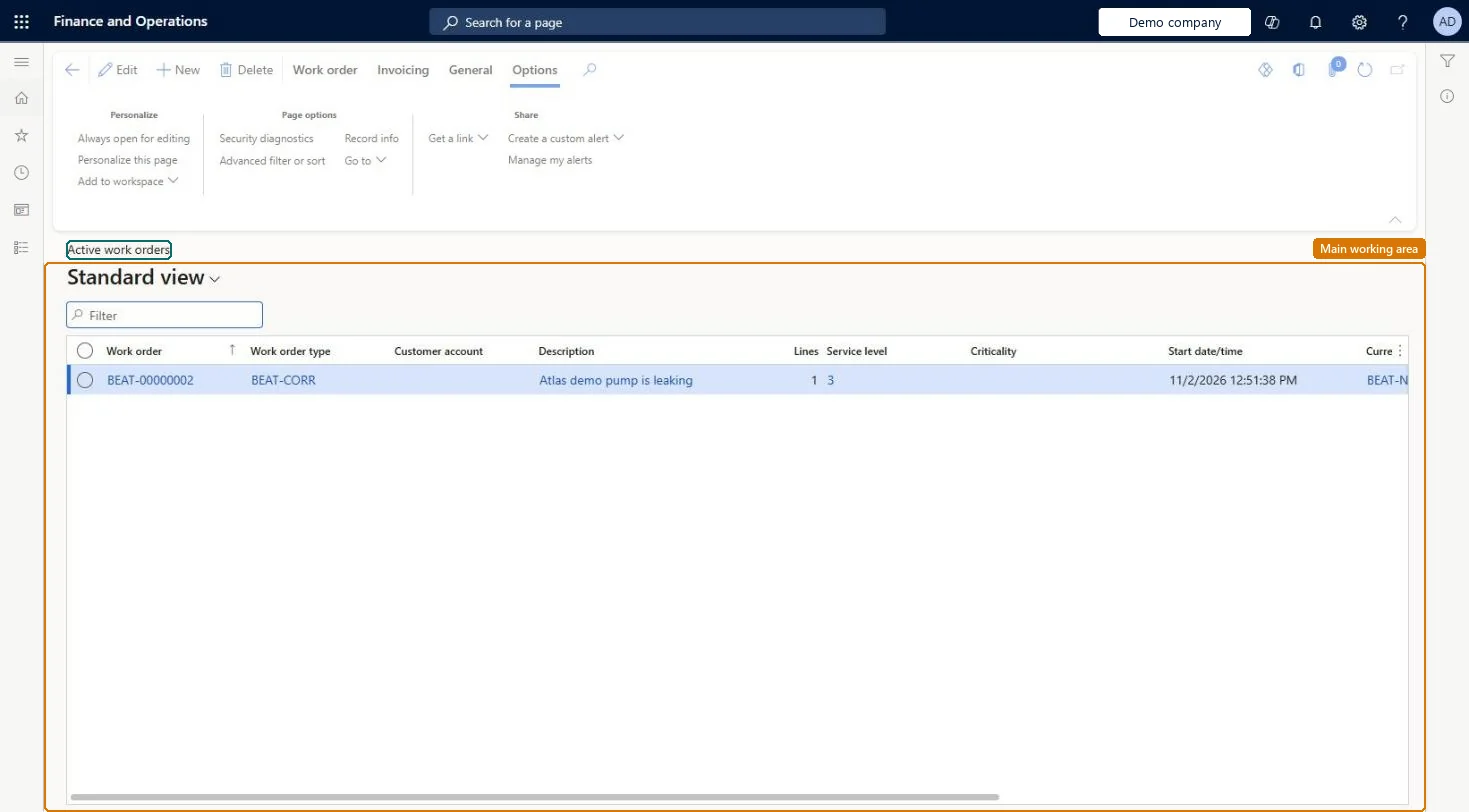
A list page that shows only the active work orders, which are used to manage maintenance jobs and register consumption on them.
What you do here
Use this page to create, view, and edit active work orders, and to open forecasts, journals, maintenance checklists, faults, scheduling, and cost and hour control for a work order.
Example
For example, a planner creates a work order for a pump by selecting a work order type, the asset, a maintenance job type, and the expected start and end dates.
The page in Dynamics 365. page title tab to open what to set or check
About the examples: Examples and screenshots in this guide use BEAT, a demo company in a Dynamics 365 test environment. Use your own company's codes and values instead of copying them.
Steps from Microsoft
Go to Asset management > Work orders > Active work orders.
Select New.
In the Create work order dialog, select a work order type.
In the Asset field, select the asset.
In the Maintenance job type field, select a maintenance job type.
The maintenance job to be done; only job types defined on the asset type can be selected.Microsoft Learn
Service level
The service level of the work order, which can be changed.Microsoft Learn
ServiceLevel
Responsible group / Responsible
The responsible maintenance worker group or maintenance worker for the work order.Microsoft Learn
Solution architect
4Design impact
If you change it later
Changing an asset's service level or criticality after the asset is used on a work order does not update that work order. Microsoft Learn
Technical architect
5Technical
Menu item
EntAssetWorkOrderTableActiveChecked in Dynamics 365
Form
EntAssetWorkOrderTableChecked in Dynamics 365
Table
EntAssetWorkOrderTableShown as “WORK ORDERS” in Record infoKey field: WorkOrderIdChecked in Dynamics 365
Data entities
EntAssetMaintenanceWorkOrderTableV2EntityAsset management work orders V2 Checked in Dynamics 365
Who can open it
PrivilegesMaintain work orders EntAssetWorkOrderTableMaintainView work orders EntAssetWorkOrderTableViewDutiesMaintain work orders EntAssetWorkOrderMaintainInquire into work orders EntAssetWorkOrderView3 security rolesMaintenance clerk EntAssetMaintenanceClerkMaintenance manager EntAssetMaintenanceManagerMaintenance worker EntAssetMaintenanceWorkerChecked in Dynamics 365
Roles to set it up and use it
To set it up or change itMaintenance manager EntAssetMaintenanceManagerMaintenance clerk EntAssetMaintenanceClerkMaintenance worker EntAssetMaintenanceWorkerGive people one of these roles. On this system, 3 roles can open this page.Checked in Dynamics 365
Actions on the page
Work order: Maintain, New, View, Lines, Asset, Material, Project, Lifecycle state, AttachmentsInvoicing: InvoicingGeneral: Schedule, Procurement, Related information, Report(Action Pane without tabs): New, DeleteChecked in Dynamics 365