PAGE GUIDEWhat the page does and how to use it7 sections. Choose a role to highlight what matters to you.
Everyone
1What it is and why
What it is
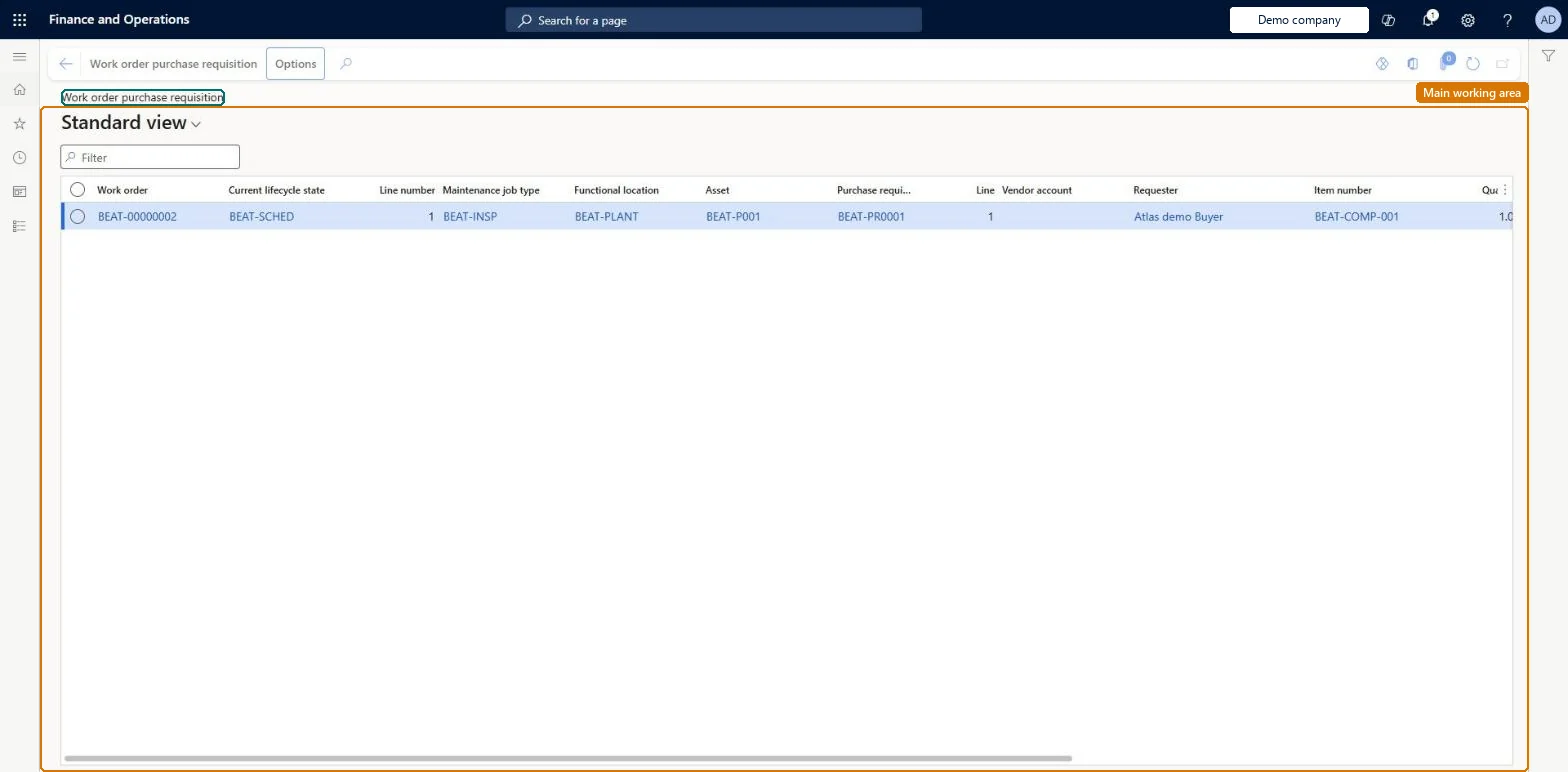
A list page that shows the purchase requisitions that are related to work orders.
What you do here
Use this page to open the purchase requisition or the work order for a line, to see where the item is used in Asset Management, and to spot requisitions whose delivery might be late for the work order.
Example
For example, a planner looks for lines with a red exclamation point, which shows that delivery might be later than the work order needs.
The page in Dynamics 365. page title tab to open what to set or check
About the examples: Examples and screenshots in this guide use BEAT, a demo company in a Dynamics 365 test environment. Use your own company's codes and values instead of copying them.
Steps from Microsoft
Go to Asset management > Procurement > Work order purchase requisition.
Select a line.
In the Show group on the Work order purchase requisition tab, select Purchase requisition to open the requisition.
Select Work order to open the related work order.
Select Item where used to see where the item is used in Asset Management.
A symbol on each line that warns when delivery of the purchase requisition might be delayed.Microsoft Learn
Activity number
The project activity that links a purchase requisition line to a work order job.Microsoft Learn
Solution architect
4Design impact
If you change it later
Possible delay is worked out by comparing the Requested date on the purchase requisition with the dates on the work order or work order job, so changing either date changes the warning. Microsoft Learn
Technical architect
5Technical
Menu item
EntAssetWorkOrderPurchReqListPageChecked in Dynamics 365
Form
EntAssetWorkOrderPurchReqListPageChecked in Dynamics 365
Table
EntAssetWorkOrderTableShown as “WORK ORDERS” in Record infoKey field: WorkOrderIdChecked in Dynamics 365
Data entities
EntAssetMaintenanceWorkOrderTableV2EntityAsset management work orders V2 Checked in Dynamics 365
Who can open it
PrivilegesView work order procurement EntAssetWorkOrderProcurementViewDutiesMaintain work orders EntAssetWorkOrderMaintainInquire into work orders EntAssetWorkOrderView3 security rolesMaintenance clerk EntAssetMaintenanceClerkMaintenance manager EntAssetMaintenanceManagerMaintenance worker EntAssetMaintenanceWorkerChecked in Dynamics 365
Roles to set it up and use it
To use itMaintenance manager EntAssetMaintenanceManagerMaintenance clerk EntAssetMaintenanceClerkMaintenance worker EntAssetMaintenanceWorkerGive people one of these roles. On this system, 3 roles can open this page.Checked in Dynamics 365
Actions on the page
Work order purchase requisitionChecked in Dynamics 365