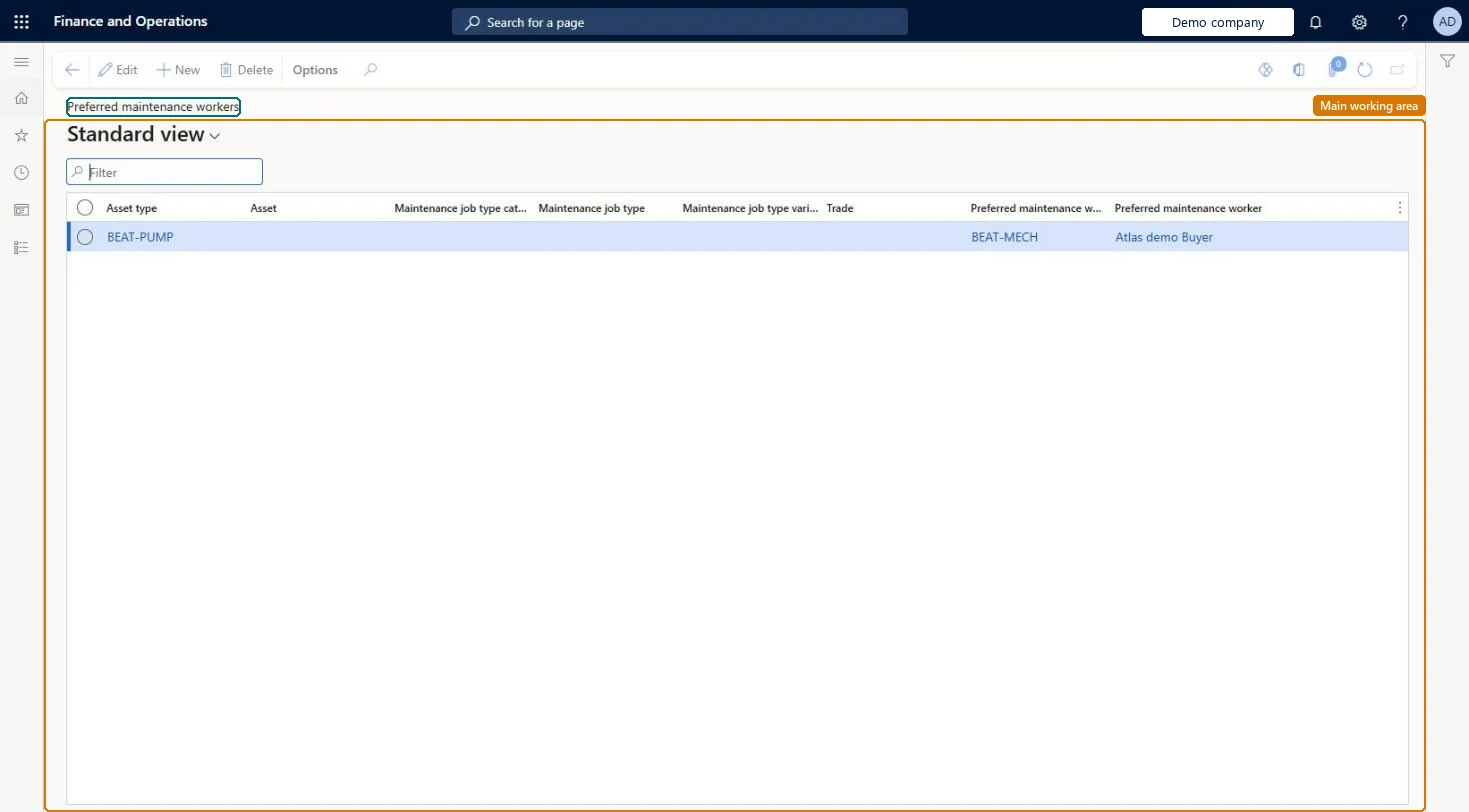
A setup page where you name the maintenance worker or worker group that work order scheduling should prefer for a trade, job type, asset, or asset type.
PAGE GUIDEWhat the page does and how to use it8 sections. Choose a role to highlight what matters to you.
Everyone
1What it is and why
What it is
A setup page where you name the maintenance worker or worker group that work order scheduling should prefer for a trade, job type, asset, or asset type.
What you do here
Use this page to steer work order scheduling toward the best-qualified worker, with a default record and more specific records where needed.
Example
For example, you make one worker the preferred worker for a specific asset and the job type Facility assessment, so scheduling picks that worker when they are available.
The page in Dynamics 365. page title tab to open what to set or check
About the examples: Examples and screenshots in this guide use BEAT, a demo company in a Dynamics 365 test environment. Use your own company's codes and values instead of copying them.
Setup steps on this page
Set up Preferred maintenance workers
Use this page to steer work order scheduling toward the best-qualified worker, with a default record and more specific records where needed.
Steps from Microsoft
Go to Asset management > Setup > Workers > Preferred maintenance workers.
Select New.
Create a default record with only a Preferred maintenance worker group or a Preferred maintenance worker.
Select New again and fill in the trade, job type, asset, or asset type fields for more specific records.
One default record with only a Preferred maintenance worker group, then more specific records by trade, job type, asset or asset typeLearn says to start with a default record; it is used when no more specific combination matches the work order.
Expecting the preferred worker to always get the job. Only available workers are scheduled; if the preferred worker is busy, another available worker gets it.
Solution architect
5Design impact
Can it be undone
Reversible: Records can be added, changed or removed any time; they are read at work order scheduling. Microsoft Learn
If you change it later
Scheduling falls back to the default record when no more specific record matches the work order. Microsoft Learn
Technical architect
6Technical
Menu item
EntAssetWorkerPreferredChecked in Dynamics 365
Form
EntAssetWorkerPreferredChecked in Dynamics 365
Table
EntAssetWorkerPreferredShown as “PREFERRED MAINTENANCE WORKERS” in Record infoKey field: ObjectType_ObjectTypeID, Object_ObjectID, JobGroup_JobGroupID, JobType_JobTypeID, JobVariant_JobVariantID, JobTrade_JobTradeIDChecked in Dynamics 365
To set it up or change itMaintenance manager EntAssetMaintenanceManagerTo use itMaintenance clerk EntAssetMaintenanceClerkGive people one of these roles. On this system, 2 roles can open this page.Checked in Dynamics 365