About the examples: Examples and screenshots in this guide use BEAT, a demo company in a Dynamics 365 test environment. Use your own company's codes and values instead of copying them.
Setup steps on this page
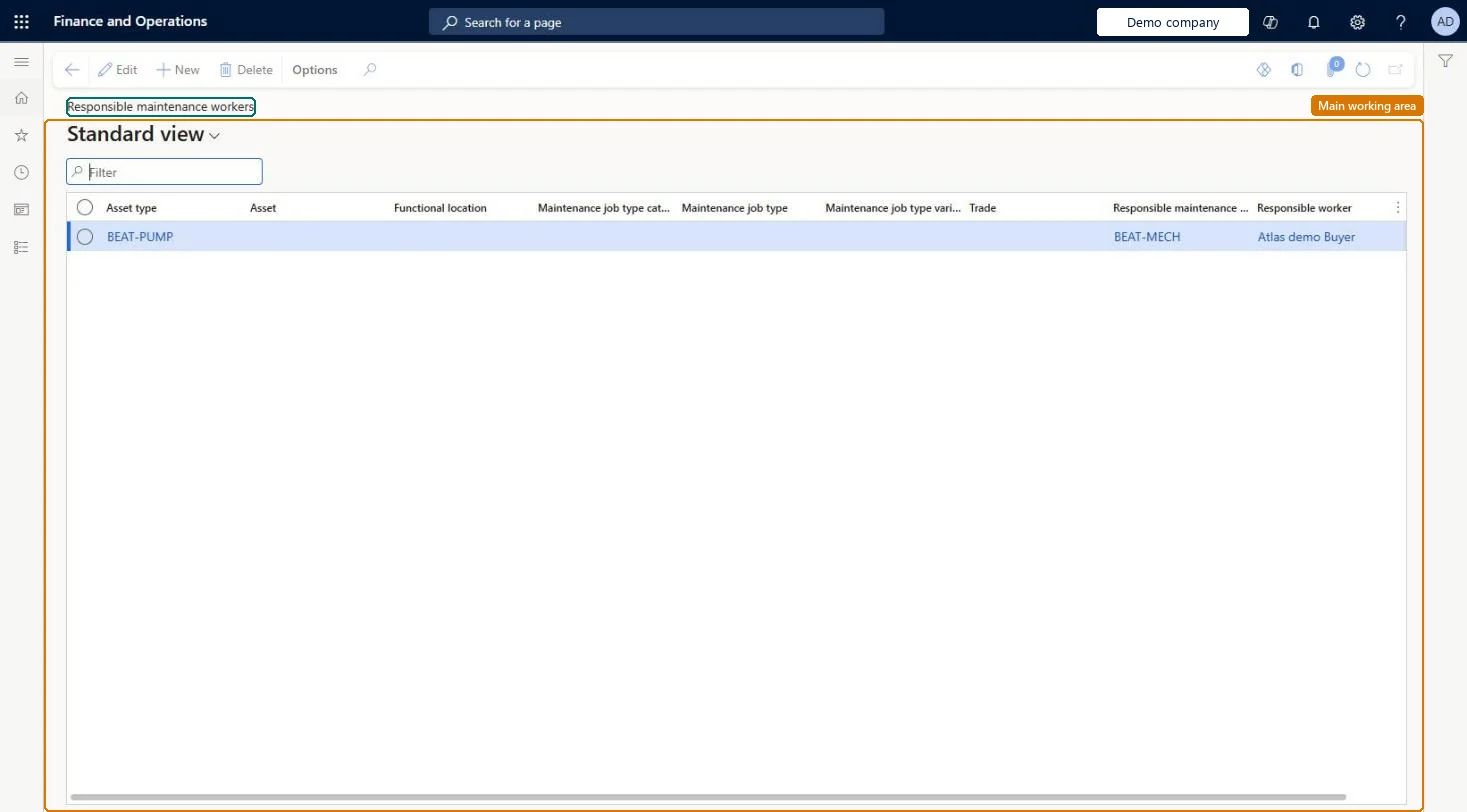
Set up Responsible maintenance workers
Use this page to suggest who is responsible for work orders and maintenance requests; it is optional and is not used for work order scheduling.
Steps from Microsoft
Go to Asset management > Setup > Workers > Responsible maintenance workers.
Select New.
Create a default record with only the Responsible maintenance worker group field, the Responsible worker field, or both.
Add more specific records by also selecting values such as Asset type, Asset, Functional location, Maintenance job type, or Trade.
Start with one default row that sets only Responsible maintenance worker group and/or Responsible worker, then add more specific rows only where a different team owns the workAsset management checks the most specific combination first (Trade, then Maintenance job type variant, job type, job type category, Functional location, Asset, Asset type) and falls back to the row with none of those seven fields filled. Without that default row, requests that match nothing get no responsible worker.
Expecting this setup to drive who is scheduled. It only suggests who is responsible for work orders and maintenance requests and is not used in work order scheduling; use preferred maintenance workers for scheduling.
Solution architect
5Design impact
Can it be undone
Reversible: The setup only proposes responsible workers or groups when a request or work order is created or updated. You can edit or delete rows at any time, and the responsible worker on an open request or work order can still be changed by hand. Microsoft Learn
If you change it later
The setup fills the responsible fields when work orders are created; on later updates it fills them only if they are blank. Microsoft Learn
Technical architect
6Technical
Menu item
EntAssetWorkerResponsibleChecked in Dynamics 365
Form
EntAssetWorkerResponsibleChecked in Dynamics 365
Table
EntAssetWorkerResponsiblShown as “RESPONSIBLE MAINTENANCE WORKERS” in Record infoKey field: ObjectType_ObjectTypeID, Object_ObjectID, JobGroup_JobGroupID, JobType_JobTypeID, JobVariant_JobVariantID, JobTrade_JobTradeID, FunctionalLocation_FunctionalLocationIdChecked in Dynamics 365
Data entities
EntAssetMaintenanceWorkerResponsibleEntityAsset management responsible maintenance workers Checked in Dynamics 365
To set it up or change itMaintenance manager EntAssetMaintenanceManagerTo use itMaintenance clerk EntAssetMaintenanceClerkGive people one of these roles. On this system, 2 roles can open this page.Checked in Dynamics 365