PAGE GUIDEWhat the page does and how to use it7 sections. Choose a role to highlight what matters to you.
Everyone
1What it is and why
What it is
An inquiry page that gives an overview of all faults registered on assets through work orders and maintenance requests.
What you do here
Use this page to review fault registrations and, from the Related information pane, see the work order or maintenance request that each fault belongs to.
Example
For example, a reliability engineer selects a fault registration and expands the Related information pane to find the work order on which it was recorded.
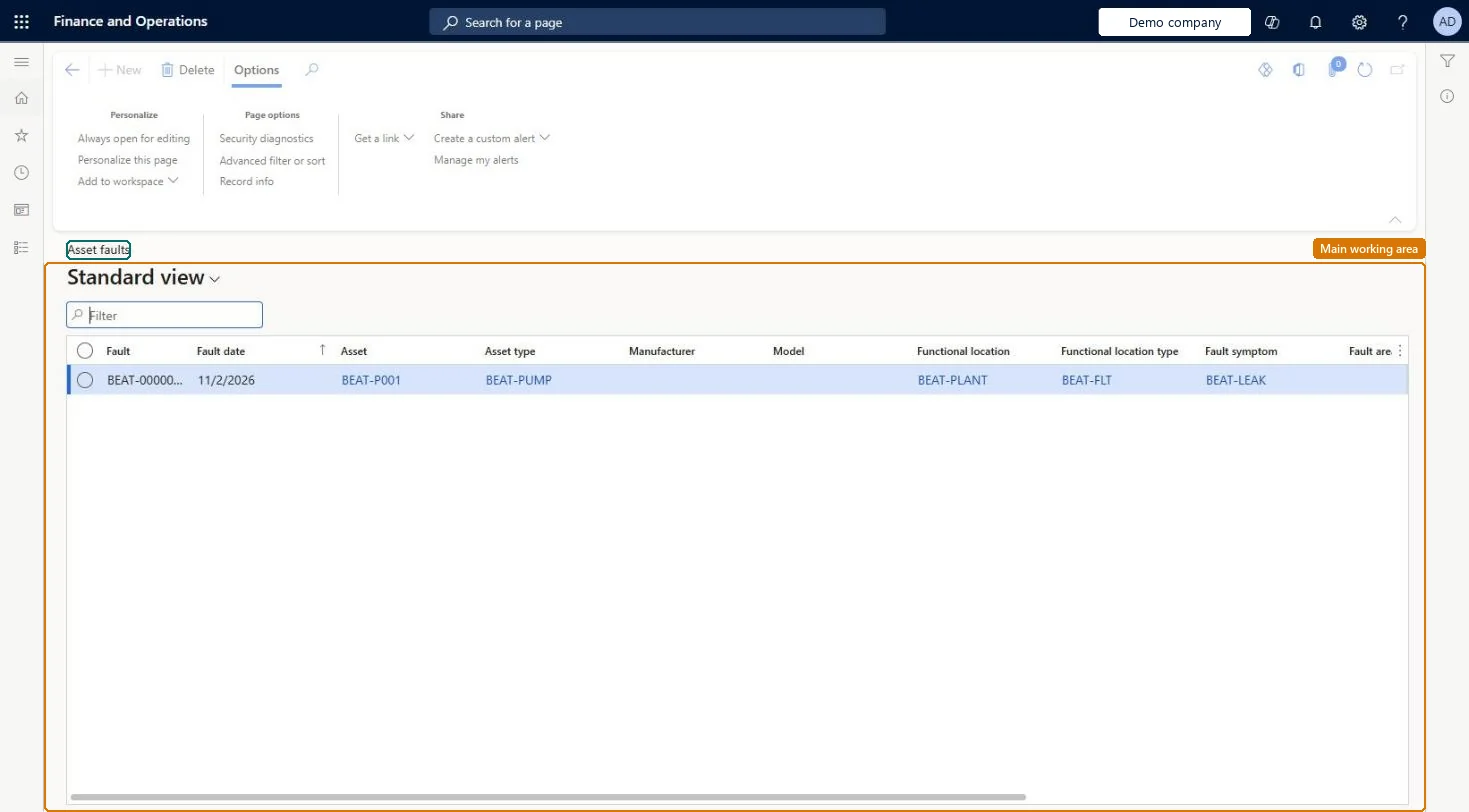
The page in Dynamics 365. page title tab to open what to set or check
About the examples: Examples and screenshots in this guide use BEAT, a demo company in a Dynamics 365 test environment. Use your own company's codes and values instead of copying them.
Steps from Microsoft
Go to Asset management > Inquiries > Asset fault > Asset faults.
Filter the list to find the fault registrations to review.
Select an asset fault registration.
Expand the Related information pane to see the related work order or maintenance request.
The date of the fault, which defaults to the current date.Microsoft Learn
FaultDate
Solution architect
4Design impact
If you change it later
Renaming a fault symptom, area, type, cause, or remedy in setup changes the name on existing fault registrations. Microsoft Learn
Technical architect
5Technical
Menu item
EntAssetObjectFaultSymptomListPageChecked in Dynamics 365
Form
EntAssetObjectFaultSymptomListPageChecked in Dynamics 365
Table
EntAssetObjectFaultSymptomShown as “FAULT SYMPTOMS” in Record infoKey field: FaultIDChecked in Dynamics 365
Data entities
EntAssetMaintenanceRequestAssetFaultEntityAsset management maintenance request asset faults Checked in Dynamics 365EntAssetMaintenanceWorkOrderAssetFaultEntityAsset management work order asset faults Checked in Dynamics 365
To use itMaintenance manager EntAssetMaintenanceManagerMaintenance clerk EntAssetMaintenanceClerkMaintenance worker EntAssetMaintenanceWorkerGive people one of these roles. On this system, 3 roles can open this page.Checked in Dynamics 365